
Soft HR Software Pricing Table for Divi 5: Three-Plan Comparison
A clean, minimal Divi 5 pricing section for HR SaaS products. Three-plan comparison grid (Core, Plus, Enterprise) with per-employee monthly pricing and feature rows.
Rate this element
Download this section, free
- Divi 5 JSON, imports in seconds
- Commercial license included
- No account needed
Click to view the full page
Overview
The layout builds its comparison table as a native CSS grid rather than a stack of pricing cards. A single divi/group module is configured with display: grid, gridColumnCount: 4, and a columnGap and rowGap of 1px against a #e0e3f5 background. That 1px gap is the entire divider system. No border modules, no decorative lines. Cells alternate between #f5f6ff (the section's soft periwinkle background) and #ffffff for the Plus column, giving the middle tier a quiet visual lift without any badge or callout module.
Above the grid, the heading hierarchy does real work. A 13px uppercase Figtree eyebrow in muted #596083 sets context at minimal visual weight. The h2 in Plus Jakarta Sans runs at 44px with -1px letter-spacing and textWrap: balance, constrained to a 720px max-width so it never stretches awkwardly on wide viewports. A single 18px body line, "Priced per employee, per month. No setup fees.", handles the most common pricing objection before the table loads. The outer container caps at 1080px; the subtitle group caps at 640px. Each width is set independently on its own divi/group wrapper, giving precise control without touching the grid.
The grid covers five feature dimensions across three plan tiers (Core at $6, Plus at $12, Enterprise at $20): time off and sick leave, employee count caps (25 / 250 / Unlimited), performance reviews, custom workflows, and SSO with audit log. Available features use a centred 16px Font Awesome check icon (divi/icon, unicode f00c) in #1e2140. Unavailable features use a plain text module containing an em dash in the softer #596083, keeping the visual language binary and unambiguous. Below the grid, a single indigo #4f46e5 button ("Start free trial", 12px corner radius, 14px/28px padding) closes the section with one action.
On mobile the section padding steps down from 104px to 48px. The row wrapper switches to flexDirection: column and the column expands to 24_24. Individual cell padding reduces from 16px to 6px horizontally. Font sizes inside grid cells drop to 12px. The h2 scales from 44px through 36px to 30px. The 4-column grid structure is preserved at the cell level throughout, so plan columns stay aligned at every breakpoint.
What’s inside
- Full-width section with `#f5f6ff` periwinkle background and stepped vertical padding (104px desktop / 72px tablet / 48px phone)
- Native 4-column CSS grid built from a `divi/group` with 1px gap dividers drawn by the parent background (no border modules)
- Dual-font heading stack: Plus Jakarta Sans h2 at 44px with -1px tracking, Figtree eyebrow at 13px uppercase, and an 18px subtitle with 1.6 line height
- Three plan columns (Core $6, Plus $12, Enterprise $20) with the Plus tier highlighted via `#ffffff` cell backgrounds
- Font Awesome check icons (`divi/icon`, 16px, centred, `#1e2140`) for included features; `#596083` em dash text modules for excluded tiers
- Five editable feature rows covering time off, employee count caps, performance reviews, custom workflows, and SSO/audit log
- Indigo CTA button (`#4f46e5`, 12px radius, "Start free trial") with 14px/28px padding positioned below the grid
Who it’s for
This layout fits HR platforms, people-ops tools, payroll software, onboarding systems, and talent management products that need to show plan tiers without the noise of stacked pricing cards. The flat grid format suits B2B SaaS products with professional buyers who want to scan feature rows quickly. It also works for workforce scheduling tools, time-tracking software, and benefits platforms where the difference between tiers is the entire selling point. The minimal palette and per-seat pricing framing translate naturally to any subscription SaaS targeting HR or operations teams.
Customization tips
The palette is set in two places: the section background (#f5f6ff) and the CTA button (#4f46e5). Change both to your brand colour and the layout shifts coherently. The Plus column's white cells (#ffffff) are separate group backgrounds inside the grid. Replace them with a light tint of your brand colour for a softer highlight, or swap in a stronger accent if you want the recommended tier to stand out more. Feature row labels should stay under 30 characters to avoid wrapping at the 12px mobile font size. The h2 is constrained to 720px with textWrap: balance, so keep it under 50 characters for clean two-line wrapping. Pricing values (Core $6, Plus $12, Enterprise $20) are plain divi/text modules: update the numbers directly. To add or remove a feature row, duplicate or delete the four-cell group block inside the main grid group, keeping the alternating #f5f6ff / #ffffff background pattern consistent across columns.
How to install this layout
- Download the layout JSON file from this page.
- Open the target page in the Divi 5 builder.
- Open the portability panel (up/down arrows icon) and choose the Import tab.
- Upload the JSON. Tick “replace existing content” only for full-page imports.
- Check the page at desktop and mobile widths, then swap in your copy and images.
Full walkthrough with troubleshooting: How to Import a Divi 5 Layout.
Questions about Soft HR Software Pricing Table for Divi 5: Three-Plan Comparison
The table uses a 4-column grid. Does it stay readable on phones?
Yes. The row wrapper switches to `flexDirection: column` on phones and the column expands to full width, but the grid itself keeps its 4-column structure at the cell level. Horizontal cell padding reduces from 16px to 6px and text drops to 12px, so the columns stay aligned on narrow screens. The main thing to test before publishing is feature label length: anything over 30 characters risks wrapping badly at 12px.
How is the 'Most popular' plan visually distinguished?
Purely through cell background colour. The Plus column cells use `#ffffff` while the Core and Enterprise columns use the `#f5f6ff` section background. There is no badge, border, or callout module. It is a quiet distinction that fits the minimal aesthetic. If you need something more prominent, you can add a `divi/text` label above the column header cells or change the Plus cell backgrounds to a light brand tint.
What modules does this layout use?
`divi/section`, `divi/row`, `divi/column`, `divi/group` (as both the grid container and individual cells), `divi/heading`, `divi/text`, `divi/icon`, and `divi/button`. No third-party modules, no custom code, no images.
How do I add a fourth plan tier?
Change the grid group's `gridColumnCount` from 4 to 5 in the Divi visual builder. Then duplicate one of the existing plan-column cell groups for every feature row and update the content. Keep the alternating background pattern (lavender / white / lavender / new tier or similar) consistent so the visual rhythm holds.
Are there any images or stock photos to replace?
None. The layout is entirely typographic. The only non-text element is the Font Awesome check icon in each cell. This means it loads instantly and there is no image sourcing or aspect-ratio work before you can publish it.
What should I edit first after importing?
Update the three pricing values (the `$6`, `$12`, and `$20` text modules in the column header row) and the feature row labels to match your actual plan features. Then replace the h2 and subtitle copy. Those six changes cover the entire visible content of the section.
Which Divi version does this layout need?
Divi 5. The layout is generated natively for Divi 5 and validated against its real module structure before publication, so it imports clean into the current builder.
Can I use this layout on client websites?
Yes. Every download includes a commercial license covering unlimited sites you own or build for clients. Only reselling or redistributing the layout file itself is prohibited.
More pricing tables
Browse all pricing tables
Organic Farm Share Pricing Table for Divi 5: Three-Box Comparison
pricing · restaurant · minimal

Bold Gym Chain Pricing Table for Divi 5: Three Access Levels
pricing · fitness · bold

Dark Webinar Platform Pricing Table for Divi 5: Three-Plan Comparison
pricing · events · dark

Luxe Wealth Advisory Pricing Table for Divi 5: Three Service Levels
pricing · agency · elegant

Brutalist Design Tool Pricing Table for Divi 5: Three-Plan Comparison
pricing · agency · bold
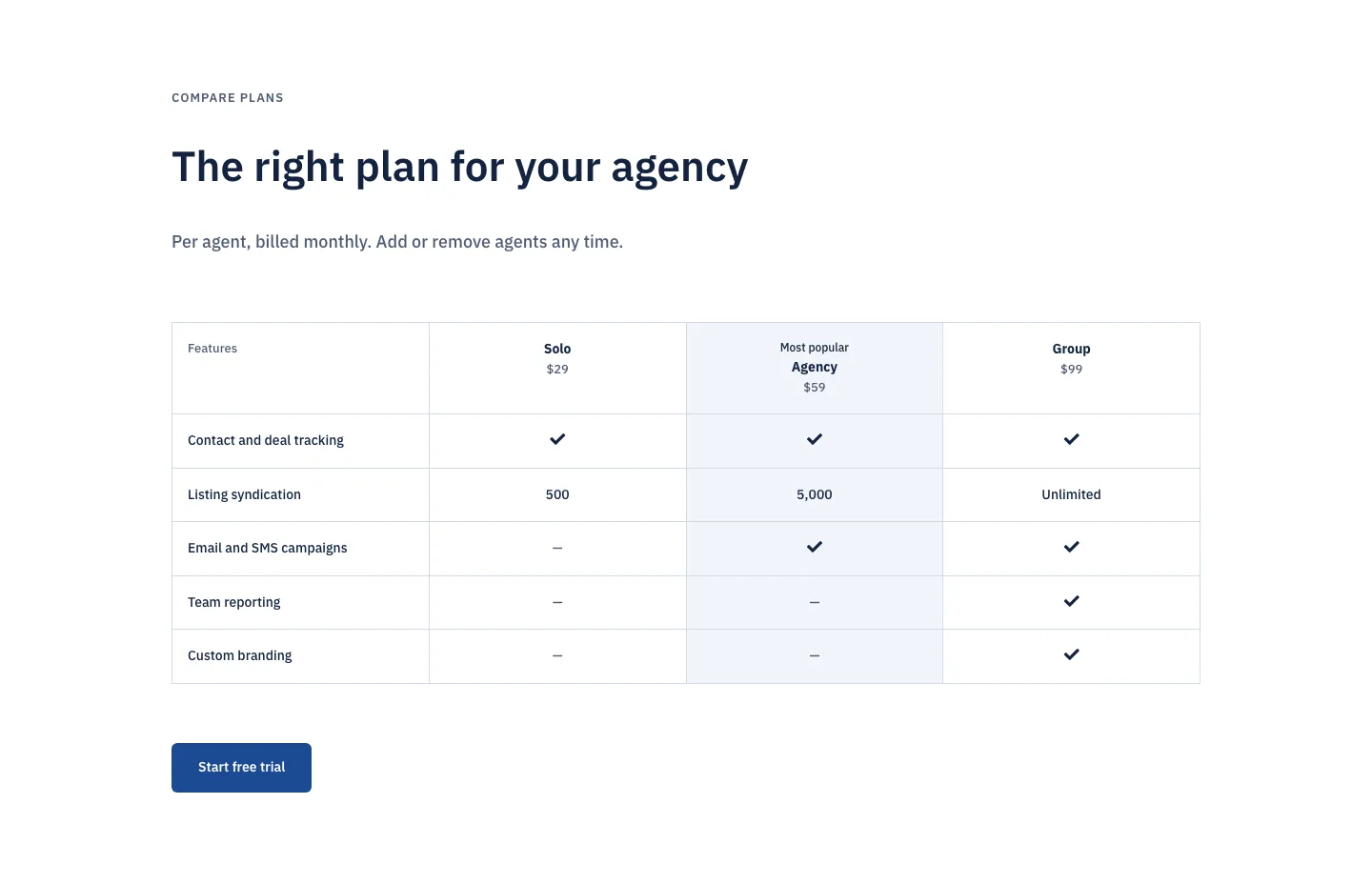
Corporate Real Estate CRM Pricing Table for Divi 5: Three-Plan Comparison
pricing · real_estate · corporate