
Bold Boxing Club Landing Page for Divi 5: Trial Week at Ferris Street
A bold, high-impact Divi 5 landing page for a boxing gym. Features a trial week CTA, class timetable, onboarding steps, pricing cards, FAQ accordion, and contact form. Anton + Barlow type, black and warm cream palette.
Rate this element
Download this section, free
- Divi 5 JSON, imports in seconds
- Commercial license included
- No account needed
Click to view the full page
Overview
The header section opens with a full-bleed Pexels boxing photograph behind a warm off-white (#f2ece1) overlay, then a white card punched inside it at 60px padding on desktop, collapsing to 20px on phone. Inside the card: a small Barlow uppercase label ("Ferris Street Boxing Club, since 1987"), an Anton h1 at 56px that scales to 34px on phones with a tight 1.1em line-height, and a solid red (#d91e14) CTA button with an invert hover state. The type choice — Anton for display, Barlow for body — runs through every section and creates a consistent magazine-editorial tension between compressed editorial weight and legible prose.
The second and sixth sections share the near-black (#0d0b0a) background to bookend the narrative. The statistics block uses a three-column CSS grid with 40px gaps on desktop, collapsing to a single column on phone. Each stat cell opens with a 4px cream rule, an Anton numeral at 96px (64px on mobile), and a Barlow descriptor, producing a scannable proof-of-credibility rhythm that reads at distance on a gym display and at thumb-scroll on a phone.
The warm-parchment (#f2ece1) sections house the progression story and the FAQ. The "Your first three weeks" section alternates three image-text rows at a 1/2 + 1/2 split, with the second row reversing column order on phone via a negative order: -1 so the image always leads on small screens. Images are locked to a 4:3 aspect ratio with object-fit: cover so any replacement photograph fills the frame without distortion. The pricing section uses a two-column grid of rounded-corner cards, one in parchment with a ghost button and one in near-black with a filled cream button, clearly separating the trial tier from the membership tier.
The FAQ uses a native Divi 5 Accordion with 32px border-radius and a 3px near-black border, matching the card language used in the testimonial and pricing sections. Six items cover the questions a first-time visitor actually asks, with the first toggle open by default. A contact form in the final section uses the same parchment card shell, limiting itself to name and email so the friction before a trial booking is minimal.
What’s inside
- Anton + Barlow type system applied at preset level — display headings use Anton at 56px/44px/34px (desktop/tablet/phone), body copy uses Barlow at 16–18px with a 1.6em line-height
- Statistics block: three-column CSS grid (divi/group with `gridColumnCount: 3`) containing 96px Anton numerals, 4px divider rules, and Barlow descriptors — collapses to single column on phone
- Three alternating 1/2 + 1/2 image-text rows in the onboarding section, with phone-order reversal on the second row so images always appear above their text on small screens
- Two-tier pricing cards with rounded 32px corners and 3px borders: a parchment ghost-button card (Trial, $25) and a near-black filled-button card (Monthly, $110), each with a checkmark feature list built from divi/icon + divi/text row groups
- Native Divi 5 Accordion FAQ with six pre-written items, 32px border-radius, and first item open by default
- Divi Testimonial module with portrait image, 32px rounded border, and 3px near-black rule — inherits the card language used across the layout
- Four-rule "House rules" section: numbered rows using a fixed-width 64px group for the counter and a flex-grow group for the heading + body, separated by 4px cream dividers on the near-black background
- Contact form in a parchment card (name + email only) with a red submit button matching the hero CTA, giving the page two consistent conversion points at top and bottom
Who it’s for
This layout fits any locally-rooted fitness business that leads with community credibility rather than slick brand polish: boxing gyms, martial arts studios, CrossFit boxes, wrestling clubs, and strength-and-conditioning facilities. The trial-week pricing model and the step-by-step onboarding narrative work equally well for a yoga studio converting first-timers or a swimming club running beginner-week promotions. Designers building sites for independent gym owners, sports clubs, or personal trainers who want a bold editorial look without a custom build will get the most from it.
Customization tips
The entire palette is controlled by four preset colors: near-black #0d0b0a, red #d91e14, warm parchment #f2ece1, and medium taupe #4a4440. Swap all four at the preset level and every section, button border, divider, and text recolors in one pass. The Anton display font can be replaced with any single heavy-weight face (Oswald, Bebas Neue) without resizing — the 56px/44px/34px responsive stack is already set. Keep h1 copy to two or three short words so the 1.1em line-height holds; longer headlines wrap awkwardly at the 34px phone size. Images in the alternating rows must be 4:3 (e.g. 1600×1200px) because the Divi image module locks that ratio with object-fit: cover — portrait or square images will be center-cropped. The statistics section expects two-digit numerals; three-digit numbers push the 96px Anton type out of the cell on phone — reduce the font size to 64px if needed.
How to install this layout
- Download the layout JSON file from this page.
- Open the target page in the Divi 5 builder.
- Open the portability panel (up/down arrows icon) and choose the Import tab.
- Upload the JSON. Tick “replace existing content” only for full-page imports.
- Check the page at desktop and mobile widths, then swap in your copy and images.
Full walkthrough with troubleshooting: How to Import a Divi 5 Layout.
Questions about Bold Boxing Club Landing Page for Divi 5: Trial Week at Ferris Street
Which Divi 5 modules does this layout use?
It uses divi/section, divi/row, divi/column, divi/heading, divi/text, divi/button, divi/image, divi/icon, divi/group, divi/divider, divi/testimonial, divi/accordion, divi/accordion-item, and divi/contact-form. No third-party modules are required.
How does the layout behave on phones?
Each section uses explicit phone breakpoint values. Column padding drops from 60px to 20px, display type scales from 56px to 34px, the statistics grid collapses from three columns to one, and the alternating image rows stack vertically with the image above the text. The pricing grid also collapses to a single column.
What image dimensions should I use for the alternating rows?
The three image modules in the onboarding section are locked to a 4:3 aspect ratio with object-fit: cover. Supply images at 1600×1200px minimum. The hero background image is set at 1920px width. Any Pexels or licensed photograph at those sizes will fill correctly.
What should I edit first when adapting this to a different gym?
Start with the four palette presets (near-black, red, parchment, taupe), then update the six statistics numerals and their descriptors, then replace the three Pexels images in the onboarding rows with location-specific photography. The rest of the copy slots follow naturally once those anchors are in place.
Can I add more class rows to the timetable section?
Yes. Each class is a divi/group containing a divi/icon and a nested divi/group with a heading and a text module, separated from the next row by a 2px divi/divider. Duplicate any existing row group and update the icon unicode, heading text, and description. The layout handles any number of rows without structural changes.
Can I change the pricing in the two cards without breaking the button styles?
Yes. The price figures are plain divi/text modules using Anton at 56px — edit the inner content string directly. The button styles (border color, background, hover) are set on the button module itself, not inherited from the price text, so changing the number does not affect the CTA appearance.
Which Divi version does this layout need?
Divi 5. The layout is generated natively for Divi 5 and validated against its real module structure before publication, so it imports clean into the current builder.
Can I use this layout on client websites?
Yes. Every download includes a commercial license covering unlimited sites you own or build for clients. Only reselling or redistributing the layout file itself is prohibited.
More full landing pages
Browse all full landing pages
Dark Developer Tool Landing Page for Divi 5: Log Tracing Platform
full_landing · saas · dark

Elegant Coaching Landing Page for Divi 5: Founder Burnout Recovery
full_landing · coaching · elegant
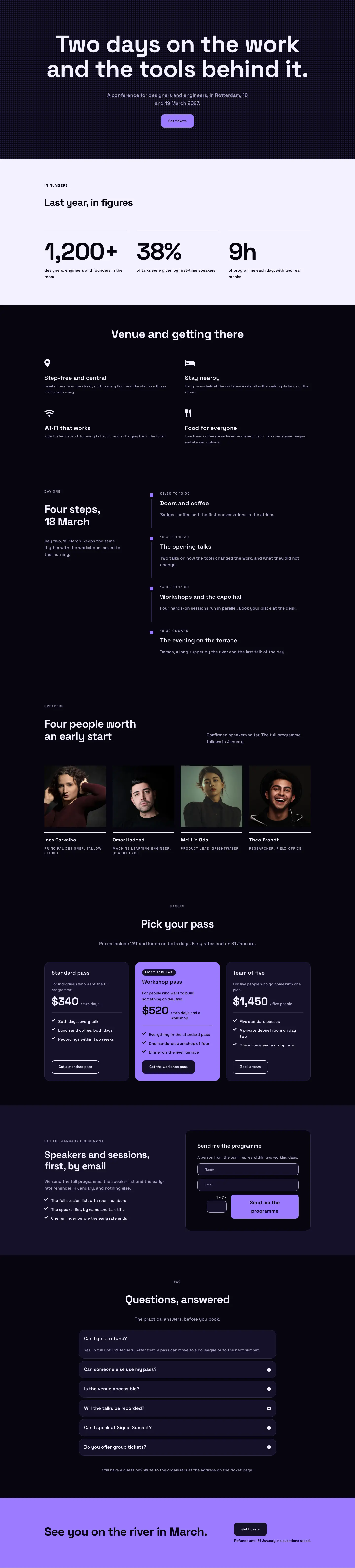
Dark Glass Conference Landing Page for Divi 5: Signal Summit
full_landing · events · dark

Elegant Restaurant Landing Page for Divi 5: Ten-Seat Omakase Counter
full_landing · restaurant · elegant

Bold Studio Landing Page for Divi 5: Motion and Brand Design
full_landing · agency · bold

Playful Small-Batch Preserves Landing Page for Divi 5: Little Jars
full_landing · ecommerce · playful