
Bold Studio Landing Page for Divi 5: Motion and Brand Design
A bold, editorial full-landing-page layout for motion and brand design agencies. Features a portfolio grid, stats bar, numbered process, team grid, testimonial, FAQ accordion, and contact form — built for Divi 5.
Rate this element
Download this section, free
- Divi 5 JSON, imports in seconds
- Commercial license included
- No account needed
Click to view the full page
Overview
The layout opens on an off-white canvas (#f2f2f0) with a white hero group framed on all four sides by a 4px solid black border. Inside it, an H1 set in Archivo Black at 104px — tight 0.98em line height, -1px letter spacing, forced uppercase — presses the studio name into a single dense editorial mass. Immediately below, three numbered service cards sit in a CSS grid that runs three columns on desktop and collapses to a single stack on phone. Each card shares the same border treatment and the same type pairing: a Space Mono index label (01, 02, 03) in 14px uppercase with 2px letter spacing sets the sequence, then an 18px Work Sans line names the discipline. The primary CTA is an orange-red (#ff3b00) button with a 4px black border and 0px radius; hover inverts fill and label, making the interaction visible on a fast scroll.
The portfolio section runs five projects through a disciplined grid. A heading row pairs a Space Mono eyebrow with an Archivo Black H2 and a ghost outline button pushed to the opposite end of the row. Below it, a CSS grid opens with a full-width 2:1 featured case — Northern Reel Festival, spanning both columns — then drops into four 4:3 cards: Vantage Bikes, Mono Radio, Fieldwork Books, and Tallow Coffee. Each card carries a project name in Archivo Black 22px and a small bordered discipline tag in Space Mono uppercase. On phone the grid collapses to one column and row gap tightens from 40px to 32px, keeping the sequence intact without horizontal scroll.
The stats section builds a black outer container — 1px black interior gaps, #f2f2f0 cells — that reads more like a printed table than a dashboard. The four figures (48, 4.9, 71%, 3x) render in Archivo Black at 64px with -2px letter spacing. Each label runs in 13px Space Mono uppercase beneath the number. Tablet and phone both switch to a 2×2 grid so all four cells remain visible without scroll. The testimonial section that follows takes a Pexels photograph and applies a 70% opaque black gradient to both sides, then sets an Archivo Black quote at 42px white across a 760px constrained column — signed off by a 4px white divider hairline and two attribution text lines in Work Sans.
The back half of the page covers process, team, reasoning, FAQ, and a live contact form. The process section uses an 80px Archivo Black counter on the right column, with 2px solid black dividers separating each of the three phases. The team section places four 1:1 square B&W portraits in a four-column grid; each portrait gets a top-only 4px black border before the name and role. A split accordion-plus-image section follows, then a centered FAQ accordion with six items and full-perimeter 4px black borders. The closing section pairs three icon-and-text benefit rows with a contact form card — Name and Email fields, white on off-white, the same 4px black border system, and the orange-red submit button — so the studio can receive briefs the moment the page goes live.
What’s inside
- Full-page hero with Archivo Black H1 at 104px (68px tablet, 40px phone), 0.98em line height, enclosed in a 4px solid black bordered Group module
- Three numbered service cards in a CSS grid Group (3-col desktop, 1-col phone) using Space Mono index labels and Work Sans service descriptions
- Five-project portfolio grid: one 2:1 featured case spanning full width plus four 4:3 case study cards, each with a bordered Space Mono discipline tag
- Four-cell stats grid with 64px Archivo Black figures separated by 1px black gap lines — collapses to 2×2 on tablet and phone
- Full-bleed testimonial section using a section background image with a 70% black gradient overlay and a 42px white Archivo Black quote block
- Four-person team grid with 1:1 square portrait Images and top-border Group name/role labels in Archivo Black and Space Mono
- Split Accordion (4 items, bottom-border style) paired with a 4:5 portrait Image for the 'why it works' section
- Closing contact form with Name and Email fields, styled in the same 4px black border system, and an orange-red (#ff3b00) submit button with hover invert
Who it’s for
Motion studios, brand design agencies, and creative consultancies that want a portfolio site with editorial weight rather than a generic agency template. The bold typographic system and numbered case study format also travel well to film production companies, 3D studios, sound design practices, and packaging design firms — any creative business where the work is visual and the client needs to trust the studio before picking up the phone. Freelance brand designers presenting multi-discipline work will find the numbered service card and five-project grid format easy to adapt to their own service and case study list.
Customization tips
The palette runs on three values: #f2f2f0 (section backgrounds), #000000 (borders, text, default button fills), and #ff3b00 (primary CTA and form submit). Changing those three tokens in the Divi global colors panel re-skins the entire page because every module references them directly — the 4px borders on groups, buttons, and the contact form card all follow the black token wherever you update it.
The H1 is sized for roughly 4–8 words before the 0.98em line height starts to break unevenly; keep the headline short and punchy. The portfolio section expects 4–5 projects; a sixth card fits the 2-column grid without CSS changes. The featured card uses a 2:1 crop — supply a landscape image at around 1600×800px. The four supporting cards are 4:3; 800×600px is a comfortable minimum. Team portraits are locked to 1:1 square, so crop headshots to that ratio before uploading, ideally at 800px or wider. The testimonial quote runs to about 200 characters comfortably at the current 42px size; anything longer needs a size reduction or a shorter cut.
How to install this layout
- Download the layout JSON file from this page.
- Open the target page in the Divi 5 builder.
- Open the portability panel (up/down arrows icon) and choose the Import tab.
- Upload the JSON. Tick “replace existing content” only for full-page imports.
- Check the page at desktop and mobile widths, then swap in your copy and images.
Full walkthrough with troubleshooting: How to Import a Divi 5 Layout.
Questions about Bold Studio Landing Page for Divi 5: Motion and Brand Design
How does the H1 type scale across breakpoints?
Three explicit sizes are set in the Heading module: 104px on desktop, 68px on tablet, and 40px on phone. The 0.98em line height and uppercase setting carry through all three, so the only thing to watch is copy length — very long headlines can wrap awkwardly at 40px on narrow screens.
The portfolio grid has one card spanning two columns. Will the layout break if I remove it?
No. The featured card has gridColumnSpan set to 2 on desktop only; phone resets it to span 1. If you delete that card, the remaining four 4:3 cards will fill the grid in a clean 2×2 arrangement with no additional changes needed.
What image dimensions work for the case study cards?
The featured card uses a 2:1 aspect ratio — 1600×800px is a safe crop. The four supporting cards use 4:3 — 800×600px works well. All images have objectFit set to cover, so they crop rather than distort if your source image doesn't match exactly.
Can I replace the testimonial background photo?
Yes. Open the section's background settings and replace the Pexels URL with your own image. The 70% black gradient overlay is applied on top of the image and will keep the white text readable regardless of the photo's brightness or content.
Which Divi 5 modules does this layout use?
Section, Row, Column, Group, Heading, Text, Image, Button, Divider, Icon, Accordion, Accordion Item, and Contact Form — all native Divi 5 modules. No third-party plugins, shortcodes, or custom CSS are required.
What should I edit first after importing?
Start with the three service cards in the hero (the 01/02/03 labels and service lines), then swap the five portfolio case images and titles, then update the stats figures and the testimonial quote. The contact form email destination is set in the Contact Form module settings under the Advanced tab.
Which Divi version does this layout need?
Divi 5. The layout is generated natively for Divi 5 and validated against its real module structure before publication, so it imports clean into the current builder.
Can I use this layout on client websites?
Yes. Every download includes a commercial license covering unlimited sites you own or build for clients. Only reselling or redistributing the layout file itself is prohibited.
More full landing pages
Browse all full landing pages
Dark Developer Tool Landing Page for Divi 5: Log Tracing Platform
full_landing · saas · dark

Elegant Coaching Landing Page for Divi 5: Founder Burnout Recovery
full_landing · coaching · elegant
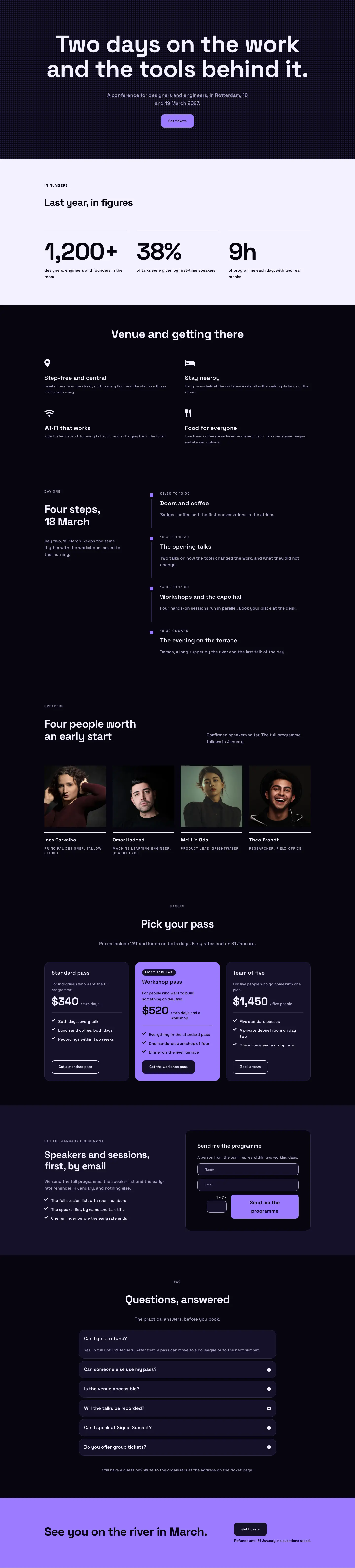
Dark Glass Conference Landing Page for Divi 5: Signal Summit
full_landing · events · dark

Elegant Restaurant Landing Page for Divi 5: Ten-Seat Omakase Counter
full_landing · restaurant · elegant

Playful Small-Batch Preserves Landing Page for Divi 5: Little Jars
full_landing · ecommerce · playful

Elegant Furniture Maker Portfolio Landing Page for Divi 5: Ashdown Workshop
full_landing · portfolio · elegant