
Corporate Real Estate Landing Page for Divi 5: Coastal and Lakeside Brokerage
A full-page Divi 5 layout for a boutique waterfront real estate brokerage. Includes hero with valuation CTA, listings grid, market stats, 3-step process, testimonial, broker bio, FAQ accordion, and contact form.
Rate this element
Download this section, free
- Divi 5 JSON, imports in seconds
- Commercial license included
- No account needed
Click to view the full page
Overview
The layout opens with a split hero: a 16/24 text column paired with a tall 4:5 portrait image that runs to the section edge on desktop. The H1 sits at 64px with a 1.1em line height and text-wrap: balance applied across every section heading, preventing awkward single-word wraps at intermediate viewport widths. Below the headline, a flex row holds the warm-brown primary button (#7d5c2a background, 14px/28px padding) alongside a plain text link, giving visitors two exit paths with distinct visual weight. On phone the columns stack, the image drops below the copy and runs full width at 4:5, and section vertical padding steps down in three explicit breakpoints: 96px desktop, 68px tablet, 44px phone.
The listings section uses a native CSS grid directly on a divi/group module rather than Divi rows. The featured card spans both columns at a 2:1 aspect ratio; the four supporting listing cards use 4:3 images with 6px rounded corners. Each card pairs an H3 address with a small bordered pill that shows type, bedrooms, and asking price in uppercase 12px text, using justify-content: space-between to push the pill to the right of the address on wider viewports. The market stats block immediately below uses the same grid container, this time as a four-up panel separated by 1px hairline borders in #cfdcd8. The large numerals (64px, weight 300, letter-spacing -2px) pull attention without competing with section headings.
The middle sections alternate between #f6f8f7 and #eef3f1 backgrounds to signal transitions without adding new colors. The three-step process section renders large bold numerals (80px, weight 700, letter-spacing -2px) as typographic section markers, with a styled divi/divider line between each step rather than icons or numbered list items. The testimonial section breaks the quiet palette with a full-bleed background image held under a 72% dark-teal gradient overlay (rgba(13,42,40,0.72)) on both gradient stops, reversing the text to #f4f7f5 at 42px. The broker bio that follows uses an unconventional image border-radius: full pill on the top two corners, 32px rounded on the bottom two, a small typographic choice that marks personality within an otherwise restrained system.
Two distinct divi/accordion instances handle different jobs. The differentiators accordion uses a border-bottom-only styling (no outer frame, no background) with four items. The FAQ accordion is a separate module in a centered divi/group at max-width 800px, with a full 1px border, 6px corner radius, and #eef3f1 background on open and closed toggles. The closing CTA section pairs three divi/icon plus divi/text checklist rows (Font Awesome checkmarks at 15px in #0f2b2a) with a self-contained contact form card: #f6f8f7 background, 1px #cfdcd8 border, 48px padding, two fields (Name and Email), and a warm-brown submit button that matches the hero CTA.
What’s inside
- Split hero with 16/24 text column and 4:5 portrait image column; three-breakpoint padding scaling and responsive column stacking on phone
- CSS grid listings panel: one 2:1 featured card spanning both columns, four 4:3 listing cards each with H3 address and a bordered property-detail pill
- Four-up market stats block using a CSS grid with 1px hairline dividers and 64px weight-300 numerals for key performance figures
- Three-step process section with 80px bold step numbers and styled `divi/divider` separators between each step
- Full-bleed testimonial section with a background image held under a dual-stop dark-teal gradient overlay, reversed-out quote at 42px with responsive scaling
- Broker bio section with circular-top/rounded-bottom portrait image border-radius, a 15/24-wide copy column, and italic signature text
- Differentiators column with a border-bottom-only accordion (four items) alongside a 4:5 full-height agent image
- Centered FAQ accordion (six items, bordered rounded variant) and a two-column CTA with icon-and-text checklist plus a styled contact form card
Who it’s for
This layout fits independent broker-owners, boutique coastal agencies, and individual agents whose business runs on personal credibility and local market knowledge rather than search-volume scale. The broker bio, testimonial, and differentiators sections make it especially well-suited to a named principal building a personal brand alongside a brokerage identity. It works for waterfront residential specialists of all kinds: oceanfront, lakeside, bay, or river -- anywhere geography defines the market area. It would also suit luxury cabin specialists, vacation-home agents, and property managers who want a page that leads with authority and honesty rather than a property portal.
Customization tips
The entire palette pivots on four hex values: the near-white page background #f6f8f7, the slightly warmer alternate-section background #eef3f1, the deep teal text color #0f2b2a, and the warm brown button color #7d5c2a. Replacing these four values using Divi's global color presets will shift the mood completely. The H1 is set at 64px; headlines above roughly 8 words will wrap noticeably at that size, so consider trimming the headline or reducing to 52px if your copy runs longer. Listing images are locked to fixed aspect ratios in the JSON: the featured hero card expects 2:1 (a wide landscape crop, around 1600x800px), the four supporting listing cards expect 4:3, and the hero section portrait expects 4:5 (vertical). Object-fit cover handles any minor size mismatch, but images far outside these ratios will shift perceived composition. The contact form currently has two fields; a third field (such as property address) fits within the 48px card padding without layout changes. The testimonial background image URL is set directly on the section; swap it freely, as the gradient overlay keeps the white text readable regardless of the replacement photo.
How to install this layout
- Download the layout JSON file from this page.
- Open the target page in the Divi 5 builder.
- Open the portability panel (up/down arrows icon) and choose the Import tab.
- Upload the JSON. Tick “replace existing content” only for full-page imports.
- Check the page at desktop and mobile widths, then swap in your copy and images.
Full walkthrough with troubleshooting: How to Import a Divi 5 Layout.
Questions about Corporate Real Estate Landing Page for Divi 5: Coastal and Lakeside Brokerage
The layout has two accordion sections -- are they styled differently?
Yes. The differentiators accordion in section seven uses border-bottom-only styling with no outer frame and no background fill on the toggles. The FAQ accordion in section eight has a full 1px border, 6px corner radius, and an `#eef3f1` background on both open and closed toggle states. Both use the `divi/accordion` module, but their decoration settings are independent and can be edited without affecting each other.
What aspect ratios should my listing images be?
The featured listing card at the top of the grid is set to 2:1 (wide landscape), so images around 1600x800px work well. The four supporting listing cards use 4:3, and the hero section portrait on the right side uses 4:5 (vertical). All images use object-fit cover, so minor size differences are handled automatically, but using images far outside these ratios may shift the focal point in ways the crop cannot recover.
How does the layout respond on mobile?
The hero columns stack vertically with the image below the copy. The listings grid collapses to a single column. The market stats panel stays at two columns on phone (it is two on tablet too). The process section, broker bio, differentiators, and CTA rows all stack to a single column. The H1 scales from 64px to 36px across three explicit breakpoints, and section vertical padding steps from 96px down to 44px.
Where should I start when swapping in real content?
Start with the H1 in the hero section and the three-paragraph broker bio -- those carry the most brand-specific voice. Then update the five listing cards (address, property type, bedrooms, price) and replace the four market statistics (38, 6.1%, 71%, 23) with your real figures. Those two areas account for nearly all the placeholder data in the layout.
Can I add more listing cards to the grid?
Yes. The listings grid is a `divi/group` set to `display: grid` with `gridColumnCount: 2`. Duplicate any of the four 4:3 listing group blocks and drop the copy inside the grid container. The featured hero card has `gridColumnSpan: 2` applied to it explicitly; new cards will default to a single column span. On phone the grid is already set to one column, so additional cards will simply stack.
The broker portrait has an unusual shape -- what is it?
The image border-radius is set to 999px on the top-left and top-right corners (producing a full semicircle at the top) and 32px on the bottom two corners. It is a single `divi/image` module with the border decoration set in the JSON. You can change any of the four corner values independently in the Divi visual builder to match your preferred style.
Which Divi version does this layout need?
Divi 5. The layout is generated natively for Divi 5 and validated against its real module structure before publication, so it imports clean into the current builder.
Can I use this layout on client websites?
Yes. Every download includes a commercial license covering unlimited sites you own or build for clients. Only reselling or redistributing the layout file itself is prohibited.
More full landing pages
Browse all full landing pages
Dark Developer Tool Landing Page for Divi 5: Log Tracing Platform
full_landing · saas · dark

Elegant Coaching Landing Page for Divi 5: Founder Burnout Recovery
full_landing · coaching · elegant
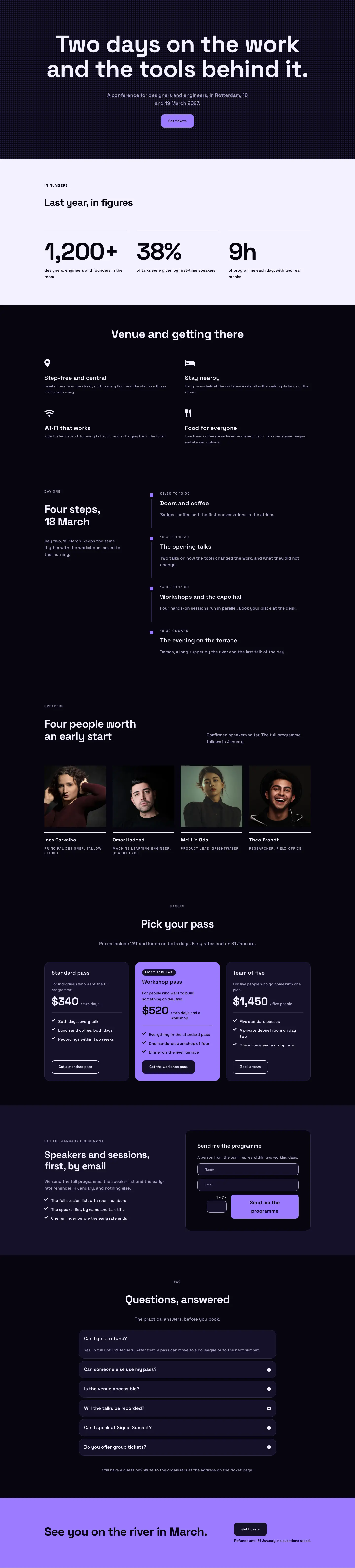
Dark Glass Conference Landing Page for Divi 5: Signal Summit
full_landing · events · dark

Elegant Restaurant Landing Page for Divi 5: Ten-Seat Omakase Counter
full_landing · restaurant · elegant

Bold Studio Landing Page for Divi 5: Motion and Brand Design
full_landing · agency · bold

Playful Small-Batch Preserves Landing Page for Divi 5: Little Jars
full_landing · ecommerce · playful