
Larkspur Home Co. — Minimal Real_estate Home Page for Divi 5
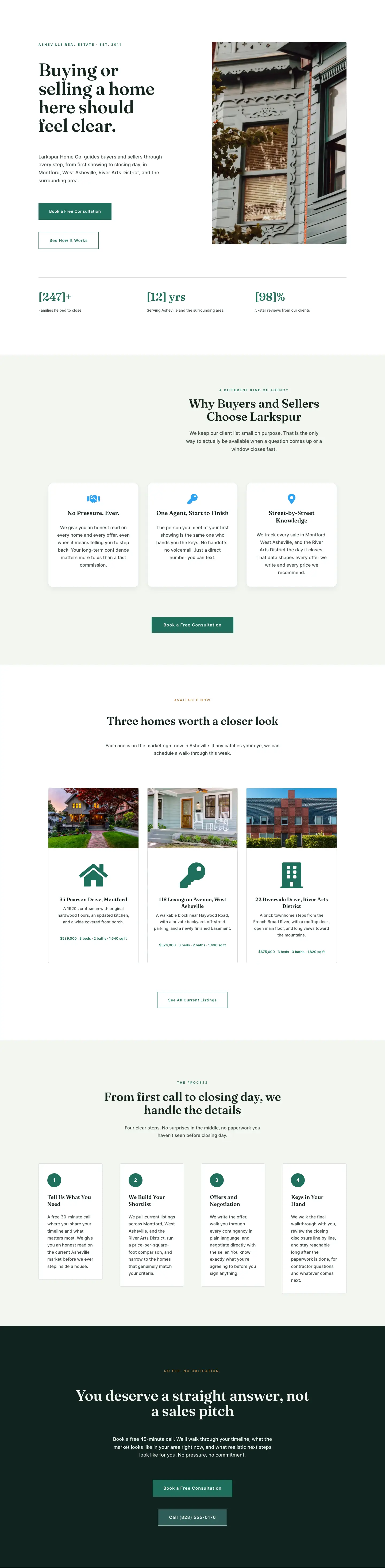
A clean, minimal Divi 5 landing page for a boutique real estate agency. Features a split hero, stat bar, feature cards, property listings grid, 4-step process, and a dark CTA section.
Rate this element
Download this section, free
- Divi 5 JSON, imports in seconds
- Commercial license included
- No account needed
Click to view the full page
Overview
The layout opens with a split-column hero contained at 1280px max-width. The left column holds a 12px uppercase eyebrow in Inter 600 with 3px letter-spacing, a 68px Fraunces serif headline set at 1.02 line height, an 18px body paragraph in Inter at #3F4F49, and a stacked button pair: one solid-fill button in the brand green (#1F6F5C) for the primary CTA and one ghost-bordered button at a 1px stroke for the secondary. The right column carries a single property photograph with 4px rounded corners. The left column has 72px of right padding, keeping the copy from crowding the photo. At tablet width the headline drops to 48px; on phones it drops to 36px and the row switches from its two-column flex layout to a single stacked column via a flexDirection override on the row module.
Directly below, still inside the same white section, a three-column stats bar is separated from the hero content by a 1px sage-tinted divider (#D5DDD8) set 80px below. The three figures, families closed, years in market, and review percentage, are rendered in 42px Fraunces at the brand forest green (#1F6F5C), while their labels sit in Inter 14px at a softer #3F4F49. The size contrast carries the entire visual argument: the numbers read at a glance without needing icons or decorative rules.
The second section shifts the background to #F3F6F1, a desaturated sage that signals a new topic without a hard visual break. A centered header block (eyebrow, H2, max-width 520px subtext) leads into a three-column features grid. Each card is white with a 16px border radius, a 1px border tinted with the brand green at 15% opacity, and a box shadow that deepens on hover while the card lifts 6px via CSS translate. All of this is controlled in native Divi decoration settings with no custom CSS. Font Awesome icons at 38px sit above Fraunces H3 headings, and all card text is center-aligned.
The page alternates white and sage backgrounds across five sections, closing on a near-black (#10231F) CTA that breaks the rhythm deliberately to signal the end of the scroll. The listings section uses the Divi blurb module inside each property card to handle the address heading, icon, and description as a single unit, with a separate Text module below styled in the brand green for the price and bedroom count. The four-step process section builds circular numbered badges entirely from native Divi Text modules with background color, border-radius set to 100px, and a fixed 52px width. The dark CTA pairs a 56px Fraunces headline (max-width 880px row) with a filled consultation button and a ghost phone-number button, giving visitors two entry points in the same frame.
What’s inside
- Split-column hero with a 68px/48px/36px responsive Fraunces headline, 18px Inter body copy at #3F4F49, and a stacked solid-plus-ghost button pair using sharp (0px radius) corners
- Three-stat trust bar inside the hero section: 42px Fraunces numerals in brand green (#1F6F5C), separated from the hero copy by a 1px sage divider (#D5DDD8) with 80px of top margin
- Three white feature cards on a #F3F6F1 sage background with 16px border radius, centered Font Awesome icons at 38px, and a hover animation that lifts each card 6px and deepens its box shadow, all in native Divi decoration fields
- Three property listing cards using the Divi blurb module for address, icon, and description copy, with a separate Text module beneath each for the price and bed/bath line styled in brand green; cards use overflow:hidden with 4px corners for clean image edges
- Four-step process grid in quarter-width columns, each with a circular numbered badge built from a native Divi Text module (background #1F6F5C, 100px border-radius, 52px fixed width), an H3 heading in Fraunces 600, and a body paragraph in Inter 16px
- Dark closing CTA section (#10231F) with a 56px Fraunces headline, 18px body copy constrained to 620px max-width, a filled consultation button, and a ghost phone-link button side by side
- Fraunces/Inter type pairing used consistently across all five sections; section backgrounds alternate white, sage, white, sage, and dark for a clear reading rhythm with no extra custom styling
Who it’s for
Independent real estate agents and boutique brokerages that compete on personal service and local market knowledge rather than listing volume. It fits buyer's agents, listing specialists, and relocation consultants who need to communicate process clarity and trust before a prospect picks up the phone. The geo-specific copy (neighborhood names, stat figures, property addresses) swaps out in a handful of Text and Heading modules, making it adaptable to any city or market. Small property management firms and real estate teams running a selective client roster will also find the tone and structure a strong fit.
Customization tips
The palette pivots on two values: replace #1F6F5C (forest green) with your brand color and update #10231F (the dark CTA background) to the darkest shade of that same hue for a consistent rebrand across all five sections. The warm-gold eyebrow accent (#B8844A) appears only in the listings section header and the dark CTA eyebrow, so updating it is a two-module edit. The hero headline is set at 68px and reads best at five to seven words; longer copy will break awkwardly at tablet width where the size drops to 48px. Listing card photos expect a landscape ratio close to 3:2 (the source images are 940x650px); taller or portrait crops will push blurb content lower inside the card. The numbered process badges are a fixed 52px wide, so keep badge labels to a single digit or at most two characters to stay within the circle shape.
How to install this layout
- Download the layout JSON file from this page.
- Open the target page in the Divi 5 builder.
- Open the portability panel (up/down arrows icon) and choose the Import tab.
- Upload the JSON. Tick “replace existing content” only for full-page imports.
- Check the page at desktop and mobile widths, then swap in your copy and images.
Full walkthrough with troubleshooting: How to Import a Divi 5 Layout.
Questions about Larkspur Home Co. — Minimal Real_estate Home Page for Divi 5
How does the two-column hero behave on phones?
The row has a flexDirection:column override at the phone breakpoint, so the text column stacks above the photograph. Section padding steps down from 130px to 60px and the headline scales to 36px at 1.06 line height, keeping the layout readable on narrow screens without any manual adjustments.
Which Font Awesome icons are used in the three feature cards?
The cards use Unicode f2b5 (a contact/person icon), f084 (key), and f3c5 (map-pin location marker), all at FA weight 900. These are part of Font Awesome Free, which Divi already includes, so no additional icon library is required.
What image dimensions work best for the listing cards?
The layout sources photos at 940x650px, a roughly 3:2 landscape ratio. That proportion fills the card top cleanly without pushing the blurb content out of balance. Square or portrait images will display, but they will push the address heading and price line noticeably lower inside the card.
What should I edit first when adapting this for a different agency or city?
Start with the hero eyebrow text ("Asheville Real Estate · Est. 2011"), the three stat figures in the trust bar, and the property addresses inside the listing blurb modules. All location-specific copy lives in Text and Heading modules; nothing geo-specific is embedded in section or row settings.
Are the numbered step badges custom HTML or native Divi modules?
They are native Divi Text modules with a background color of #1F6F5C, border-radius set to 100px on all corners, a fixed width of 52px, and vertical padding of 14px. No custom HTML, code modules, or shortcodes are involved.
Which Divi version does this layout need?
Divi 5. The layout is generated natively for Divi 5 and validated against its real module structure before publication, so it imports clean into the current builder.
Can I use this layout on client websites?
Yes. Every download includes a commercial license covering unlimited sites you own or build for clients. Only reselling or redistributing the layout file itself is prohibited.
Included in these packs
More full landing pages
Browse all full landing pages
Larkspur Home Co. — Minimal Real_estate Contact Page for Divi 5
full_landing · real_estate · minimal
Larkspur Home Co. — Minimal Real_estate About Page for Divi 5
full_landing · real_estate · minimal
Larkspur Home Co. — Minimal Real_estate Neighborhoods Page for Divi 5
full_landing · real_estate · minimal
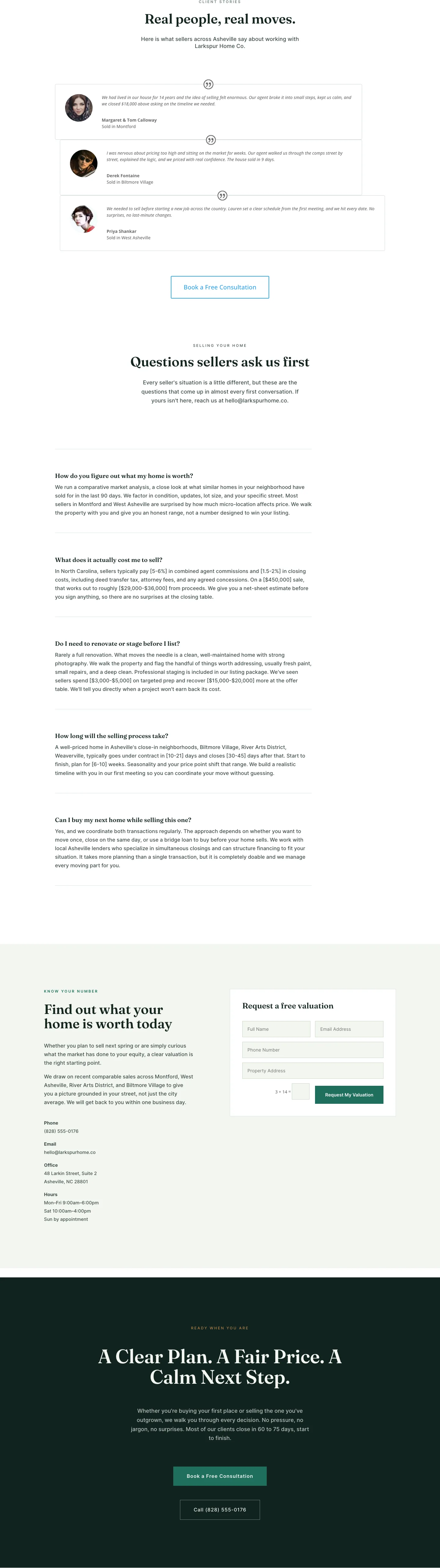
Larkspur Home Co. — Minimal Real_estate Sell Your Home Page for Divi 5
full_landing · real_estate · minimal

Larkspur Home Co. — Minimal Real_estate Property Page for Divi 5
full_landing · real_estate · minimal
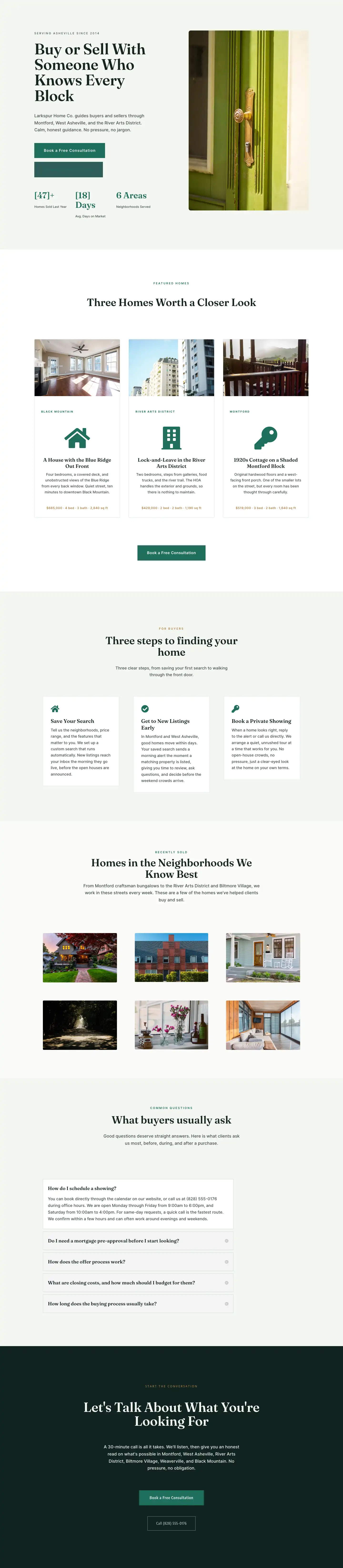
Larkspur Home Co. — Minimal Real_estate Listings Page for Divi 5
full_landing · real_estate · minimal