
Maison Verity: Elegant Real Estate Private Consultation Page for Divi 5
An elegant Divi 5 landing page for luxury real estate brokerages: gold-accented hero, consultation process cards, private inquiry contact form, commitments grid, FAQ, and a refined final CTA.
Rate this element
Download this section, free
- Divi 5 JSON, imports in seconds
- Commercial license included
- No account needed
Click to view the full page
Overview
The layout is a six-section private-consultation landing page built as a quiet, top-to-bottom argument for a first conversation. It opens with a hero that pins a deep violet gradient (rgba(30,27,75,0.92) → 0.68) over a photographic backdrop, then centers an Outfit uppercase eyebrow, a 68px Cormorant Garamond headline, a single paragraph of reassurance, a gold call-to-action button, a phone/email fallback line, and a thin 88px divider that separates copy from a three-fact stat line. $1.4B in private sales closed · 180+ residences represented · 15 years advising discerning clients. The hero content column caps at 860px so the copy stays readable rather than sprawling across full-bleed widths.
Below the hero, a pale-lavender (#F5F3FF) section titles the three-step What Follows Your Note process (Considered Reply, Private Conversation, Candid Assessment) as three equal white cards (1_3 / 1_3 / 1_3) with 20px radius, soft violet shadows, and a −6px hover lift. Each card holds a serif step number, a Divi or Font Awesome icon in gold, and a short Inter paragraph. The contact section then pairs a 1_2 narrative column with a 1_2 native Divi Contact Form (Full Name, Email, Telephone, and a longer prompt field), and a four-commitment grid (Absolute Discretion, One Advisor Throughout, Considered Valuation, A Quiet Network) anchored by Font Awesome icons in the same gold. An FAQ section (#faq anchor) and a final navy CTA panel close the page.
The typographic system runs Cormorant Garamond for every display heading, Outfit and Inter for body and eyebrows, and Montserrat inside the final navy CTA. Section padding steps down cleanly across breakpoints: 170/120/90px for the hero, 120/80/60px for the process and commitment sections, 140/96/64px for the closing CTA. Rows collapse from side-by-side to a single flex-column stack on phones, cards convert to full-width (24_24) with tightened row gaps, and the hero H1 drops from 68px to 52px to 38px so long lines never break awkwardly. FAQ questions are separated by a hairline gold-tinted bottom border (rgba(154,123,79,0.35)) that echoes the hero's accent divider, giving the page a consistent editorial rhythm from top to bottom.
What’s inside
- Photographic hero with a dark violet gradient overlay (rgba(30,27,75,0.92) → 0.68), Outfit uppercase eyebrow, 68px Cormorant Garamond H1, gold CTA button, phone/email fallback line, an 88px accent divider, and a three-fact stat line
- *What Follows Your Note* three-step process row (1_3 / 1_3 / 1_3) with white rounded cards, serif numerals, blurb icons (mixed Divi and Font Awesome), and a −6px hover translate paired with a deeper box shadow
- Two-column consultation block (1_2 + 1_2) with the native Divi Contact Form module (Full Name, Email, Telephone, and a longer prompt field) pre-styled with lavender inputs and a gold submit button that darkens to navy on hover
- Four-item commitments grid (2×2 of 1_2 columns) (Absolute Discretion, One Advisor Throughout, Considered Valuation, A Quiet Network), each anchored by a Font Awesome icon and a Cormorant H3
- FAQ section anchored at #faq, four questions arranged in a 1_2 + 1_2 column pattern with hairline gold-tinted bottom borders between rows
- Deep-navy final CTA (#1E1B4B) with centered Cormorant Garamond headline, Montserrat body, and generous 140/96/64px vertical padding
- Three-tier responsive typography (desktop / tablet / phone) on every display heading, plus row-to-column collapse and card-to-full-width behavior on phone
Who it’s for
Private and luxury real-estate brokerages, boutique agencies representing a small register of high-value residences, single-principal advisors, and family-office intermediaries who want a considered first conversation rather than a listings-driven enquiry. The tone assumes discretion (NDAs, off-market placements, senior-advisor engagement) so it also suits high-end estate planners, art advisors, private wealth introducers, and yacht or jet brokerages whose sale begins with a private meeting. It is not the right fit for a volume MLS agent or a shopfront that trades on street listings: the layout intentionally has no property grid, no map, and no featured-listings module. It is a consultation page, not a search page.
Customization tips
Recolor the whole page by swapping three values: the deep navy #1E1B4B (hero gradient, CTA background, headings), the pale lavender #F5F3FF (section backgrounds, hero copy on dark), and the gold accent #9A7B4F (button, dividers, numerals, icons). Change them at the section and module level and the rest follows. Keep the hero H1 to about 6–9 words, anything longer breaks awkwardly against the 780px cap on tablet. Body paragraphs read best at 30–50 words; process-card copy sits comfortably at 22–30 words. The hero background is displayed as cover, so use a 16:10 or 16:9 architectural or interior shot at roughly 1600×1000 with room for the gradient to darken the upper and lower thirds. Swap the four Font Awesome commitment icons directly in the Icon and Blurb modules: a shield, a chat bubble, a chart line, and a network node all work. Finally, update the Contact Form receiver email on the module before publishing.
How to install this layout
- Download the layout JSON file from this page.
- Open the target page in the Divi 5 builder.
- Open the portability panel (up/down arrows icon) and choose the Import tab.
- Upload the JSON. Tick “replace existing content” only for full-page imports.
- Check the page at desktop and mobile widths, then swap in your copy and images.
Full walkthrough with troubleshooting: How to Import a Divi 5 Layout.
Questions about Maison Verity: Elegant Real Estate Private Consultation Page for Divi 5
How does the page behave on phones?
Every row collapses to a single flex-column stack: the three process cards, the contact-form pairing, and the four-commitment grid all become full-width (24_24). The hero H1 steps down from 68px to 38px, section padding goes from 120px to 60px (hero from 170px to 90px), and the hero row tightens to 92% width so nothing crops.
Which Divi 5 modules make up the layout?
Section, Row, Column, Text, Heading, Button, Divider, Icon, Blurb (with a mix of Divi and Font Awesome icons), and the native Divi Contact Form with Contact Field children. No third-party modules or shortcodes. It is all native Divi 5 markup.
Where does the imagery come from and what should replace it?
The hero uses a single background image (currently a Pexels URL) sitting under a violet gradient at 92% → 68% opacity, so almost any considered architectural or interior shot will read well underneath. There are no other photographs on the page (the rest is typography, iconography, and background color) so you only need to source one hero image.
What should I edit first before going live?
Replace the phone number and email address (they appear in the hero fallback line, the contact-section sidebar, and the Contact Form receiver on the module), swap the hero background image, and update the three stat figures ($1.4B / 180+ residences / 15 years). After that, review the four commitment blurbs and the FAQ answers so the tone matches your practice.
Does the page include a properties or listings grid?
No. It is a consultation landing page by design. There is no property card, map, gallery, or MLS feed. If you need a listings block, add a row after the three-step section using the Divi Blog or Post Slider module (or a WooCommerce Products module if you sell listings through Woo).
Which Divi version does this layout need?
Divi 5. The layout is generated natively for Divi 5 and validated against its real module structure before publication, so it imports clean into the current builder.
Can I use this layout on client websites?
Yes. Every download includes a commercial license covering unlimited sites you own or build for clients. Only reselling or redistributing the layout file itself is prohibited.
More full landing pages
Browse all full landing pages
Brightwell Family Dental: Minimal Medical Landing Page for Divi 5
full_landing · medical · minimal

Aurelia Smile Studio: Bold Medical Landing Page for Divi 5
full_landing · medical · bold

Caldwell & Pierce: Corporate Legal Landing Page for Divi 5
full_landing · legal · corporate
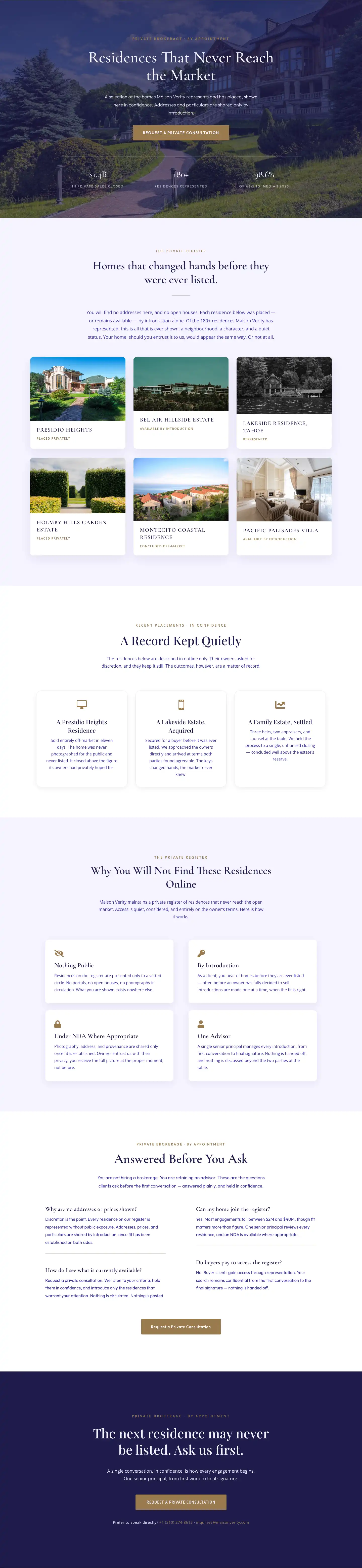
Maison Verity: Elegant Real Estate Residences Page for Divi 5
full_landing · real_estate · elegant
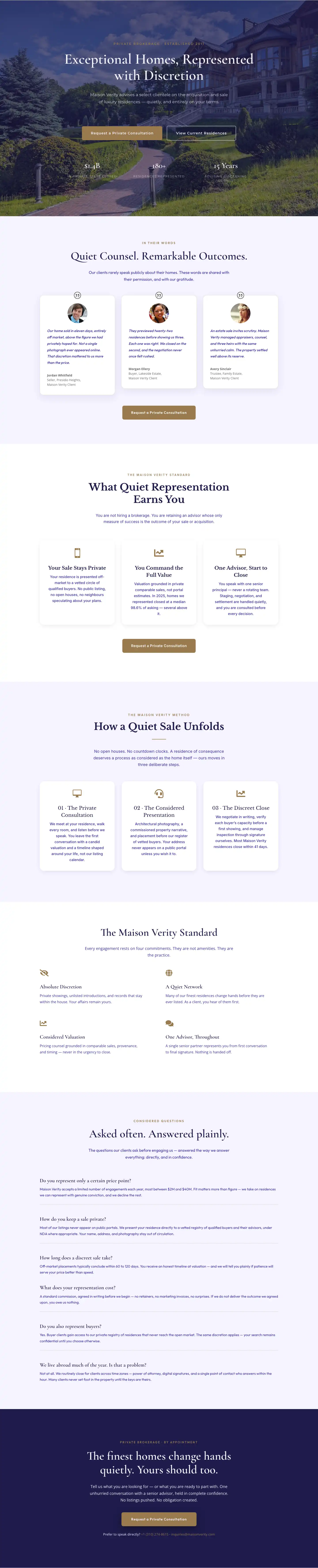
Elegant Luxury Real Estate Landing Page: Divi 5 Layout
full_landing · real_estate · elegant

Meridian Imaging: Minimal Medical Landing Page for Divi 5
full_landing · medical · minimal