
Copperline Plumbing & Heating — Corporate Plumbing Contact Page for Divi 5
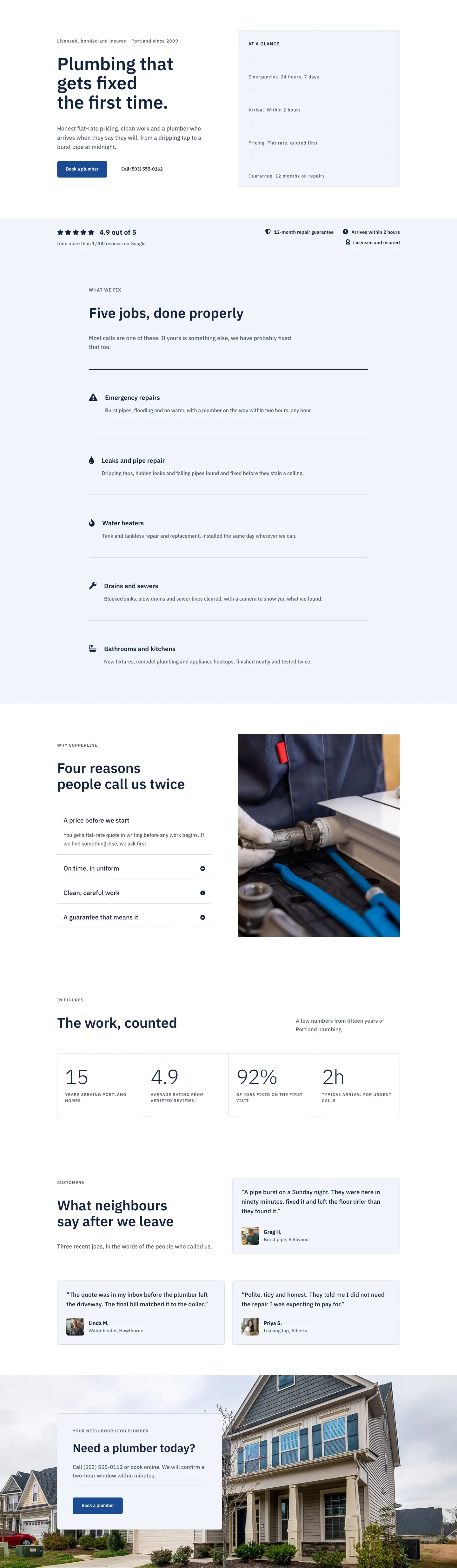
A clean, corporate-style Divi 5 contact page for plumbing and heating businesses. Includes a two-column contact form, info list, FAQ accordion, and a bold CTA banner.
Rate this element
Download this section, free
- Divi 5 JSON, imports in seconds
- Commercial license included
- No account needed
This page ships inside Copperline: Plumbing & Home Services Theme (6 Pages), 6 coherent pages that share one brand.
Click to view the full page
Overview
Copperline Plumbing & Heating Contact is a three-section corporate contact page built entirely with native Divi 5 modules. The page opens with a #f2f5fa slate-blue breadcrumb bar that carries a 52px IBM Plex Sans h1 on the left and a short reassurance line on the right — a two-column row that collapses to a single stacked column on phones, with padding scaling from 72px desktop down to 40px mobile so the header never feels cramped on small screens.
The main content section sits on white with generous 96px vertical padding (44px on phones). A 10/24 + 14/24 asymmetric split keeps the contact details lean and the form prominent. On the left, four detail rows — email, phone, address, and hours — each pair a solid Font Awesome icon (envelope, phone, map pin, clock) in #13233f navy with a small uppercase label in #4f5d73 slate and a 17px value below it, all separated by 1px #d3dbe8 dividers. The right column holds a #f2f5fa card with a 1px border and 6px radius containing the native Divi 5 Contact Form: full-width Name, Email, and Message fields with matching radius and a #1c4a94 cobalt "Send message" button.
The third section is a centered FAQ block: a 44px h2, a one-line intro, and a six-item Accordion module capped at 800px with #f2f5fa toggle backgrounds and the same #d3dbe8 border treatment used throughout — visual consistency that makes the page read as a single designed system rather than stacked parts. A closing call-to-action section fills a full-bleed #1c4a94 cobalt band: a 48px headline on the left and a "Book a plumber" button in #f2f5fa on the right, flipping to a column stack on phones. Every breakpoint is explicitly coded — tablet and phone padding, font sizes, flex direction, and column widths all have dedicated values in the JSON.
What’s inside
- Two-section layout header with breadcrumb trail, 52px h1, and right-column subhead — responsive two-to-one column collapse on mobile
- Four icon-and-label contact detail rows (email, phone, address, hours) built with divi/icon + nested divi/group, separated by 1px hairline dividers
- Native Divi 5 Contact Form with Name, Email, and Message fields, 6px rounded corners, and a cobalt `#1c4a94` send button
- Six-item divi/accordion FAQ module with `#f2f5fa` toggle backgrounds, 6px border radius, and 19px weighted question headings
- Full-bleed cobalt CTA section with horizontal headline-and-button layout that stacks vertically on phones, including a 14px "Open 24 hours" subline
- IBM Plex Sans type system used consistently across all modules — three weight levels (400 body, 600 labels/headings) with explicit letter-spacing and uppercase utilities for metadata labels
- All three sections carry explicit desktop/tablet/phone padding overrides, keeping vertical rhythm tight without manual breakpoint tweaks
Who it’s for
This layout fits any trade or home-services business that needs a credible, conversion-focused contact page without a heavy design budget. Plumbing, heating and HVAC, electrical, and general contracting companies are the clearest fit — the icon rows and 24/7 emergency CTA speak directly to that audience. It also works for property maintenance firms, appliance repair services, or any local service business where customers need a phone number fast and a form as a fallback. Web designers and Divi freelancers building sites for trades clients will find the structure easy to hand off and the copy slots obvious to swap.
Customization tips
Start by swapping the two palette anchors: replace #1c4a94 (cobalt) with your client's primary brand color and #13233f (dark navy) with a matching deep tone — both appear in the CTA background, button fills, icon colors, and h1/h2 headings, so a global find-and-replace in the Theme Builder or a Divi 5 global preset covers most of the work. The #f2f5fa surface color is used for the breadcrumb section background, the form card, and accordion toggles; shifting it to a warm off-white or light grey takes no more than three edits.
For copy, keep the contact detail labels to one or two words ("Email", "Phone", "Hours") — the uppercase small-caps treatment breaks at three or more words. The accordion supports up to six items comfortably at 800px max-width; beyond six, consider splitting into two columns. The form is full-width by default; do not add a fourth field without also increasing the card's padding to maintain breathing room.
How to install this layout
- Download the layout JSON file from this page.
- Open the target page in the Divi 5 builder.
- Open the portability panel (up/down arrows icon) and choose the Import tab.
- Upload the JSON. Tick “replace existing content” only for full-page imports.
- Check the page at desktop and mobile widths, then swap in your copy and images.
Full walkthrough with troubleshooting: How to Import a Divi 5 Layout.
Questions about Copperline Plumbing & Heating — Corporate Plumbing Contact Page for Divi 5
Does the contact form actually send emails out of the box?
Yes — it uses the native Divi 5 divi/contact-form module, which sends to the address configured in Divi's email settings. No third-party plugin is required, though you can point it at a custom SMTP service if needed.
How do the contact detail rows work — are they a custom module?
No custom modules. Each row is a divi/group containing a divi/icon and a nested divi/group with two divi/text modules (the label and the value). The 1px top-border dividers are set directly on the outer group's border decoration, so they are editable in the standard module settings.
What happens to the two-column layout on tablets?
On tablets the main content row wraps (flexWrap: wrap) so the contact details and the form card each take full width and stack vertically. The header row collapses the same way. Padding steps down to 68px vertical on tablet sections and 40–48px on the form card.
Can I add a Google Map to this page?
Yes. The most natural spot is below the four contact detail rows in the left column, or as a fifth section between the FAQ and the CTA band. Add a divi/code module with an embedded iframe — the existing section padding and column structure do not need to change.
How many FAQ items does the accordion support before it looks crowded?
The accordion is capped at 800px max-width and currently holds six items, which fills the space cleanly. Seven or eight items still work, but below that width on mobile the toggle text can wrap to two lines — test on a 375px viewport and trim question wording if needed.
What should I edit first after importing the layout?
Update the four contact detail values (email address, phone number, street address, business hours) in the left column, then set the CTA section background and button to your brand color. Those six text edits and one color change make the page fully client-ready before you touch anything else.
Which Divi version does this layout need?
Divi 5. The layout is generated natively for Divi 5 and validated against its real module structure before publication, so it imports clean into the current builder.
Can I use this layout on client websites?
Yes. Every download includes a commercial license covering unlimited sites you own or build for clients. Only reselling or redistributing the layout file itself is prohibited.
Included in these packs
More full landing pages
Browse all full landing pages
Kiln & Clay — Minimal Pottery_studio Visit Page for Divi 5
full_landing · pottery_studio · minimal

Kiln & Clay — Minimal Pottery_studio Our Story Page for Divi 5
full_landing · pottery_studio · minimal

Kiln & Clay — Minimal Pottery_studio Studio Membership Page for Divi 5
full_landing · pottery_studio · minimal

Kiln & Clay — Minimal Pottery_studio The Shop Page for Divi 5
full_landing · pottery_studio · minimal

Kiln & Clay — Minimal Pottery_studio Classes Page for Divi 5
full_landing · pottery_studio · minimal

Kiln & Clay — Minimal Pottery_studio Home Page for Divi 5
full_landing · pottery_studio · minimal