
Kiln & Clay — Minimal Pottery_studio Home Page for Divi 5
A minimal Divi 5 full landing page for a pottery studio. Features classes, shop, studio membership, wheel throwing, handbuilding, glazing, testimonials, and a booking CTA. Warm earth tones, DM Serif Display typography.
Rate this element
Download this section, free
- Divi 5 JSON, imports in seconds
- Commercial license included
- No account needed
This page ships inside Kiln & Clay: Pottery Studio Theme (6 Pages), 6 coherent pages that share one brand.
Click to view the full page
Overview
The layout opens with a hero that layers a warm sand section (#efe6d8) behind a full-bleed Pexels photograph and floats a cream content block (#faf5ec) over it with 60 px of padding on all sides, contracting to 20 px on phones. Inside that block, an uppercase Work Sans eyebrow at 16 px sets the location before the DM Serif Display H1 "Pots made by hand, and by you." arrives at 56 px, scaling down to 44 px on tablet and 34 px on phone. The primary button below it fills near-black (#2b2622) with cream text and carries a persistent terracotta (#a8481f) 2 px solid border that swaps fill and text on hover without softening. Every card, column, group, and button uses 0 px border-radius throughout the entire page, a deliberate choice that echoes the angular quality of thrown ceramics and sets the layout apart from any rounded-corner studio template.
The second section introduces three service pillars in equal 1/3 columns, each framed by a 2 px near-black border on a cream background. A Font Awesome icon sits in a terracotta-filled square at the top of each card (graduation cap for Classes, coffee cup for The Shop, home for Studio Membership), followed by an 18 px DM Serif Display card title and a short Work Sans description in warm taupe (#6a5d51). A 3 px terracotta divider runs above the section label to mark the transition from the hero. On tablet the three columns wrap to a 2+1 arrangement; on phone they collapse to full-width stacks with padding that steps down automatically.
The middle third is built around an asymmetric header row (16/24 wide for the heading, 8/24 narrow for a pull-quote and inline link) followed by two rows of offering cards across four disciplines. The cards vary deliberately in background colour: the Handbuilding card fills solid terracotta with white text, the Date night card fills near-black with sand text, and the remaining two use cream. The Wheel throwing card opens with a 16:9 Pexels photograph (object-fit: cover) before its DM Serif Display H3 and descriptive body copy. A native Divi 5 Before/After Image module in the next section slides between pale unglazed ceramics and teal-glazed finished pieces, while a step list beside it (Raw, Glazed) uses top-only 3 px borders instead of icon-based timeline dots, keeping the editorial tone spare and process-focused.
The page closes with a testimonial section presenting three attributed quotes across a two-row grid, each card bordered in 2 px near-black with a 56 px square portrait (1:1 ratio, object-fit: cover). A final CTA section uses a full-bleed background photograph with a left-aligned panel capped at 520 px wide. Its button style mirrors the hero button exactly, so the two primary calls to action read as a matched pair across the full length of the page.
What’s inside
- Six-section full-page structure: hero, three-column services overview, four asymmetric offering cards, a before/after process reveal with a step list, a three-quote testimonial grid, and a full-bleed CTA panel
- Native Divi 5 Before/After Image module with an interactive drag slider comparing raw unglazed ceramics and teal-glazed finished pieces, no plugin required
- Three icon-anchored service cards using Font Awesome icons on terracotta (#a8481f) backgrounds inside a 1/3 + 1/3 + 1/3 desktop grid that wraps to 2+1 on tablet and full-width stacks on phone
- DM Serif Display and Work Sans type pairing with fully coded responsive H1 scaling: 56 px desktop, 44 px tablet, 34 px phone
- Asymmetric offering rows mixing four distinct background colours (cream, terracotta, near-black, and sand), one 16:9 hero image card, and inline text links
- Three attributed testimonial cards across a two-row grid, each with a 56 px square portrait image (1:1 aspect ratio, object-fit: cover), a named quote, and a course-type label
- Left-aligned CTA panel (max-width 520 px) floating over a full-bleed background image, with an invert-on-hover button that matches the hero CTA exactly
- Consistent sharp-edge aesthetic enforced by 0 px border-radius on every element and 2 px solid near-black borders on all cards and groups throughout
Who it’s for
Pottery studios, ceramics schools, and maker spaces that sell classes, memberships, and community kiln access will find the structure maps directly to their business with no rearrangement needed. The services grid and four offering cards cover the most common pottery-studio revenue lines (courses, a shop, memberships, private events) out of the box. The layout also suits printmaking studios, glassblowing workshops, weaving schools, and any independent craft venue that needs to sell both physical goods and bookable experiences from a single home page, and whose visual brand leans minimal and handmade rather than bright and playful.
Customization tips
The palette is controlled by four hex values. Swapping #efe6d8 (sand sections) to a sage green or cool slate keeps the warm/cool contrast intact. Changing #a8481f (terracotta) propagates across icon backgrounds, the section divider, and both button borders in one global edit, so it is the single most efficient handle for rebranding. The hero H1 is set at 56 px: if your studio name is longer than about 30 characters, bring it down to 44 px in the module settings to prevent an awkward mid-word break. Each service-card description runs to around 15 words, so keep replacements under 20 or the three cards will become unequal heights on desktop. The Before/After images work best as wide landscape shots. The Wheel throwing card enforces a 16:9 crop (object-fit: cover), so use photos at least 1600 px wide. Portrait photos in the testimonial cards are cropped to a 56 x 56 px square, so head-and-shoulders shots give a cleaner result than full-body ones.
How to install this layout
- Download the layout JSON file from this page.
- Open the target page in the Divi 5 builder.
- Open the portability panel (up/down arrows icon) and choose the Import tab.
- Upload the JSON. Tick “replace existing content” only for full-page imports.
- Check the page at desktop and mobile widths, then swap in your copy and images.
Full walkthrough with troubleshooting: How to Import a Divi 5 Layout.
Questions about Kiln & Clay — Minimal Pottery_studio Home Page for Divi 5
How does the Before/After Image module work, and does it need a plugin?
It uses Divi 5's native divi/before-after-image module, which renders a drag slider between two images with no plugin or custom code required. Replace the two image sources directly in the module's settings: one photograph of your raw or unfinished work for "before" and one of the finished, glazed result for "after".
How do the three service columns behave on tablets and phones?
On tablet the three 1/3 columns wrap (flexWrap: wrap) and each switches to a 12/24 flex width, so two sit side by side and the third drops to a full-width row below. On phone all three stack vertically at 24/24. Column padding steps down from 24 px to 20 px on phone automatically as part of the coded responsive settings.
The Handbuilding card is terracotta and the Date night card is near-black. Can I change those to match my brand?
Yes. Each is a divi/group with its background colour set in the group's decoration settings. Change #a8481f on the Handbuilding group and #2b2622 on the Date night group to any colour you need. The text inside each group is set to white or sand (#efe6d8) to contrast against those dark backgrounds, so update the heading and body text colours inside those groups at the same time.
What image dimensions work best in the offering cards and the before/after module?
The Wheel throwing card uses a divi/image module with an explicit 16:9 aspect ratio and object-fit: cover. Use landscape photos at least 1600 px wide for a sharp result. The before/after slider images have no enforced ratio, but using two photos of identical dimensions gives the cleanest slider transition.
Can I add a fourth testimonial, and will the section hold the extra card?
Yes. The testimonial section uses two rows of a 1/2 + 1/2 column grid. To add a third row, duplicate one of the existing rows, clear the quote, portrait, name, and course label, then replace them with your new content. The section padding (96 px desktop, 64 px tablet, 44 px phone) gives enough room for an extra row without the section feeling crowded.
Does the hero background image scroll with the page or stay fixed?
It scrolls naturally with the page. The hero uses a standard block-level background image on the section, not a fixed-attachment parallax. If you want a parallax effect, enable the parallax option in the section's Background settings inside Divi 5.
Which Divi version does this layout need?
Divi 5. The layout is generated natively for Divi 5 and validated against its real module structure before publication, so it imports clean into the current builder.
Can I use this layout on client websites?
Yes. Every download includes a commercial license covering unlimited sites you own or build for clients. Only reselling or redistributing the layout file itself is prohibited.
Included in these packs

More full landing pages
Browse all full landing pages
Kiln & Clay — Minimal Pottery_studio Visit Page for Divi 5
full_landing · pottery_studio · minimal

Kiln & Clay — Minimal Pottery_studio Our Story Page for Divi 5
full_landing · pottery_studio · minimal

Kiln & Clay — Minimal Pottery_studio Studio Membership Page for Divi 5
full_landing · pottery_studio · minimal

Kiln & Clay — Minimal Pottery_studio The Shop Page for Divi 5
full_landing · pottery_studio · minimal

Kiln & Clay — Minimal Pottery_studio Classes Page for Divi 5
full_landing · pottery_studio · minimal
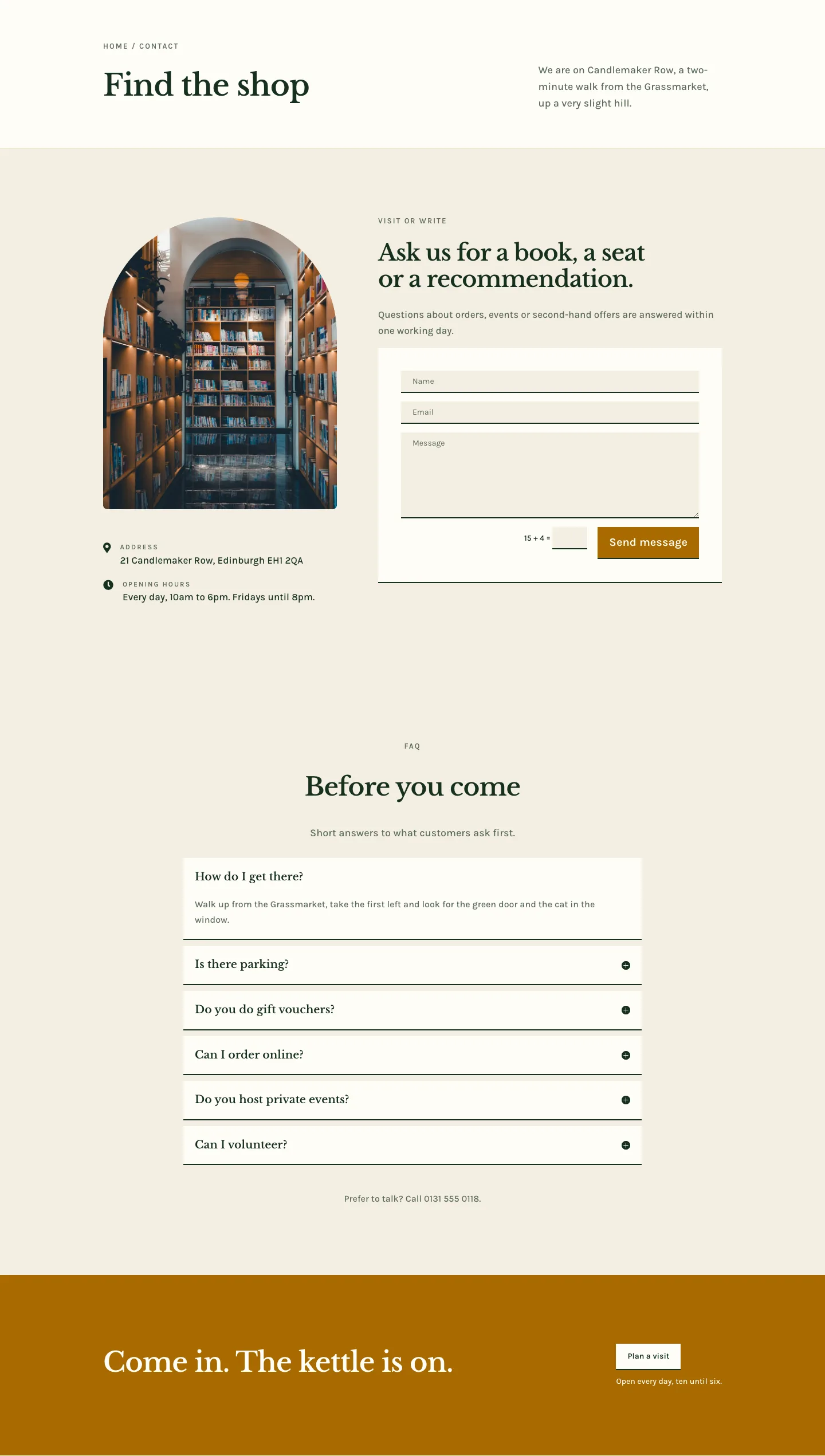
Folio & Fable — Elegant Bookshop Contact Page for Divi 5
full_landing · bookshop · elegant