
Fieldnote Coffee Roasters — Brutalist Coffee The Cafe Page for Divi 5
A brutalist full-page cafe layout for a specialty coffee roaster. Features a hero, drinks menu, photo gallery, amenities checklist, testimonial, and CTA — built for Divi 5.
Rate this element
Download this section, free
- Divi 5 JSON, imports in seconds
- Commercial license included
- No account needed
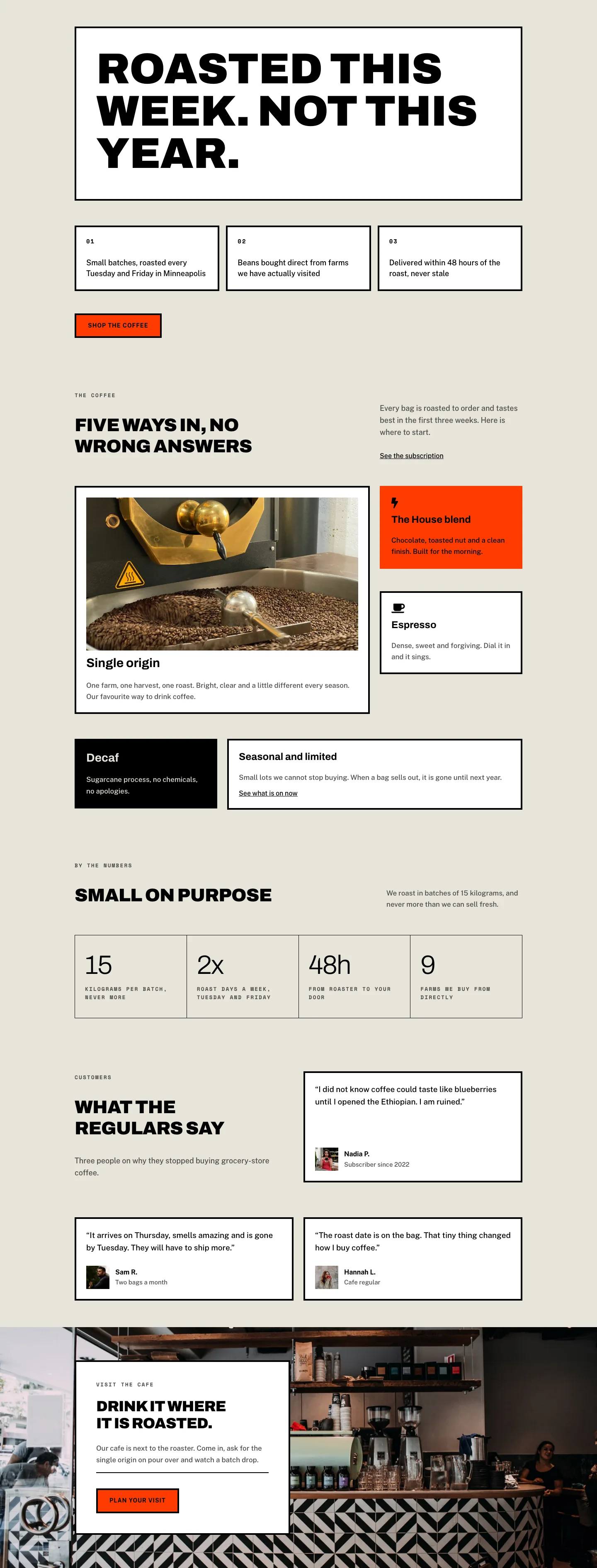
This page ships inside Fieldnote: Coffee Roaster & Cafe Theme (6 Pages), 6 coherent pages that share one brand.
Click to view the full page
Overview
Fieldnote Coffee Roasters — The Cafe is a brutalist full-page layout built for specialty coffee businesses that want to communicate craft and place without softening either. The page opens with a full-bleed Pexels photograph of a cafe interior, dimmed to 70% opacity by a uniform dark gradient overlay that sits on top of the image layer. Over that sits a Space Mono breadcrumb in white at 13px with 2px letter-spacing, followed by an Archivo h1 at 56px/900-weight in all-caps with -1px tracking. A Public Sans subheading at 19px caps the hero at 600px max-width, keeping the text column tight against the left edge while the photograph bleeds to every margin. The whole section carries 120px top padding on desktop, collapsing to 64px on mobile — generous air that lets the image breathe without losing the brutalist density.
The menu section beneath uses a warm linen ground (#e8e4da) that reappears throughout, anchoring every content section in the same material palette. Three drink items — Espresso, Pour Over, Milk Drinks — are laid out in alternating image-left/image-right rows at a 1/2 + 1/2 column split, each image locked to a 4:3 aspect ratio with object-fit: cover. Item counters (01, 02, 03) in Space Mono 13px uppercase act as brutalist numbering rather than decorative dividers. On mobile, every two-column row collapses to a single column; the pour-over row additionally reorders the image above the text via a order: -1 property on the image column, keeping the visual rhythm consistent across breakpoints.
A six-image masonry-style gallery section uses a three-column grid with 16px gutters, each column stacking two images at alternating 4:5 and 4:3 aspect ratios so adjacent columns land at different vertical heights — a tight editorial grid rather than a uniform tile wall. This sits on the same #e8e4da ground with a two-column header (wider left, narrower right) where the h2 and a one-line descriptor split the horizontal space at a 14/24 and 10/24 proportion.
The final sections shift registers: a white-background info block presents eight venue facts (hours, wifi, dogs, milk options, retail beans, tours, pastries, accessibility) in a two-column CSS grid using native Divi Icon + Text rows, each with a solid black Font Awesome checkmark at 18px. A full-bleed testimonial section with a 90-degree gradient overlay carries an oversized Archivo opening quote mark at 120px, a 42px pull-quote, a 64px-wide white divider, and a two-line attribution. The page closes on a flat #ff3b00 section — no image, no gradient — with a centered h2, a thick-bordered square button (Get directions, 4px solid, 0px radius, white fill inverting to black on hover), and a one-line hours reminder.
What’s inside
- Full-bleed hero section with Pexels photograph, dual-stop 70% dark gradient overlay, Space Mono breadcrumb, Archivo 900-weight h1 at 56px, and a max-600px Public Sans lead paragraph
- Three alternating image-text drink rows (Espresso / Pour Over / Milk Drinks) with 4:3 cover images, numbered brutalist counters, and underline-style text links
- Six-image staggered gallery grid — three equal columns, two images each at alternating 4:5 and 4:3 ratios — with a split-column editorial heading above
- Icon checklist block: eight venue facts in a two-column CSS grid using native Divi Icon + Text modules with Font Awesome checkmarks
- Full-bleed testimonial section with oversized 120px opening quote mark, 42px pull-quote, white horizontal divider, and name/location attribution
- High-contrast closing CTA on solid `#ff3b00` with a square-cornered, thick-border button with hover inversion and an inline hours note
- Three-font system: Archivo (900-weight display), Space Mono (uppercase labels and counters), Public Sans (body and UI text)
Who it’s for
This layout is built for specialty coffee roasters, artisan cafes, and third-wave coffee bars that want a web presence matching the directness of their product. It also fits independent breweries, craft tea rooms, or any food-and-drink business that leans into rawness over polish. Freelance web designers building sites for hospitality clients will find the alternating image-text structure and modular section logic straightforward to remap to new menus, spaces, or brand colors without restructuring the layout.
Customization tips
The palette runs on three values: #e8e4da (warm linen), #000000 (black), and #ff3b00 (burnt orange CTA). Swapping the CTA section background to your brand color instantly re-skins the closing section — the button border and text are both set to #000000 so they hold contrast against any mid-to-light background. The gradient overlays on the hero and testimonial sections use rgba(0,0,0,0.7) — reduce the alpha value to 0.5 if your photograph is darker and needs more detail to read through. Menu item images are locked to 4:3 with object-fit: cover; shoot or source images at 1600 × 1200px minimum. Gallery images use 4:5 and 4:3 slots — portrait images work best in the taller slots, landscape in the shorter ones. Body text in each drink item is capped at a 480px max-width group; keep descriptions under three lines to avoid breaking the visual rhythm with the adjacent image.
How to install this layout
- Download the layout JSON file from this page.
- Open the target page in the Divi 5 builder.
- Open the portability panel (up/down arrows icon) and choose the Import tab.
- Upload the JSON. Tick “replace existing content” only for full-page imports.
- Check the page at desktop and mobile widths, then swap in your copy and images.
Full walkthrough with troubleshooting: How to Import a Divi 5 Layout.
Questions about Fieldnote Coffee Roasters — Brutalist Coffee The Cafe Page for Divi 5
How does the alternating image-text layout behave on mobile?
Each two-column row is set to `flexDirection: column` on phone breakpoints. The pour-over row (row 2) additionally applies `order: -1` to the image column so the photo appears above the text on mobile, matching the visual order of rows 1 and 3.
What aspect ratios should I use for the menu section photographs?
All three drink-item images are locked to a 4:3 aspect ratio with `object-fit: cover`. Source images at least 1600 × 1200px for sharp rendering at full desktop column width.
Can I add more items to the venue info checklist?
Yes. The checklist uses a CSS grid with two columns on desktop and one on phone. Each item is a Divi Group containing an Icon module and a Text module side-by-side. Duplicate any existing item group and update the text — the grid reflows automatically.
What fonts does the layout use, and are they loaded from Google Fonts?
The layout uses Archivo (display headings), Space Mono (labels and counters), and Public Sans (body text). All three are Google Fonts that Divi 5 loads automatically when the font family is set in the module's typography settings.
What should I edit first after importing the layout?
Start with the hero photograph (replace the Pexels URL in the hero section background image field with your own) and the CTA section background color (`#ff3b00`). Those two changes carry 80% of the brand adaptation — the rest of the palette is black, white, and linen.
Are the gallery images in a Divi gallery module?
No. The gallery is built from native Divi Image modules inside Group modules inside a three-column Row. This gives you independent aspect-ratio control per image slot (4:5 for taller images, 4:3 for wider ones) and avoids lightbox or gallery plugin dependencies.
Which Divi version does this layout need?
Divi 5. The layout is generated natively for Divi 5 and validated against its real module structure before publication, so it imports clean into the current builder.
Can I use this layout on client websites?
Yes. Every download includes a commercial license covering unlimited sites you own or build for clients. Only reselling or redistributing the layout file itself is prohibited.
Included in these packs
More full landing pages
Browse all full landing pages
Kiln & Clay — Minimal Pottery_studio Visit Page for Divi 5
full_landing · pottery_studio · minimal

Kiln & Clay — Minimal Pottery_studio Our Story Page for Divi 5
full_landing · pottery_studio · minimal

Kiln & Clay — Minimal Pottery_studio Studio Membership Page for Divi 5
full_landing · pottery_studio · minimal

Kiln & Clay — Minimal Pottery_studio The Shop Page for Divi 5
full_landing · pottery_studio · minimal

Kiln & Clay — Minimal Pottery_studio Classes Page for Divi 5
full_landing · pottery_studio · minimal

Kiln & Clay — Minimal Pottery_studio Home Page for Divi 5
full_landing · pottery_studio · minimal