
Folio & Fable — Elegant Bookshop Events Page for Divi 5
Join readings, author nights, a children's story morning and the loudest quiz in the city. Plus two book clubs with monthly picks, discounts and wine.
Rate this element
Download this section, free
- Divi 5 JSON, imports in seconds
- Commercial license included
- No account needed
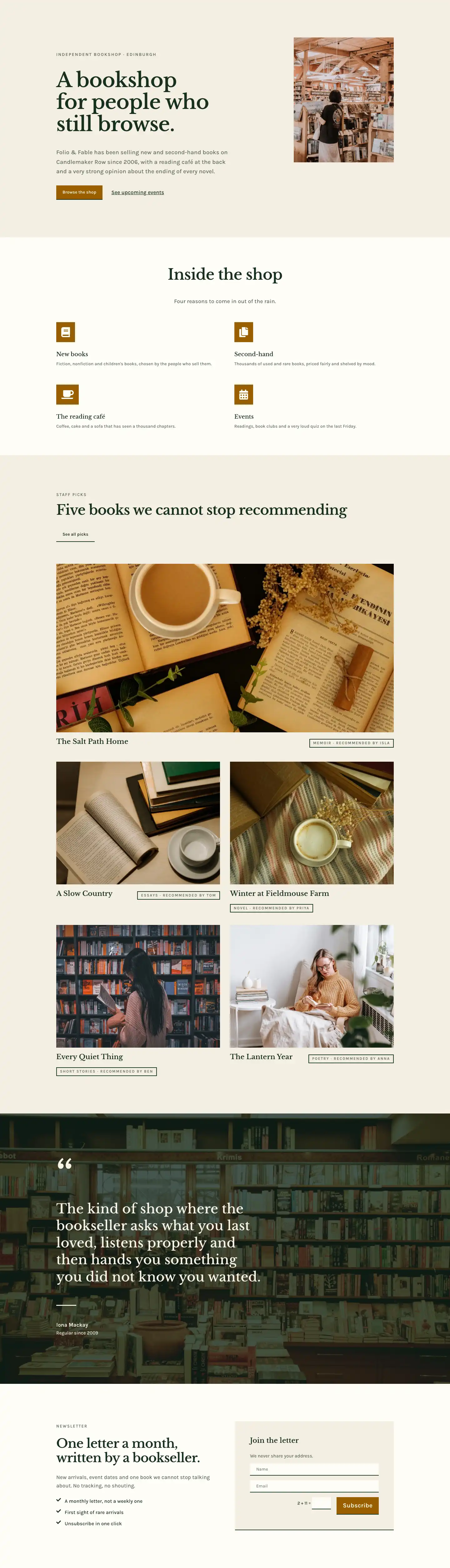
This page ships inside Folio & Fable: Independent Bookshop Theme (6 Pages), 6 coherent pages that share one brand.
Click to view the full page
Overview
Folio & Fable Events is a four-section full landing page built around a deep forest green (#17301f) and warm parchment (#f4efe3) palette that signals an independent bookshop with genuine character. The hero opens on the dark green with Libre Baskerville at 60px, tracking tightened to -1px, centered and text-wrap: balance so even long headings never orphan a single word. A 72px-wide solid rule acts as a visual pause before a short Karla lead paragraph, keeping the hierarchy clear without reaching for imagery. A curve-shaped bottom divider in parchment (#f4efe3, 100px desktop / 44px mobile) dissolves the section into the content below rather than cutting it abruptly.
The events section pairs a sticky left-column heading group against a right column that renders five recurring events as a vertical timeline. The timeline is built entirely from nested Divi Group modules: a 14px amber square (#a86a00) sits atop a 2px parchment-tone connector line that stretches between entries via flexGrow, giving a clean editorial feel without a single custom icon or image. Each entry uses an uppercase Karla label for the day, a Libre Baskerville h3 at 24px for the event name, and a Karla body at 17px / 1.6em line-height for the description. The right column carries 48px left padding on desktop that collapses to zero on mobile as the column stacks to full width.
The clubs section on #fffdf7 presents two side-by-side pricing cards in a CSS grid (2 columns desktop, 1 column mobile). The light card uses the parchment background with a 2px dark-green bottom border; the featured card inverts to the deep green with cream text, creating immediate visual hierarchy. Pricing is set in Libre Baskerville at 56px / font-weight: 700, and a 3px top rule separates the price from the feature list below it. Each benefit line pairs a Font Awesome checkmark icon at 15px with a Karla body line, with alignItems: flex-start so long lines wrap cleanly. Both cards end with a ghost button (underline-only border, no fill) on the light card and a filled cream button on the dark card.
The testimonials section returns to parchment and uses two Divi rows of two columns each, every column a #fffdf7 card with a 2px dark-green bottom border. Each card holds a 19px Karla quote followed by a 56px avatar image constrained to a 1:1 aspect ratio with objectFit: cover, next to a name and membership type in stacked text modules. The final section overlays a full-bleed Pexels photograph with a left-aligned #fffdf7 callout box (48px padding, 520px max-width), a horizontal Divi Divider in #ddd3bc, and a single amber CTA button, providing a natural booking prompt before the footer.
What’s inside
- Hero section with Libre Baskerville 60px centered headline, 72px decorative rule, and a curve-shaped bottom divider that transitions into the next section
- Vertical timeline of five recurring events built from nested Group modules: 14px amber marker squares connected by a 2px flexGrow connector line, no images required
- Dual pricing cards in CSS grid layout — light parchment card and an inverted dark-green featured card, each with large Libre Baskerville pricing figures and a checkmark feature list
- Testimonials section with two rows of two side-by-side quote cards, each holding a 1:1 avatar image, quote text at 19px, and named attribution
- Full-bleed background-image CTA section with a left-aligned frosted callout box, horizontal Divi Divider, and a filled amber button
- Responsive column stacking across all five sections, with explicit phone padding resets and font-size breakpoints at tablet and phone for every headline
- Three-color type palette (forest green, sage `#5a6a5c`, and parchment) applied consistently across Heading and Text modules for instant hierarchy legibility
Who it’s for
This layout is built for independent and independent-chain bookshops that run a regular programme of in-store events — author readings, book clubs, children's story sessions, and quiz nights. It works equally well for literary festivals, reading societies, library event programmes, and any community-focused cultural venue that needs to communicate a recurring calendar and membership tiers on a single page. The editorial typographic palette (serif headlines, sans-serif body, amber accents) will feel at home for gifts shops, stationery brands, or heritage cultural institutions that share the same warm, considered aesthetic.
Customization tips
The palette is defined by three hex values that appear across every section: swap #17301f (forest green), #f4efe3 (warm parchment), and #a86a00 (amber) globally in Divi's Theme Customizer to recolour the entire layout in one pass. The hero headline is set at 60px desktop / 34px mobile — copy beyond 60 characters may push into a third line on narrow tablets, so keep it tight. Event description copy is designed for one to two short sentences at 17px / 1.6em; anything over three lines will break the visual rhythm of the timeline connector. The club pricing section accepts numbers of any length at 56px, but labels above five words start competing with the price figure. Avatar images in the testimonials section are constrained to a 1:1 ratio — supply square crops or closely centred portrait shots at 400px minimum. The CTA background photograph should be landscape and dark enough in the centre-left area to contrast with the #fffdf7 callout overlay placed on top of it.
How to install this layout
- Download the layout JSON file from this page.
- Open the target page in the Divi 5 builder.
- Open the portability panel (up/down arrows icon) and choose the Import tab.
- Upload the JSON. Tick “replace existing content” only for full-page imports.
- Check the page at desktop and mobile widths, then swap in your copy and images.
Full walkthrough with troubleshooting: How to Import a Divi 5 Layout.
Questions about Folio & Fable — Elegant Bookshop Events Page for Divi 5
How does the events timeline work — is it a plugin or a Divi module?
It is built entirely from native Divi 5 Group modules. The amber dot is a 14×14px Group with a solid background colour; the connecting line is a second Group set to 2px width with flexGrow so it stretches to fill the space between events. No third-party plugins or custom CSS are needed.
Can I add or remove events from the timeline?
Yes. Each event is a self-contained Group pair (the dot-and-line column plus the text column). Duplicate any event group to add a sixth entry or delete one to reduce to four — the connector lines reflow automatically because they use flexGrow.
What happens to the two pricing cards on mobile?
The cards are in a CSS grid set to `gridColumnCount: 2` on desktop and `gridColumnCount: 1` on phone, so they stack vertically. Padding also reduces from 44px to 32px on mobile to keep the cards from feeling cramped.
The hero has no image — is that intentional?
Yes. The dark green section background with the large serif headline is a deliberate editorial choice. The only image in the layout is the full-bleed photograph in the final CTA section, which provides visual relief after three text-heavy content sections.
What aspect ratio should the testimonial avatars be?
The image modules are constrained to a 1:1 aspect ratio with objectFit cover, displayed at 56px. Supply square crops — portrait shots work best if you crop tight around the face so the subject is identifiable at that small size.
Which fonts does the layout use, and do I need to load them separately?
Libre Baskerville (all headings) and Karla (all body and label text) are both Google Fonts. Divi 5 loads Google Fonts automatically when they are selected in a module's font settings, so no manual enqueuing is needed.
Which Divi version does this layout need?
Divi 5. The layout is generated natively for Divi 5 and validated against its real module structure before publication, so it imports clean into the current builder.
Can I use this layout on client websites?
Yes. Every download includes a commercial license covering unlimited sites you own or build for clients. Only reselling or redistributing the layout file itself is prohibited.
Included in these packs
More full landing pages
Browse all full landing pages
Kiln & Clay — Minimal Pottery_studio Visit Page for Divi 5
full_landing · pottery_studio · minimal

Kiln & Clay — Minimal Pottery_studio Our Story Page for Divi 5
full_landing · pottery_studio · minimal

Kiln & Clay — Minimal Pottery_studio Studio Membership Page for Divi 5
full_landing · pottery_studio · minimal

Kiln & Clay — Minimal Pottery_studio The Shop Page for Divi 5
full_landing · pottery_studio · minimal

Kiln & Clay — Minimal Pottery_studio Classes Page for Divi 5
full_landing · pottery_studio · minimal

Kiln & Clay — Minimal Pottery_studio Home Page for Divi 5
full_landing · pottery_studio · minimal