
Marlowe & Finch — Elegant Law_firm Client Guides Page for Divi 5
Plain-language guides on settlement agreements, divorce, business disputes and more. Free to read, written by practicing lawyers. Get answers to common legal questions.
Rate this element
Download this section, free
- Divi 5 JSON, imports in seconds
- Commercial license included
- No account needed
This page ships inside Marlowe & Finch: Law Firm Theme (6 Pages), 6 coherent pages that share one brand.
Click to view the full page
Overview
The layout opens on a full-width hero section set against deep navy (#14202e), with 112px of top padding and 168px below on desktop, generous breathing room that reads as institutional confidence rather than urgency. A small h4 category label in Source Sans 3 (13px, 2px letter-spacing, all-caps) anchors the eye before an h1 in Spectral at 60px with textWrap: balance and -1px letter-spacing. A 72px-wide double-rule divider beneath it acts as a visual full-stop before the single-sentence subheading, itself constrained to a 640px max-width so the paragraph never spreads uncomfortably wide. The section seals at the bottom with a curve-style divider in #eceff3, easing into the content area rather than cutting hard.
Three guide entries live in alternating half-and-half rows inside the #eceff3 content section. The first and third rows place the image on the left; the second reverses via an explicit order: -1 on the image column so the zigzag rhythm holds at every breakpoint without media-query gymnastics. Images carry a forced 4:3 aspect ratio with objectFit: cover, and the text columns carry 48px of padding on the far edge (24px on tablet, zero on phone) to prevent copy from crowding the photography. Each entry pairs a numbered h4 label in Source Sans 3 with an h3 title in Spectral at 32px and a one-sentence body in #55616f, then closes with a plain underlined text link rather than a button, keeping the page in information mode rather than conversion mode.
The FAQ section uses Divi's native Toggle module wrapped in a group styled with a 4px double-rule top border; each toggle adds the same border on its bottom, producing a clean ruled-list aesthetic with no extra columns or custom CSS. The first toggle opens by default. Five questions span wills, employment contracts, mediation, limitation periods, and self-representation, a practical breadth that mirrors real intake enquiries. Toggle titles are set in Spectral at 28px; body answers run in Source Sans 3 at 17px with 1.7em line height in #55616f. A plain email nudge closes the section, giving visitors a low-commitment next step before they reach the CTA.
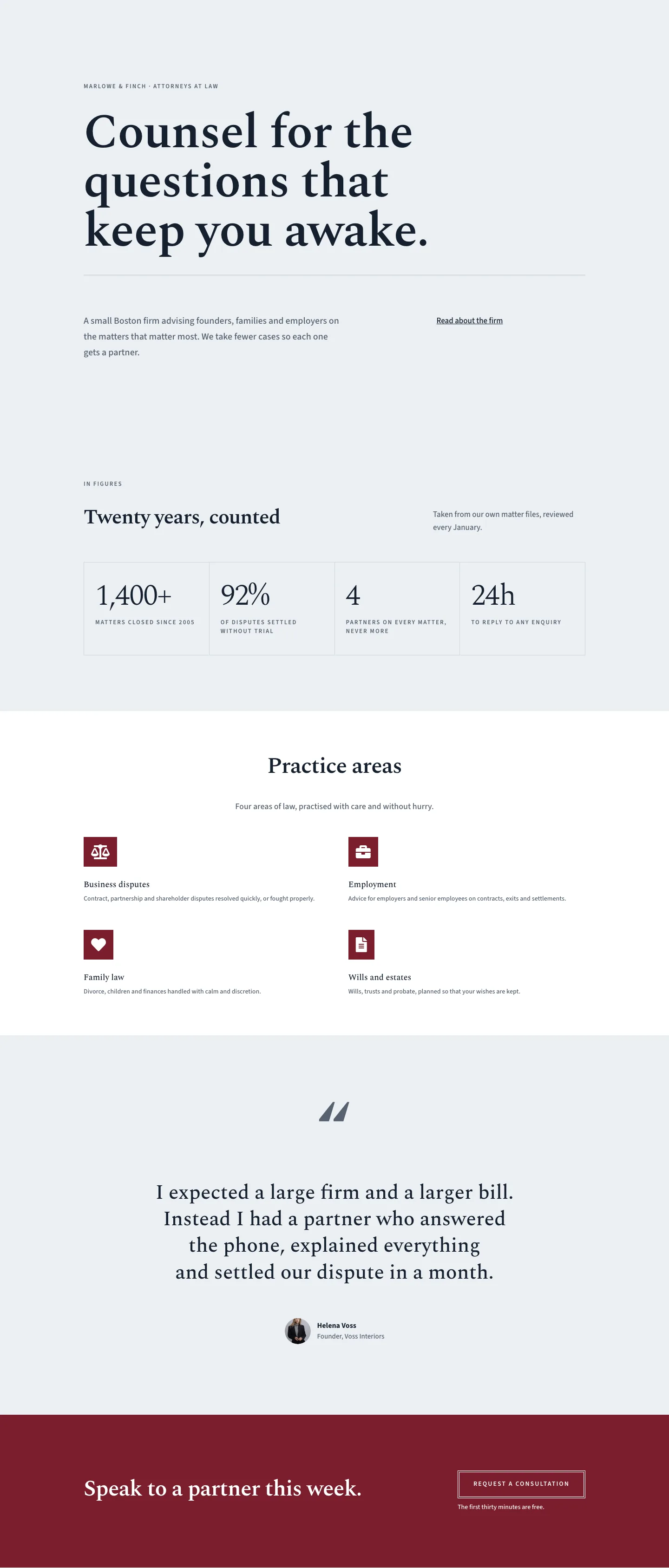
The final section switches to deep claret (#7a1e2c) and uses a horizontal flex group to place the headline on the left and the button group on the right on desktop, collapsing to a stacked column on phone. The button is ghost-style: transparent fill, 4px double white border, uppercase Source Sans 3. On hover the background fills to white and the text shifts to #14202e, a crisp inversion that rewards the cursor without any extra styling. A 14px subline ("A thirty-minute call is on us.") sits below the button, adding social ease without pressure.
What’s inside
- Deep navy hero section with Spectral h1 at 60px, `textWrap: balance`, centered 72px double-rule divider, and a curve bottom divider transitioning to the light content area
- Three alternating image-text guide rows (4:3 cover images, 1/2 + 1/2 columns) with numbered h4 labels, Spectral h3 guide titles at 32px, and plain underlined text links
- Mobile-aware column ordering on the second guide row (`order: -1` on the image column) so the image always leads above the text on every breakpoint
- Native Divi Toggle FAQ section with 5 pre-written questions, Spectral 28px titles, 4px double-rule separators, and the first item expanded on load
- Claret CTA banner with a ghost button (transparent fill, 4px double white border, white-fill hover) and a free-consultation subline in 14px white text
- Fully responsive typography: h1 scales 60px to 34px, CTA headline 48px to 32px, guide titles 32px to 24px; section padding steps down at tablet and phone breakpoints
- Dual typeface system throughout: Spectral for all display headings and guide titles, Source Sans 3 for category labels, body copy, and UI text
Who it’s for
Law firms and solo solicitors who want a client education page that doubles as a quiet new-business tool. The guide structure suits practices covering family law, employment, estate planning, and commercial disputes. It also works well for legal aid charities publishing public guidance, barristers' chambers building practitioner FAQs, and in-house legal teams answering recurring staff questions. Any practice that fields the same handful of intake questions every week will benefit from directing prospective clients here first.
Customization tips
The navy and claret palette lives entirely in the section background fields, so replacing both with your firm's primary colors is three field edits. Swapping the claret CTA for a deep charcoal or slate produces a more uniformly corporate tone if the red reads too boutique for your brand.
Guide images are locked to 4:3 via the aspect-ratio setting; supply replacements at 1600 x 1200px or larger to avoid upscaling artifacts. Each guide title column is constrained to a 520px max-width and the body paragraph to 480px, so titles of roughly 8 to 14 words and body summaries of one sentence will fill the column without forcing awkward line breaks at the scaled-down tablet sizes.
Toggle items inside the FAQ group can be added, removed, or reordered freely because the border styling is on each toggle individually, not a CSS nth-child rule. Keep toggle question text under about 60 characters to avoid a third line at the 20px phone size. The "Read the guide" links point to # placeholders; update each href before publishing.
How to install this layout
- Download the layout JSON file from this page.
- Open the target page in the Divi 5 builder.
- Open the portability panel (up/down arrows icon) and choose the Import tab.
- Upload the JSON. Tick “replace existing content” only for full-page imports.
- Check the page at desktop and mobile widths, then swap in your copy and images.
Full walkthrough with troubleshooting: How to Import a Divi 5 Layout.
Questions about Marlowe & Finch — Elegant Law_firm Client Guides Page for Divi 5
Does the alternating image-text rhythm hold up on phones?
Yes. The first and third rows (image left on desktop) stack image-above-text naturally. The second row uses an explicit `order: -1` on the image column so it also appears above the text on phone, giving every guide the same rhythm regardless of which desktop side the image is on.
What Divi modules make up the FAQ accordion?
It uses the native Divi Toggle module, grouped inside a divi/group that carries a 4px double-rule top border. Each toggle module carries the same border on its bottom edge, creating the ruled-list look. The first toggle has `open: on` set so it is expanded on page load. You can add or remove toggle items without touching any other module.
What image dimensions and ratios should I use for the guide photography?
The layout enforces a 4:3 aspect ratio with `objectFit: cover`. Supply images at 1600 x 1200px minimum. Avoid placing critical content at the far left or right edges, as those areas may be cropped on narrower viewports where the column compresses before collapsing to full width.
What should I edit first after importing?
Start with the three guide titles and their one-sentence summaries in the content rows, then replace the five toggle questions in the FAQ section with your practice's actual intake questions. After that, update the CTA button text, the free-call offer subline, and the email address in the footer nudge.
Can I add a fourth or fifth guide entry without breaking the alternating layout?
Yes. Duplicate one of the existing half-and-half rows inside the `#eceff3` section, update the number label, heading, body text, and image, and keep the same column padding values (48px on the far edge on desktop, 24px on tablet). Alternate which column holds the image from row to row to maintain the zigzag rhythm.
Which Divi version does this layout need?
Divi 5. The layout is generated natively for Divi 5 and validated against its real module structure before publication, so it imports clean into the current builder.
Can I use this layout on client websites?
Yes. Every download includes a commercial license covering unlimited sites you own or build for clients. Only reselling or redistributing the layout file itself is prohibited.
Included in these packs
More full landing pages
Browse all full landing pages
Kiln & Clay — Minimal Pottery_studio Visit Page for Divi 5
full_landing · pottery_studio · minimal

Kiln & Clay — Minimal Pottery_studio Our Story Page for Divi 5
full_landing · pottery_studio · minimal

Kiln & Clay — Minimal Pottery_studio Studio Membership Page for Divi 5
full_landing · pottery_studio · minimal

Kiln & Clay — Minimal Pottery_studio The Shop Page for Divi 5
full_landing · pottery_studio · minimal

Kiln & Clay — Minimal Pottery_studio Classes Page for Divi 5
full_landing · pottery_studio · minimal

Kiln & Clay — Minimal Pottery_studio Home Page for Divi 5
full_landing · pottery_studio · minimal