
Marlowe & Finch — Elegant Law_firm The Partners Page for Divi 5
Meet the partners at Marlowe & Finch — four experienced attorneys in business disputes, family law, employment, and estates. Every client works directly with a partner.
Rate this element
Download this section, free
- Divi 5 JSON, imports in seconds
- Commercial license included
- No account needed
This page ships inside Marlowe & Finch: Law Firm Theme (6 Pages), 6 coherent pages that share one brand.
Click to view the full page
Overview
The layout opens with a full-bleed cinematic hero: a Pexels editorial photograph sits beneath a near-opaque navy overlay (rgba 16,26,40 at 72% opacity), converting any source image into a controlled dark backdrop without erasing its texture. A breadcrumb in uppercase Source Sans 3 at 13px anchors the visitor's location, and the H1 "The partners" renders in Spectral at 56px desktop, scaling to 42px on tablet and 32px on phone. A single text module constrained to a 600px max-width delivers the firm's positioning in one sentence — restrained on purpose, letting the serif and the photograph do the heavy lifting. Section padding steps from 120px/104px on desktop down to 64px/56px on phone, so the hero always breathes at every breakpoint.
The partners section sits on the cool off-white (#eceff3) and opens with an asymmetric two-column header row: the H2 occupies a 14/24-wide left column set to flex-end alignment while a 10/24-wide column holds a one-sentence description flush to the bottom — a device borrowed from print editorial layout that implies coordination without crowding. Below it, four equal-width columns hold the partner cards. Each pairs a 1:1 square portrait (object-fit cover, sharp corners throughout, no border radius) with a grouped identity block — name in Spectral h3 at 20px, specialism in uppercase Source Sans 3 at 13px — separated from the photograph by a 4px double top rule in deep navy (#14202e). That rule is the layout's primary structural motif: a typographic divider that replaces decorative chrome with a clear editorial signal. On tablet the four columns compress to a two-across grid (12/24 each); on phone they stack to full width.
The founder profile is the page's most structurally distinctive section. A 4:5 portrait sits in a 9/24-wide column constrained to 360px, shaped with a full pill arch at the top (999px border radius) and softly squared base corners (32px) — a custom frame that reads editorial rather than corporate. Across a 72px column gap, the founder letter runs in Spectral at 22px with a 1.6em line height, the same serif face used for headings but here deployed at reading scale for authored, personal content. Three short paragraphs close with an italic "— Andrew" signature, reinforcing voice. The column split (9/24 image, 15/24 text) gives the letter room to breathe without marginalizing the portrait.
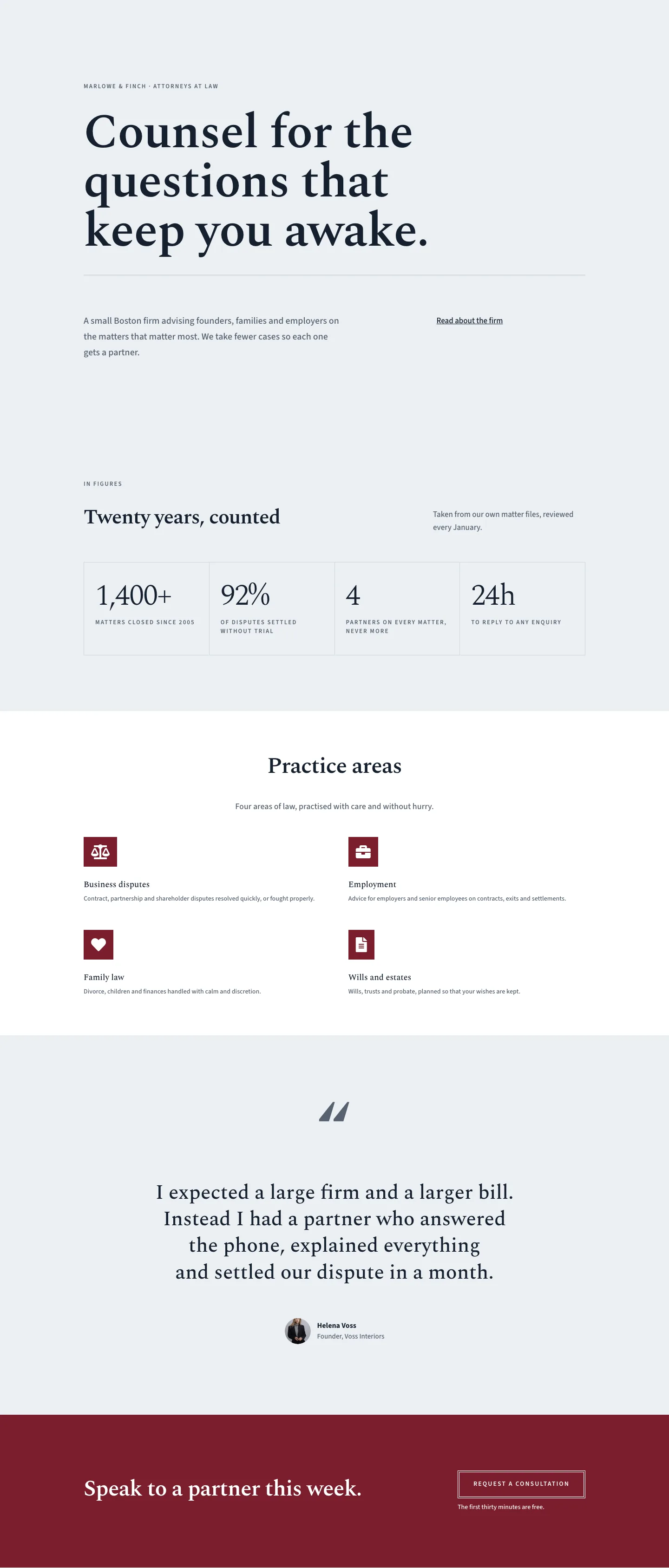
A three-column recognition strip follows, each column opened by the same 4px double top rule, a spaced uppercase publication name in Spectral at 20px, an italic pull-quote at 22px, and a muted context line in Source Sans 3. The page closes with a deep crimson section (#7a1e2c) — the one departure from the cool neutral palette — holding a large Spectral headline left-aligned against a ghost button on the right. The button carries a 4px double white border and fills white on hover while the label shifts to navy, maintaining the layout's preference for structural over decorative interaction.
What’s inside
- Five-section full-page structure: dark overlay hero, 4-partner grid, founder profile with editorial letter, three-column press recognition, and deep crimson CTA
- Four-partner 1:1 square image grid using divi/image (object-fit cover) with 4px double top-rule divi/group identity blocks — collapsing to 2-column on tablet and single-column on phone
- Custom-shaped 4:5 founder portrait framed with a pill-arched top (999px radius) and 32px soft base corners, constrained to 360px in a 9/24-wide centered column
- Spectral and Source Sans 3 type system applied throughout: serif for all editorial and display text, sans-serif for labels, captions, and UI elements
- Asymmetric two-column section headers (14/24 + 10/24, flex-end aligned) for editorial pacing between the section title and supporting body copy
- Three-column press recognition strip — each column opened by the shared 4px double top-rule motif, with spaced uppercase publication name, italic pull-quote, and muted issue context
- Ghost CTA button with 4px double white border on the crimson (#7a1e2c) section, transitioning to a white-fill + navy-text state on hover
- Three-breakpoint responsive layout with explicit padding values at every section: 120px desktop, stepped tablet values, and compressed phone padding throughout
Who it’s for
Built for boutique and small-to-mid-size law firms that compete on partner access rather than headcount — litigation practices, family law offices, estate planning boutiques, employment counsel, and commercial disputes specialists. The four-partner grid and founder letter assume a practice where individual relationships are the service, not a department structure. It also adapts cleanly to other professional-services contexts where smallness is a deliberate selling point: accountancy partnerships, specialist medical practices, architecture studios, or senior consulting groups. It is not suited to large firms that lead with rates, practice area breadth, or headcount as credentials.
Customization tips
The palette runs on four hex values you can swap globally: #14202e (deep navy, used for headings and the structural rules), #55616f (slate, used for subtext and labels), #eceff3 (cool off-white, used as the partners section background), and #7a1e2c (crimson, used exclusively in the CTA section). Changing the crimson to forest green, navy, or warm charcoal rewrites the closing section's mood without touching the editorial structure above it. The hero accepts any landscape or architectural photograph — the 72% opacity overlay normalizes most images — but mid-toned horizontals render most cleanly. Partner portrait photos should be square-cropped and lit consistently; the 1:1 aspect ratio is module-enforced. The founder portrait uses a 4:5 ratio, so vertically composed headshots work best at or above 360px wide. The founder letter is set at 22px with generous leading: three short paragraphs read well, four is the practical maximum before the section loses balance. Press quotes should be one strong sentence each — the 22px italic Spectral punishes long quotes.
How to install this layout
- Download the layout JSON file from this page.
- Open the target page in the Divi 5 builder.
- Open the portability panel (up/down arrows icon) and choose the Import tab.
- Upload the JSON. Tick “replace existing content” only for full-page imports.
- Check the page at desktop and mobile widths, then swap in your copy and images.
Full walkthrough with troubleshooting: How to Import a Divi 5 Layout.
Questions about Marlowe & Finch — Elegant Law_firm The Partners Page for Divi 5
How does the four-partner grid behave on smaller screens?
On tablet the four equal columns compress to a two-across grid (each column set to 12/24 flex-width) with a 40px row gap so the second pair of partners wraps cleanly below the first. On phone all columns stack to full width in a single vertical sequence, so each portrait and identity block reads at full container width.
What Divi 5 modules make up the partner cards?
Each card is a divi/column containing a divi/image module (1:1 aspect ratio, object-fit cover, no border radius) followed by a divi/group. The group holds a divi/heading for the partner name and a divi/text for the specialism label. The 4px double top border is a decoration applied to the group itself — there is no separate divider module.
Can I swap in my own photography, and are there aspect ratio requirements?
Yes. The hero image can be any photograph — the 72% navy gradient overlay normalizes brightness so most images work without editing. Partner card photos should be square-cropped before upload; the module enforces the 1:1 ratio and crops to fill. The founder portrait uses a 4:5 ratio, so portrait-orientation headshots fit best. Any image wider than it is tall will be center-cropped by the cover-fit rule.
The 4px double top rule appears in several places — how do I change its color consistently?
The rule is set as a border decoration on each divi/group or divi/column individually, not via a shared global token, so it does not update from a single control. If you want to change the accent color (currently #14202e) across all instances — partner cards, recognition columns, and the CTA button border — the most reliable approach is a find-and-replace on the layout JSON before importing.
What if my firm has three partners instead of four?
Three partners work without layout surgery — remove one divi/column from the grid row. The remaining three columns will each take a larger share of the row width, which may look slightly wide. For a cleaner result, change the column structure from equal-columns_4 to equal-columns_3 and set each column's flex-type to 8_24.
Do Spectral and Source Sans 3 require any additional font licensing?
Both are served via Google Fonts and are free for commercial use. Divi 5 loads them from the Google Fonts CDN automatically once set in the module font settings — no additional license or self-hosting step is required.
Which Divi version does this layout need?
Divi 5. The layout is generated natively for Divi 5 and validated against its real module structure before publication, so it imports clean into the current builder.
Can I use this layout on client websites?
Yes. Every download includes a commercial license covering unlimited sites you own or build for clients. Only reselling or redistributing the layout file itself is prohibited.
Included in these packs
More full landing pages
Browse all full landing pages
Kiln & Clay — Minimal Pottery_studio Visit Page for Divi 5
full_landing · pottery_studio · minimal

Kiln & Clay — Minimal Pottery_studio Our Story Page for Divi 5
full_landing · pottery_studio · minimal

Kiln & Clay — Minimal Pottery_studio Studio Membership Page for Divi 5
full_landing · pottery_studio · minimal

Kiln & Clay — Minimal Pottery_studio The Shop Page for Divi 5
full_landing · pottery_studio · minimal

Kiln & Clay — Minimal Pottery_studio Classes Page for Divi 5
full_landing · pottery_studio · minimal

Kiln & Clay — Minimal Pottery_studio Home Page for Divi 5
full_landing · pottery_studio · minimal