
Night Shift Studio — Minimal Creative_agency Contact Page for Divi 5
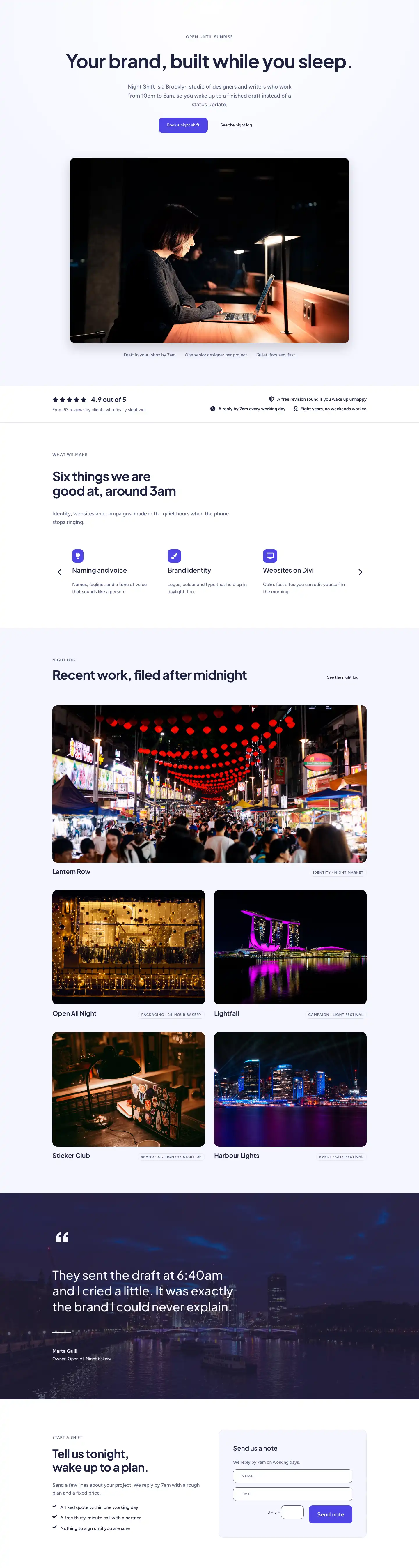
Minimal contact page layout for creative agencies. Features a split brief form, contact details, FAQ accordion, and bold CTA section — built for Divi 5.
Rate this element
Download this section, free
- Divi 5 JSON, imports in seconds
- Commercial license included
- No account needed
This page ships inside Night Shift Studio: Creative Agency Theme (6 Pages), 6 coherent pages that share one brand.
Click to view the full page
Overview
Night Shift Studio Contact is structured across four sections, each carrying its own background register: a white header, a pale lavender (#f5f6ff) main content block, a second pale lavender FAQ section, and a solid indigo (#4f46e5) closing CTA. The alternation creates visual rhythm without relying on photography or decorative graphics. The header is deliberately spare — a breadcrumb, an H1 set in Plus Jakarta Sans at 52px (stepping to 32px on phone), and a short subhead pulled into an asymmetric right-hand column weighted 8/24 against the heading's 16/24. The result is a page that orients visitors immediately and lets the form do the selling.
The main content section runs 104px of vertical padding on desktop (stepping to 48px on phone) and splits into a left-hand contact detail list and a right-hand form card. The list avoids icon backgrounds and colored chips entirely: each row is a Font Awesome icon at 18px, a 12px uppercase Figtree label in slate (#596083), and a 17px Figtree value in near-black navy (#1e2140), separated by a 1px top border in #e0e3f5. Four rows cover email, phone, address, and studio hours. The form card sits in a white container with 16px corner radius and 1px border, floating on the lavender field with 48px of internal padding. Name, Email, and Message fields inherit the same pale lavender fill as the section background and 12px radius corners — the card feels self-contained rather than dropped in. The submit button is the only indigo element in this section: it lifts 4px and drops a soft navy shadow on hover.
The FAQ section uses a single centered column with a max-width 800px accordion. Question titles are Plus Jakarta Sans at 19px; answers are Figtree at 16px with a 1.7em line height — the contrast makes the accordion easy to scan before reading. The module is wrapped in a single 16px-radius border rather than stacked as discrete cards, so it reads as one contained reference block. Six items address brief content, response time, NDAs, budget minimums, studio visits, and remote clients — the practical objections a prospective client would have before sending anything.
The closing CTA section switches the background to solid indigo and arranges a 48px white headline and a white-on-navy button as a flex row on desktop with a 40px column gap, collapsing gracefully to a stacked column on phone. A Figtree 14px line — "We reply by 7am." — sits beneath the button as social proof through restraint. Because indigo appears only on the form submit button and this final section, the accent carries genuine weight both times it surfaces.
What’s inside
- Two-section asymmetric hero with breadcrumb, 52px H1, and a right-column subhead in a 16/8 column split
- Four icon-led contact detail rows (email, phone, address, hours) separated by 1px border rules — no card containers
- White form card (16px radius, 1px border, 48px padding) with Name, Email, and Message fields and an indigo 'Send brief' submit button with lift-and-shadow hover state
- Six-item FAQ accordion (max-width 800px, centered) with Plus Jakarta Sans question titles and Figtree body answers, wrapped in a single rounded border
- Full-bleed indigo CTA section with a flex-row headline-plus-button layout on desktop that stacks to column on phone
- Fully responsive at every breakpoint — font sizes, padding, and flex direction all step down with explicit tablet and phone overrides
- Consistent two-typeface system throughout: Plus Jakarta Sans for all display headings, Figtree for body copy, labels, and UI text
Who it’s for
This layout fits creative studios, branding and motion agencies, and independent art directors whose work is brief-driven. The direct copy tone — "send tonight, hear back at breakfast" — signals boutique confidence rather than corporate formality, which makes it a natural match for consultancies that compete on responsiveness and craft. It also works well for architects, film production companies, music producers, and photographers who want a contact page that frames the inquiry as a collaboration rather than a support ticket. If your intake process starts with a brief and ends with a fixed-price proposal, this structure supports that workflow without modification.
Customization tips
Both typefaces (Plus Jakarta Sans and Figtree) are Google Fonts. If your site already uses a different heading font, swap it at the Divi Theme Customizer level rather than module-by-module — the heading modules inherit the global preset by default.
The accent color (#4f46e5 indigo) appears in exactly two places: the form submit button background and the final CTA section background. Changing both to match your brand takes under a minute in the Divi visual builder; the hover shadow on the button also uses a dark navy rgba value that reads well against most accent colors without adjustment.
The H1 copy reads best at four words or fewer at 52px — longer phrases push to a second line at desktop and need a font-size reduction on tablet. The FAQ accordion accepts additional items freely; the border and radius styling are set at the module level and apply consistently to every item added. The contact form supports additional fields (a full-width select for project type, for instance) without breaking the card layout because the card container has no fixed height.
How to install this layout
- Download the layout JSON file from this page.
- Open the target page in the Divi 5 builder.
- Open the portability panel (up/down arrows icon) and choose the Import tab.
- Upload the JSON. Tick “replace existing content” only for full-page imports.
- Check the page at desktop and mobile widths, then swap in your copy and images.
Full walkthrough with troubleshooting: How to Import a Divi 5 Layout.
Questions about Night Shift Studio — Minimal Creative_agency Contact Page for Divi 5
Does the contact form actually send email out of the box?
It uses Divi's native Contact Form module, which routes submissions through WordPress's wp_mail function. On most hosts this works immediately; for reliable delivery you'll want to connect an SMTP plugin (such as WP Mail SMTP) before going live.
The layout has no image modules — is that intentional?
Yes. The design relies entirely on color fields, typography, and white space. There are no image or background-image slots to fill, which means there is nothing to swap out before you publish — just replace the placeholder copy and you're done.
How does the two-column layout behave on tablet?
The main content row wraps to stacked columns on tablet (flexWrap: wrap) and the column widths each become 24/24, so the contact detail list appears above the form card. The FAQ and CTA sections are single-column at all breakpoints, so they require no changes.
Can I add a fourth field to the contact form — for example, a project type dropdown?
Yes. The form card group has no fixed height, so adding a full-width contact field below Message will expand the card proportionally. Divi's Contact Form module supports text, email, select, and checkbox field types natively.
What Font Awesome icons are used in the contact detail rows?
The four icons are the Font Awesome 5 Solid set: envelope (f0e0) for email, phone (f095) for phone, map-marker-alt (f3c5) for address, and clock (f017) for hours. All are rendered as inline Divi Icon modules at 18px — you can swap any of them from the icon picker without touching the surrounding layout.
The FAQ accordion shows six items — can I remove some?
Accordion items are independent child modules. Delete any you don't need; the module's shared border and radius styling update automatically. The first item is set to open by default — if you remove it, open a different item in its module settings so the accordion doesn't appear collapsed on page load.
Which Divi version does this layout need?
Divi 5. The layout is generated natively for Divi 5 and validated against its real module structure before publication, so it imports clean into the current builder.
Can I use this layout on client websites?
Yes. Every download includes a commercial license covering unlimited sites you own or build for clients. Only reselling or redistributing the layout file itself is prohibited.
Included in these packs
More full landing pages
Browse all full landing pages
Kiln & Clay — Minimal Pottery_studio Visit Page for Divi 5
full_landing · pottery_studio · minimal

Kiln & Clay — Minimal Pottery_studio Our Story Page for Divi 5
full_landing · pottery_studio · minimal

Kiln & Clay — Minimal Pottery_studio Studio Membership Page for Divi 5
full_landing · pottery_studio · minimal

Kiln & Clay — Minimal Pottery_studio The Shop Page for Divi 5
full_landing · pottery_studio · minimal

Kiln & Clay — Minimal Pottery_studio Classes Page for Divi 5
full_landing · pottery_studio · minimal

Kiln & Clay — Minimal Pottery_studio Home Page for Divi 5
full_landing · pottery_studio · minimal