
Northwind Architects — Bold Architecture Contact Page for Divi 5
Bold Divi 5 contact page layout for architecture studios. Features a split contact form, studio address, office hours, FAQ accordion, and a high-contrast lime CTA banner. Ready to import.
Rate this element
Download this section, free
- Divi 5 JSON, imports in seconds
- Commercial license included
- No account needed
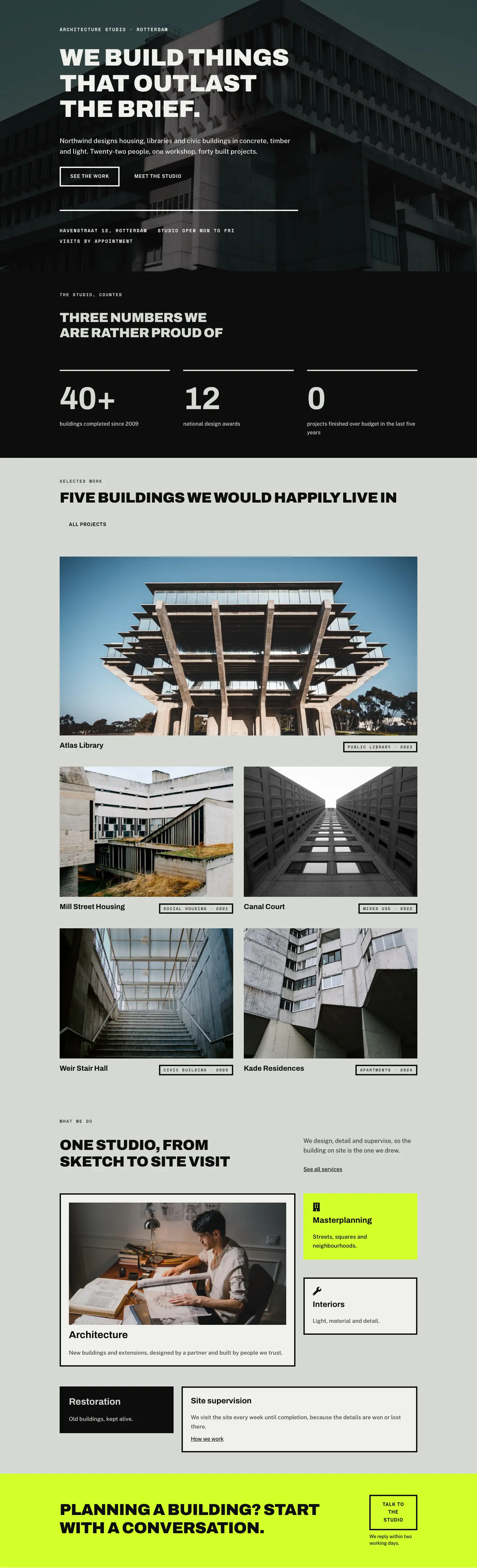
This page ships inside Northwind: Architecture Studio Theme (6 Pages), 6 coherent pages that share one brand.
Click to view the full page
Overview
Northwind Architects Contact is a four-section full-landing contact page built on a deliberate material palette: warm off-white (#f0f1ed), cool sage stone (#d6d8d3), near-black (#0d0d0d), and a single punch of acid yellow-green (#d4ff2a) held back for the closing CTA. The header opens with a hairline-bottom-bordered bar split into a 16/24 flex column carrying the H1 and an 8/24 column carrying a one-sentence context brief. The H1 — "Contact the studio" — is set in Archivo Black at 52 px, uppercase with -1 px letter-spacing. That compression reads as structural confidence rather than decoration. At tablet width it steps down to 40 px; on phone it becomes 32 px and the two columns stack vertically.
The functional core is an asymmetric two-column grid (10/24 image side, 14/24 form side) with a 72 px column gap. The image is constrained to 420 px wide and shaped with fully rounded top corners (999 px radius) tapering to a 32 px radius at the bottom-right only, giving it the silhouette of an architect's poche rather than a plain rectangle. Below the image, two icon-label rows (Font Awesome map pin and clock at 18 px) deliver address and opening hours in a stacked grouping that uses Space Mono uppercase labels at 12 px and Public Sans values at 17 px. The contact form sits in a Group with 40 px inset padding against #f0f1ed and a 4 px solid #0d0d0d border on all four sides — the same stamp-edge treatment used on every interactive element in the layout. Three full-width fields (Name, Email, Message) share the same sharp border, and the "Send enquiry" button starts transparent with a matching 4 px border before inverting to solid black on hover.
The FAQ section uses Divi's native Accordion module with six pre-filled items covering the practical questions a first-time architecture client actually asks: what to send first, reply time, cost of the initial meeting, NDAs, remote work, and bringing a builder. Every accordion row sits against sage stone with #f0f1ed toggles and the same 4 px solid-black border that runs through the entire layout. The section closes with a plain-text phone line — an off-ramp for clients who prefer not to write — set in Public Sans 16 px, centre-aligned.
The closing CTA section swaps the background to #d4ff2a, the only saturated colour in the layout, and delivers a horizontal two-group composition: a weight-900 Archivo headline on the left and a ghost button plus office-hours note on the right. The groups share a flex row with space-between justification and center alignment on desktop, collapsing to a left-aligned column stack on phone. All four sections carry fully responsive padding steps — 64 px desktop, 48 px tablet, 32 px phone — baked directly into each section's decoration settings, so the layout scales without any manual CSS.
What’s inside
- Asymmetric 10/24 vs 14/24 two-column content section pairing a shaped portrait image with an embedded contact form and icon-labelled contact details
- Native Divi 5 Contact Form module with three full-width fields (Name, Email, Message) styled with 4 px solid black borders and a hover-invert "Send enquiry" button
- Native Divi 5 Accordion module with six pre-filled architecture-specific FAQ items, sharp 4 px borders, and `#f0f1ed` toggle backgrounds
- Portrait image block set to 4:5 aspect ratio with 999 px top-radius tapering to 32 px bottom-right only, constrained to 420 px max-width with object-fit: cover
- Acid yellow-green (#d4ff2a) CTA section with horizontal headline-and-ghost-button row that collapses to a left-aligned column stack on phone
- Archivo Black display headings (weight 900, uppercase, -1 px letter-spacing) with three responsive size steps baked in across H1 (52/40/32 px) and H2 (48/40/32 px)
- Space Mono uppercase label system (700, 2 px letter-spacing, 12-13 px) used across breadcrumb, section labels, and contact detail headings for consistent typographic hierarchy
- Font Awesome icon-label rows (map pin and clock, 18 px) with two-line label/value grouping below the portrait image
Who it’s for
This layout is a strong fit for independent architecture practices, interior design studios, and landscape architects whose clients arrive with a brief rather than a cart. It also works for bespoke property developers, heritage consultants, lighting designers, acoustic studios, and engineering consultancies — any project-based professional service where the first conversion is a conversation, not a purchase. The structured FAQ alongside the form suits firms that receive similar intake questions repeatedly and want to qualify leads before the first meeting. The bold typographic system and industrial border language project authority without formality, which resonates in creative and technical disciplines alike.
Customization tips
The layout uses three core background values throughout: #f0f1ed (off-white), #d6d8d3 (sage stone), and #0d0d0d (near-black). Replacing all three in a coordinated swap — warm cream, raw concrete, and dark walnut, for example — transforms the mood without touching any structural settings. The acid yellow-green CTA section (#d4ff2a) accepts any saturated accent well: cobalt, coral, or forest green all hold against black type. The H1 and H2 headings are set with textWrap: balance and read cleanly up to about 55 characters; beyond that, add a manual line break or reduce font size by one step. The portrait image expects a vertical subject at 4:5 — architectural interiors, material close-ups, and studio portraits all suit it; avoid wide landscape crops, which will centre-crop and lose edge context. The contact form email recipient is configured in Divi's Contact Form settings panel, not in the JSON — update it immediately after importing before any test submissions.
How to install this layout
- Download the layout JSON file from this page.
- Open the target page in the Divi 5 builder.
- Open the portability panel (up/down arrows icon) and choose the Import tab.
- Upload the JSON. Tick “replace existing content” only for full-page imports.
- Check the page at desktop and mobile widths, then swap in your copy and images.
Full walkthrough with troubleshooting: How to Import a Divi 5 Layout.
Questions about Northwind Architects — Bold Architecture Contact Page for Divi 5
Which native Divi 5 modules does this layout use?
Heading, Text, Image, Icon, Group, Button, Contact Form (with Contact Field children), and Accordion (with Accordion Item children). No third-party plugins are required.
How does the layout stack on mobile?
Every row uses flex-direction: column on phone. The header's headline and intro paragraph stack with the headline on top; the image and form stack vertically in section two; and the CTA bar shifts to a left-aligned column. Section padding steps from 64 px down to 32 px across all breakpoints, baked directly into each section's decoration settings.
What image orientation and crop does the portrait block expect?
The image module is locked to a 4:5 aspect ratio with object-fit: cover. Vertical subjects work best — an architectural interior, a material texture, or a site photograph. The top corners are fully rounded (999 px radius) and the bottom-right has a 32 px radius, so subjects with visual weight toward the centre survive the crop cleanest.
Can I add or remove contact form fields?
Yes. The form contains three Contact Field modules (Name, Email, Message), each spanning the full 24/24 column width. Add or remove fields in the Divi Builder as needed. The submission email address is set in the Contact Form module's settings panel — it is not stored in the layout JSON, so you must configure it after importing.
What should I update first after importing?
Set the contact form recipient email, replace the placeholder address and opening hours in the two icon-label rows, swap the Pexels image for a photo of your studio or a project, and update the six accordion items with your own FAQ content. Those five changes make the page ready to publish.
Why are there no rounded corners on the form, fields, or buttons?
The sharp 4 px solid borders are a deliberate design choice to match the hard-edge aesthetic common in architecture and industrial design. Border-radius is set to 0 px everywhere except the portrait image. You can add 4-8 px radius to the form group and button borders, but doing so will noticeably soften the layout's character.
Which Divi version does this layout need?
Divi 5. The layout is generated natively for Divi 5 and validated against its real module structure before publication, so it imports clean into the current builder.
Can I use this layout on client websites?
Yes. Every download includes a commercial license covering unlimited sites you own or build for clients. Only reselling or redistributing the layout file itself is prohibited.
Included in these packs
More full landing pages
Browse all full landing pages
Kiln & Clay — Minimal Pottery_studio Visit Page for Divi 5
full_landing · pottery_studio · minimal

Kiln & Clay — Minimal Pottery_studio Our Story Page for Divi 5
full_landing · pottery_studio · minimal

Kiln & Clay — Minimal Pottery_studio Studio Membership Page for Divi 5
full_landing · pottery_studio · minimal

Kiln & Clay — Minimal Pottery_studio The Shop Page for Divi 5
full_landing · pottery_studio · minimal

Kiln & Clay — Minimal Pottery_studio Classes Page for Divi 5
full_landing · pottery_studio · minimal

Kiln & Clay — Minimal Pottery_studio Home Page for Divi 5
full_landing · pottery_studio · minimal