
Northwind Architects — Bold Architecture Services Page for Divi 5
Explore Northwind Architects' full service offering: feasibility studies, concept design, detail design, construction support and handover. Transparent stage fees, one partner contact throughout.
Rate this element
Download this section, free
- Divi 5 JSON, imports in seconds
- Commercial license included
- No account needed
This page ships inside Northwind: Architecture Studio Theme (6 Pages), 6 coherent pages that share one brand.
Click to view the full page
Overview
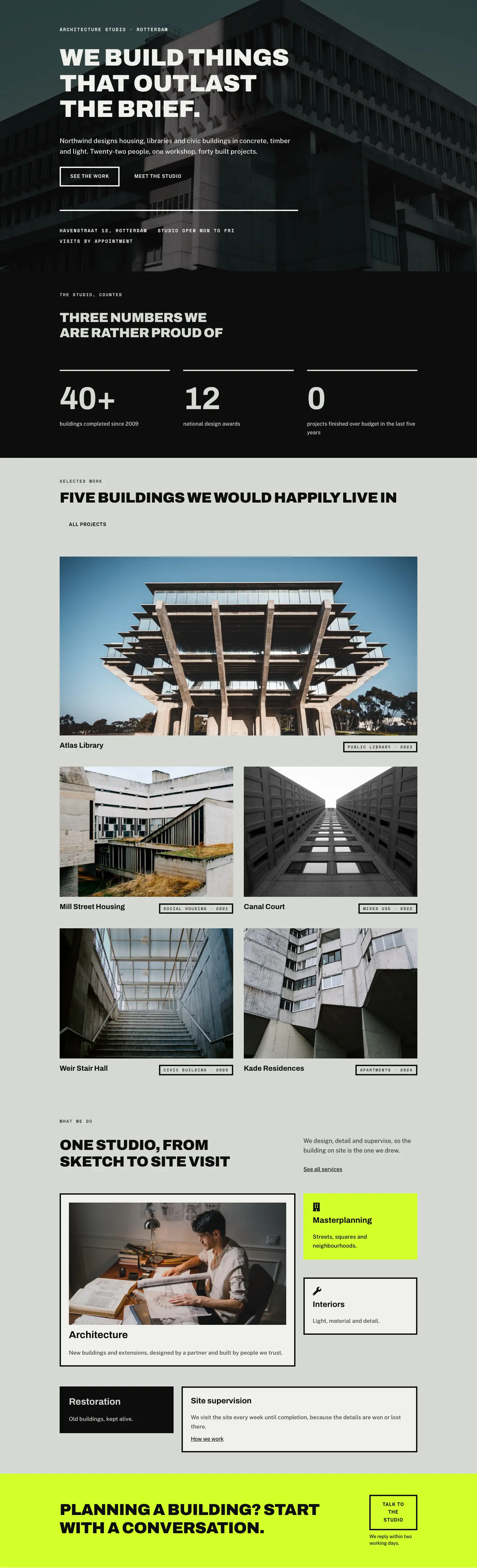
Northwind Architects uses a four-section typographic hierarchy to walk a prospective client from an introduction through services, fees, and questions before the final call to action. The palette is deliberately restrained: warm off-white (#f0f1ed) and sage grey (#d6d8d3) carry the first three sections, with near-black (#0d0d0d) used exclusively as structure (section border, divider weights, button borders, grid lines) and acid lime (#d4ff2a) held back for the closing CTA where it hits with maximum contrast after several calm scrolls. Every display heading is Archivo Black at 900 weight with -1px letter-spacing and uppercase text transform, while eyebrow labels use Space Mono at 13-14px with 2px tracking. Body copy sits in Public Sans at 1.6em line-height. No CSS overrides are needed for this pairing; every value is wired directly into the module decoration fields.
The page header splits the viewport into a 16/24 left column holding the H1 at 52px (40px tablet, 32px phone) and a narrower 8/24 right column that adds 36px top padding on desktop, aligning its single-line intro text with the heading's optical midpoint rather than its cap height. On phone both columns go full-width and stack in source order; the extra padding drops to zero because the stacked layout makes it redundant. Immediately below, the services section centers an 880px content group and presents five offerings: Feasibility, Concept design, Detail design, Construction support, and Handover. Each service is an icon-plus-text flex row: a 24px Font Awesome solid icon at fixed width on the left, a flex-grow text column on the right carrying an Archivo 700 H3 and a Public Sans 16px description. A 4px solid divider opens the list and 2px dividers separate each item, with 24px vertical padding on desktop (18px on phone) giving every row room without inflating the section height.
The fees section switches to #d6d8d3 for clear visual separation. Its comparison matrix is not a table module but a divi/group set to display:grid with gridColumnCount:4 and a 1px gap over a #0d0d0d background. Cell fills alternate between #d6d8d3 and #f0f1ed, so the black background shows through the gaps as hairline grid lines with no border duplication. Three service tiers (Feasibility at a fixed fee, Design at 8%, Full service at 11%) are compared across six feature rows. The Design column sits on #f0f1ed cells, making it visually prominent through background alone; the "Most popular" callout is a plain divi/text module inside the header cell. A ghost button with a 4px solid black border closes the section.
The FAQ opens with an asymmetric two-column header row (14/24 plus 10/24) where the narrower column holds a secondary ghost button alongside a short intro line. Six questions are then arranged in two equal 12/24 columns with 40px row gap on desktop (32px on phone). Each question group uses a 4px top border set via divi/group border decoration with 20px top padding, so the border reads as a miniature heading rule. The acid-lime CTA closes the layout with a horizontal flex group placing an Archivo Black H2 at 48px alongside the "Request a proposal" button; on phone the group collapses to a column so the heading always comes first.
What’s inside
- Five-service list built from divi/icon (FA solid, 24px) plus divi/heading H3 plus divi/text pairs in horizontal flex groups, separated by native divi/divider modules at 4px (list opener) and 2px (item separators)
- Asymmetric two-column page header: 16/24 column for a 52px Archivo Black H1, 8/24 column with desktop top-padding to optically align the intro line, responsive flex-wrap stacking on phone
- Four-column CSS grid fees matrix built from nested divi/group cells on a #0d0d0d background, using #d6d8d3 and #f0f1ed cell fills to render hairline grid lines without any border declarations on individual cells
- Six-question FAQ in two equal 12/24 columns, each question marked by a 4px solid top border set in divi/group border decoration rather than a separate divider module
- Acid-lime (#d4ff2a) closing CTA section with a horizontal flex group (H2 plus button) that collapses to a flex-direction:column layout on phone
- Three-font typographic system wired at the module level: Archivo Black for display headings, Space Mono for uppercase eyebrow labels, Public Sans for all body copy
- Two ghost buttons with 4px solid borders, zero border-radius, and transparent-to-filled hover transitions styled directly in divi/button decoration fields
Who it’s for
This layout is a direct fit for architecture studios, interior design practices, landscape architects, and structural engineering firms that sell a multi-stage service and need to present both process and fee structure before a prospect requests a proposal. It also works for specialist consultancies in urban planning, heritage conservation, or project management where the client journey follows a defined sequence of engagements. The fees grid and FAQ section carry enough industry-specific framing that very little copy needs to change when adapting it for related professional services.
Customization tips
The palette lives in two places: section background decoration fields (swap #f0f1ed and #d6d8d3 globally to flip warmth between sections) and the single #d4ff2a value in the closing CTA section background, which is a one-field change to match any brand accent color. The services list comfortably holds five to seven items; below five, add a second sentence to each description to maintain vertical rhythm. Adding an eighth service means duplicating a divi/group row and inserting a 2px divi/divider after it. The fee comparison grid is wired as gridColumnCount:4 in the container group's layout decoration; adding a fourth tier column means inserting a new column of cell groups and changing that value to 5. Service icons reference Font Awesome solid glyphs by Unicode value inside each divi/icon module's innerContent; swap the unicode field to change the pictogram with no CSS. For the FAQ, each question is a self-contained divi/group with a top border, so adding a seventh question means duplicating any group into either column.
How to install this layout
- Download the layout JSON file from this page.
- Open the target page in the Divi 5 builder.
- Open the portability panel (up/down arrows icon) and choose the Import tab.
- Upload the JSON. Tick “replace existing content” only for full-page imports.
- Check the page at desktop and mobile widths, then swap in your copy and images.
Full walkthrough with troubleshooting: How to Import a Divi 5 Layout.
Questions about Northwind Architects — Bold Architecture Services Page for Divi 5
Can I add or remove services from the five-item list?
Yes. Each service row is a self-contained divi/group holding an icon, an H3, and a text module. Delete the group and its adjacent 2px divi/divider to remove a service. To add one, duplicate any existing row group, place it after the last item, and add a 2px divi/divider beneath it. The 4px opening divider at the top of the list stays in place.
Is the fees comparison built with a table module?
No. It is a divi/group with display:grid, gridColumnCount:4, and a 1px gap over a #0d0d0d background. Each cell is a nested divi/group with its own background fill (#d6d8d3 or #f0f1ed), so the black background bleeds through the 1px gaps and reads as grid lines. Edit each cell's content directly in the divi/text or divi/icon inside it.
How is the highlighted 'Design' column indicated without a badge module?
The highlight is purely a background color difference. Design column cells use #f0f1ed while the other columns use #d6d8d3, and the header cell contains a small 'Most popular' divi/text module above the tier name. No conditional logic, extra modules, or CSS classes are involved.
How does the layout behave on mobile?
Both two-column rows (the page header and the FAQ grid) use flex-wrap:wrap with flex-direction:column at the phone breakpoint, so columns stack in source order. The fees grid does not reflow to fewer columns; cell padding tightens to 14px vertical and 6px horizontal at phone size, keeping the matrix compact. If your tier names are longer than one word, shorten them at phone size via the text module's phone value field.
What should I edit first after importing?
Start with the H1 in the opening header and the five H3 service names, since those set the tone for every other text block. Then update the fee percentages in the comparison grid cells and the two button labels ('Request a fee proposal' and 'Request a proposal'). The eyebrow labels (Space Mono, uppercase) are short and easy to overlook; update those last.
Which Divi version does this layout need?
Divi 5. The layout is generated natively for Divi 5 and validated against its real module structure before publication, so it imports clean into the current builder.
Can I use this layout on client websites?
Yes. Every download includes a commercial license covering unlimited sites you own or build for clients. Only reselling or redistributing the layout file itself is prohibited.
Included in these packs
More full landing pages
Browse all full landing pages
Kiln & Clay — Minimal Pottery_studio Visit Page for Divi 5
full_landing · pottery_studio · minimal

Kiln & Clay — Minimal Pottery_studio Our Story Page for Divi 5
full_landing · pottery_studio · minimal

Kiln & Clay — Minimal Pottery_studio Studio Membership Page for Divi 5
full_landing · pottery_studio · minimal

Kiln & Clay — Minimal Pottery_studio The Shop Page for Divi 5
full_landing · pottery_studio · minimal

Kiln & Clay — Minimal Pottery_studio Classes Page for Divi 5
full_landing · pottery_studio · minimal

Kiln & Clay — Minimal Pottery_studio Home Page for Divi 5
full_landing · pottery_studio · minimal