
Nullbyte Security — Dark Cybersecurity About Page for Divi 5
A dark, editorial about page layout for cybersecurity firms. Features founder story, team grid, company timeline, principles, and a scoping call CTA. Built for Divi 5.
Rate this element
Download this section, free
- Divi 5 JSON, imports in seconds
- Commercial license included
- No account needed
This page ships inside Nullbyte: Cybersecurity & Tech Consultancy Theme (6 Pages), 6 coherent pages that share one brand.
Click to view the full page
Overview
The layout opens with a full-width hero section on a near-black #0b0d0c background. A JetBrains Mono eyebrow in uppercase 13px with 2px letter-spacing establishes the brand voice before a Space Grotesk h1 drops at 104px desktop, letter-spacing tightened to -1px for editorial compression. That headline scales to 72px on tablet and 44px on phone via explicit breakpoint overrides in the JSON. Below it a dashed divider at #2a312d divides the display block from a two-column text row where origin copy sits in JetBrains Mono at 20px in muted #8d9892, paired with a plain underlined Meet the team link in near-white on the right column.
The second section layers a full-bleed Pexels photograph under a 75% dark gradient overlay, maintaining the near-black palette while adding texture. Inside sits a four-column milestone grid: each card has a 2px dashed top border, a Space Grotesk year number at 48px weight 700, an h3 label, and a two-line JetBrains Mono descriptor. The grid collapses to two columns on tablet (gridColumnCount: 2) and a single column on phone (gridColumnCount: 1), with row gap reducing from 40px to 32px at the smallest breakpoint.
The team section runs four 1:1 square portrait images at zero border-radius in a four-column row (two on tablet, stacked on phone), each followed by a dashed top separator group containing an h3 name in Space Grotesk and a 13px uppercase JetBrains Mono role label. The structural language mirrors the milestone cards deliberately. The founder spotlight breaks the grid rhythm with an asymmetric layout: a 4:5 portrait using a pill-top, 32px-bottom-corner radius sits in a narrow left column, while the wider right column carries a first-person quote in Space Grotesk 22px across three paragraphs, closed by an italic -- Rina in muted #8d9892.
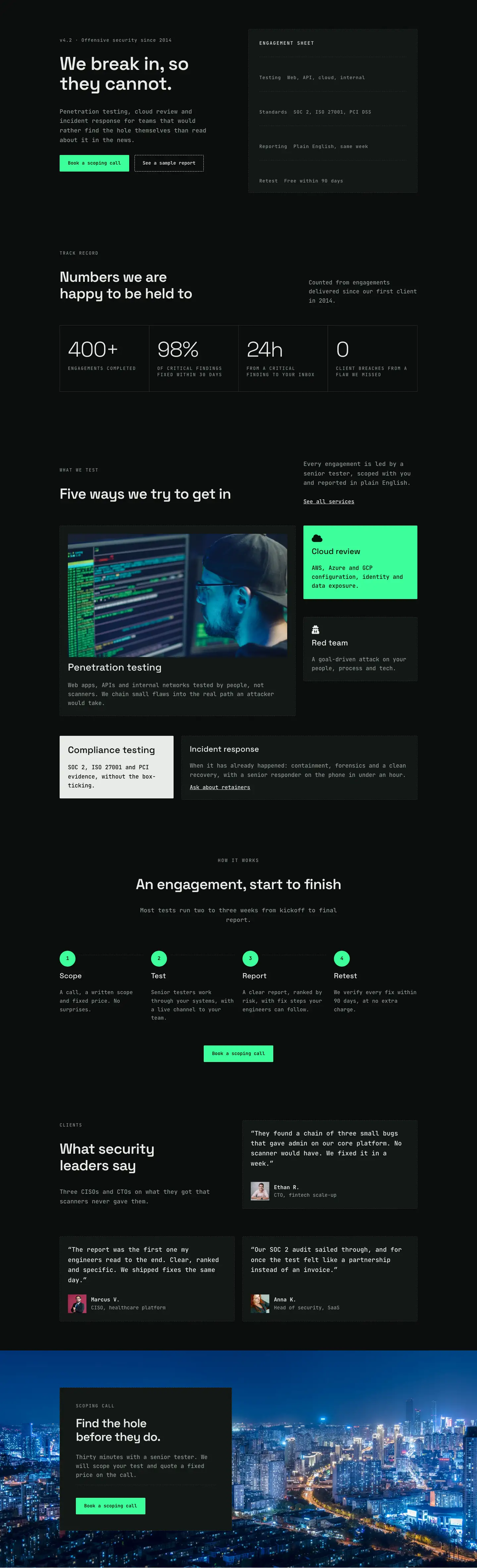
The principles section uses four Divi Blurb modules in a 2x2 grid, each with a neon-green #3dff9a icon block and a FontAwesome glyph rendered in near-black #04130b. This is the only moment of vivid colour in an otherwise tonal dark palette, making each principle visually anchor itself. The layout closes with a floating CTA card: a #131715 container with a 1px dashed border on a full-bleed background image, holding an h2, body copy, a dashed Divider rule, and a neon-green button in JetBrains Mono.
What’s inside
- 104px Space Grotesk display h1 with JetBrains Mono uppercase eyebrow, scaling through explicit tablet and phone breakpoints in the JSON
- 4-column milestone timeline grid with dashed top-border cards, large year numbers (48px weight 700), and JetBrains Mono descriptors -- collapses to 2 columns on tablet and 1 on phone
- 4-column team portrait grid with 1:1 square images, zero border-radius, and dashed-separator name/role groups -- shifts to 2 columns on tablet
- Founder spotlight section with 4:5 pill-top portrait, asymmetric two-column layout, and extended first-person quote in Space Grotesk 22px
- 2x2 principles grid built with native Divi Blurb modules, neon-green `#3dff9a` FontAwesome icon blocks on dark `#04130b` background
- Two full-bleed background photo sections with dark gradient overlays keeping text legible without a separate overlay layer
- Floating CTA card with `#131715` fill, 1px dashed border, Divider rule, and neon-green button -- contained at 520px max-width, left-aligned on a photo background
Who it’s for
This layout fits cybersecurity consultancies, penetration testing agencies, red teams, and managed security service providers that want a website presence matching the technical seriousness of their work. It also suits incident response firms, cloud security specialists, and independent infosec consultants who need to establish credibility through a founder story and a visible team. The mono/display type pairing and minimal neon accent read as technical without being garish, making it appropriate for compliance consultancies and security training providers as well as offensive security operators.
Customization tips
The entire palette pivots from two variables: swap #3dff9a (neon green accent used on buttons, icon blocks, and dashed borders in the team section) and #0b0d0c / #131715 (the two background shades) to any dark duo of your choice. A purple/cyan pair or red/charcoal pair will carry the same structural logic without any layout edits.
Portrait images in the team grid expect a 1:1 square crop at 1600px wide; the founder spotlight portrait is 4:5, so crop to roughly 800x1000px before uploading. The milestone timeline cards are designed for short entries -- keep year labels to four digits and descriptors to one sentence (under 80 characters) to avoid breaking the dashed-border alignment across columns. Timeline cards can be reduced from four to three or two by removing Group modules; adding a fifth requires converting the grid gridColumnCount to 5 on desktop. The principles blurbs use FontAwesome icons -- replace the unicode values in each Blurb module's imageIcon.innerContent to swap glyphs.
How to install this layout
- Download the layout JSON file from this page.
- Open the target page in the Divi 5 builder.
- Open the portability panel (up/down arrows icon) and choose the Import tab.
- Upload the JSON. Tick “replace existing content” only for full-page imports.
- Check the page at desktop and mobile widths, then swap in your copy and images.
Full walkthrough with troubleshooting: How to Import a Divi 5 Layout.
Questions about Nullbyte Security — Dark Cybersecurity About Page for Divi 5
How does the four-column team grid behave on a phone?
Each column carries a `flexType: 24_24` phone override, so all four portrait cards stack vertically in a single column. The row gap reduces from 40px desktop to 32px at the phone breakpoint, keeping the cards close without crowding the dashed separators.
Can I add a fifth team member without breaking the grid?
Yes, but you will need to add a fifth Column inside the four-column Row and adjust the `flexColumnStructure` from `equal-columns_4` to accommodate it. On tablet the grid already wraps naturally because each column is set to `flexType: 12_24`, so a fifth card will wrap to a new row automatically there.
What aspect ratio should my team portrait photos be?
The team grid portraits use a 1:1 aspect ratio with `objectFit: cover`, so square crops work best. The founder spotlight portrait in the separate section below uses 4:5, so that image should be taller than it is wide -- roughly portrait-orientation at around 800x1000px.
The story section uses a Pexels background image. Can I replace it with my own?
Yes. The background image URL sits in the second section's `module.decoration.background.desktop.value.image.url`. Replace it with any image URL at 1920px wide. The dark gradient overlay (`rgba(5,8,6,0.75)` at both stops) is separate from the image and will remain, so the text stays legible regardless of which photo you use.
What should I edit first to make this layout feel like my own firm?
Start with the h1 in the hero section -- it is the largest text element on the page at 104px and sets the entire tone. Then update the milestone years and one-sentence descriptors in the story grid, replace the four team portrait images, and swap the founder quote copy. Those five changes touch every major section and the layout will read as a new brand.
Is the neon green `#3dff9a` used anywhere beyond the CTA button?
It appears in three places: the CTA button background, the icon block backgrounds on all four Blurb modules in the principles section, and the dashed top-border colour on each team member card group. Changing it in those three spots is enough to repaint the accent across the whole layout.
Which Divi version does this layout need?
Divi 5. The layout is generated natively for Divi 5 and validated against its real module structure before publication, so it imports clean into the current builder.
Can I use this layout on client websites?
Yes. Every download includes a commercial license covering unlimited sites you own or build for clients. Only reselling or redistributing the layout file itself is prohibited.
Included in these packs
More full landing pages
Browse all full landing pages
Kiln & Clay — Minimal Pottery_studio Visit Page for Divi 5
full_landing · pottery_studio · minimal

Kiln & Clay — Minimal Pottery_studio Our Story Page for Divi 5
full_landing · pottery_studio · minimal

Kiln & Clay — Minimal Pottery_studio Studio Membership Page for Divi 5
full_landing · pottery_studio · minimal

Kiln & Clay — Minimal Pottery_studio The Shop Page for Divi 5
full_landing · pottery_studio · minimal

Kiln & Clay — Minimal Pottery_studio Classes Page for Divi 5
full_landing · pottery_studio · minimal

Kiln & Clay — Minimal Pottery_studio Home Page for Divi 5
full_landing · pottery_studio · minimal