
Perihelion Observatory — Dark Observatory Contact Page for Divi 5
Reach Perihelion Observatory by email, phone or in person. Get answers about booking telescope nights, dome shows, school visits and volunteering. Open Thursday to Sunday, dusk until 11pm.
Rate this element
Download this section, free
- Divi 5 JSON, imports in seconds
- Commercial license included
- No account needed
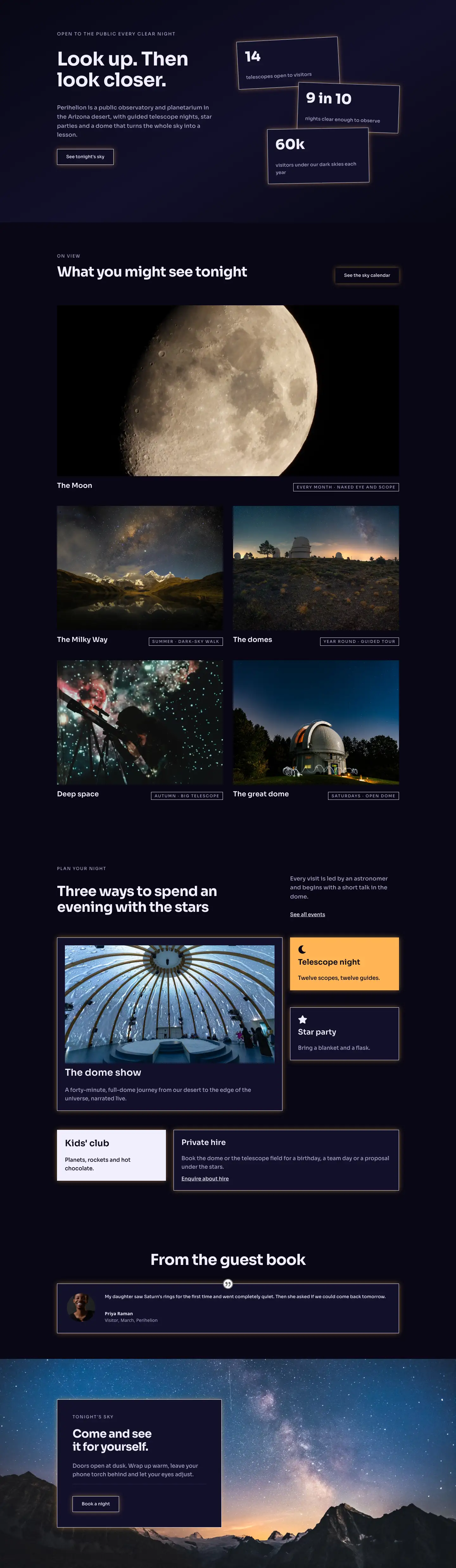
This page ships inside Perihelion: Observatory & Planetarium Theme (6 Pages), 6 coherent pages that share one brand.
Click to view the full page
Overview
Perihelion Observatory Contact is a three-section dark contact page built entirely from native Divi 5 modules. The opening header section sits on a deep indigo #12102a background with 72px top padding on desktop, collapsing gracefully to 40px on mobile. A two-column row splits the breadcrumb and 52px H1 — set in Sora 700 weight with −1px letter-spacing — from a short 18px descriptor paragraph, giving the page immediate context without crowding the entry point. A 1px #2b2750 border rule along the section bottom marks the transition to the main content zone cleanly.
The body section drops to near-black #080714 and opens a 64px-gap two-column row that stays side by side on desktop and stacks on tablet. The narrower left column holds four icon-and-label contact detail rows — email, phone, address, hours — each separated by a #2b2750 1px top rule, with muted #a8a3c8 uppercase labels at 12px and legible #f1eefc values at 17px. The wider right column contains the contact form inside a #12102a card framed by a 1px #f1eefc solid border and a warm amber glow box-shadow (rgba(255,180,84,0.45)) that gives the form a subtle focal-point luminosity matching the brand accent without overpowering the dark field.
The built-in Divi 5 Contact Form module carries three full-width fields (Name, Email, Message) styled with the same #080714 fill, #f1eefc borders, and Sora typeface as the surrounding UI. The "Send message" button is a ghost style on default — transparent fill, white border — that inverts to a solid white fill with dark text on hover, keeping the interaction feel minimal and sharp.
The third section is a two-part FAQ plus a warm amber #ffb454 CTA band. Five native Toggle modules handle the FAQ, each with 28px vertical padding and a 1px #f1eefc bottom rule acting as a divider; heading text scales from 28px desktop to 20px mobile. The CTA band uses the amber accent as a full-bleed background, flipping the palette: a dark H2 at 48px faces a ghost button bordered in #080714, which fills to #12102a on hover. On mobile the row flexes to column with flex-start alignment, keeping the button directly below the headline rather than centering it awkwardly.
What’s inside
- Two-section dark layout: indigo `#12102a` header with breadcrumb, responsive H1 at 52px/40px/32px, and an 18px subtitle column
- Four icon-driven contact rows (email, phone, address, hours) using native Divi 5 Icon + Text modules, divided by `#2b2750` hairline rules
- Native Divi 5 Contact Form with three full-width fields (Name, Email, Message), dark-field styling, and a ghost-to-solid hover button with amber box-shadow
- Five native Divi 5 Toggle modules for the FAQ section, first item open by default, with H3 headings scaling from 28px to 20px across breakpoints
- Amber `#ffb454` CTA band with a dark headline, ghost button, and opening-hours note — stacks vertically on mobile via column flex
- Fully responsive: explicit padding values at desktop/tablet/phone breakpoints across every section, with columns wrapping to full-width on mobile
Who it’s for
This layout suits any venue or institution that operates at night and needs a contact page that matches its atmosphere: observatories, planetariums, stargazing tour operators, dark-sky parks, and science museums with evening programming. The structured contact details and FAQ format also translate well to private event spaces, escape rooms, immersive theatre venues, or any experience business where visitors routinely ask about directions, booking policy, and weather contingencies before they commit.
Customization tips
The two key palette values to swap first are the background pair (#080714 and #12102a) and the amber accent (#ffb454). Replacing the amber with your brand color updates the box-shadow on both the form card and the Send button, plus the CTA section background, in one pass. The contact detail rows hold four entries comfortably; adding a fifth works, but dropping to three feels equally balanced. For the FAQ Toggles, aim for question titles under 60 characters so they wrap cleanly at 28px on narrow viewports. The H1 in the header is set with text-wrap: balance disabled — keep headline copy to two lines maximum at desktop. The Contact Form's three fields are all full-width (24/24); you can remove the Message field if a shorter form fits your use case, but adding a fourth field will require adjusting the card's internal row-gap.
How to install this layout
- Download the layout JSON file from this page.
- Open the target page in the Divi 5 builder.
- Open the portability panel (up/down arrows icon) and choose the Import tab.
- Upload the JSON. Tick “replace existing content” only for full-page imports.
- Check the page at desktop and mobile widths, then swap in your copy and images.
Full walkthrough with troubleshooting: How to Import a Divi 5 Layout.
Questions about Perihelion Observatory — Dark Observatory Contact Page for Divi 5
Which Divi 5 modules does this layout use?
Section, Row, Column, Heading, Text, Icon, Group, Contact Form, Contact Field, Toggle, and Button — all native Divi 5 modules, no third-party plugins required.
How does the layout behave on mobile?
Every section has explicit phone-breakpoint padding. The two-column rows switch to `flex-direction: column` on mobile, stacking the contact details above the form and the CTA headline above the button. Toggle padding reduces from 28px to 20px vertically.
What should I edit first after importing?
Replace the four contact detail values (email address, phone number, physical address, hours) in the left column, then update the H1 and the CTA headline. Those six text modules cover everything a visitor reads before deciding to reach out.
Can I add more FAQ items to the Toggle section?
Yes. Duplicate any existing Toggle module inside the Group; it inherits the border rules and spacing automatically. Keep question titles under 60 characters for clean wrapping at the 20px mobile size.
Does the amber glow on the contact form card come from an image or CSS?
It is a native Divi 5 Box Shadow set to `rgba(255,180,84,0.45)` with 0px vertical offset and 16px blur — no image or custom CSS involved. Changing the color value updates it instantly inside the Divi visual builder.
Is there a map or embedded location module in this layout?
No. The layout uses a plain Text module for the address to keep the design lightweight and avoid map API dependencies. You can insert a Divi 5 Map module below the Hours row inside the existing Group if you need an embedded map.
Which Divi version does this layout need?
Divi 5. The layout is generated natively for Divi 5 and validated against its real module structure before publication, so it imports clean into the current builder.
Can I use this layout on client websites?
Yes. Every download includes a commercial license covering unlimited sites you own or build for clients. Only reselling or redistributing the layout file itself is prohibited.
Included in these packs
More full landing pages
Browse all full landing pages
Kiln & Clay — Minimal Pottery_studio Visit Page for Divi 5
full_landing · pottery_studio · minimal

Kiln & Clay — Minimal Pottery_studio Our Story Page for Divi 5
full_landing · pottery_studio · minimal

Kiln & Clay — Minimal Pottery_studio Studio Membership Page for Divi 5
full_landing · pottery_studio · minimal

Kiln & Clay — Minimal Pottery_studio The Shop Page for Divi 5
full_landing · pottery_studio · minimal

Kiln & Clay — Minimal Pottery_studio Classes Page for Divi 5
full_landing · pottery_studio · minimal

Kiln & Clay — Minimal Pottery_studio Home Page for Divi 5
full_landing · pottery_studio · minimal