
Sundrop Solar — Corporate Solar About Page for Divi 5
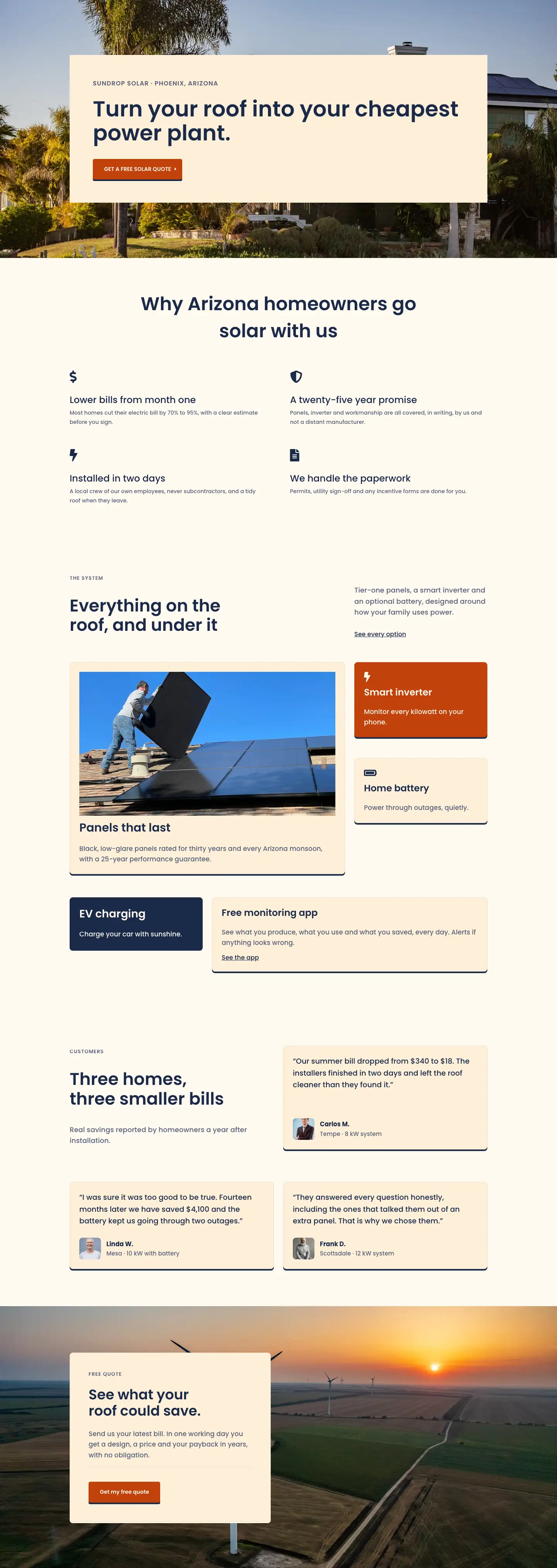
Meet the team behind Sundrop Solar — a family-owned Arizona installer with 60 employees, no subcontractors, and 12 years of rooftop solar installations. Honest quotes, local crews, real results.
Rate this element
Download this section, free
- Divi 5 JSON, imports in seconds
- Commercial license included
- No account needed
This page ships inside Sundrop: Solar Installer Theme (6 Pages), 6 coherent pages that share one brand.
Click to view the full page
Overview
The layout opens on a warm cream section (#fffaf0) with 180px of top padding on desktop, giving the company name and founding year room to land before the headline appears. The H1 sits at 104px in Poppins 600, scaling down explicitly to 72px on tablet and 44px on phone, with text-wrap: balance managing any multi-line wraps. A thin warm-tan divider (#ecdcc0) separates the brand statement from a two-column intro row split at a 16/24 and 8/24 ratio: the wider left column holds a 20px body paragraph, while the narrower right column positions an underlined text link flush with the bottom of the adjacent text block via alignItems: flex-end on the parent row.
The team section introduces the layout's recurring structural device: a 2px top-border rule in navy (#1b2a4a) that marks the transition from image to text on every card. Four portrait slots use a strict 1:1 aspect ratio with object-fit cover and no border radius, so the photos read as clean architectural frames rather than softened thumbnails. On tablet the four equal columns wrap into a 2x2 grid (each shifting from 6/24 to 12/24 wide); on phone they stack into a single full-width column. The section's own header row uses an asymmetric 14/24 and 10/24 split with alignItems: flex-end, so the H2 heading and the supporting copy paragraph share a common baseline across the two columns.
The third section replaces the cream background with a full-bleed photograph overlaid by a uniform navy gradient at 72% opacity (rgba(20,32,59,0.72) at both 0 and 100 percent), keeping text legible regardless of which part of the photo sits behind the content. Inside, a four-column CSS grid presents company milestones from 2013 to 2025. Each milestone card uses the same 2px top-border device, here in warm white (#fff6e6), with a 48px weight-700 year number, a short H3 title, and one sentence of description beneath it. The grid collapses to two columns on tablet and one on phone via explicit gridColumnCount settings on the parent Group module.
The layout closes with a solid navy values section and a second dark-image pullquote section. In the values section, four company principles numbered 01 through 04 are separated by full-width 2px Divider modules. The numbering occupies a fixed 64px column, the principle heading (H3 at 34px) fills the remaining flex space, and the supporting copy is constrained to a 360px max-width block. The closing quote section mirrors the dark-image treatment from the story section: a 120px Poppins 700 quotation mark serves as the sole ornament, followed by a 42px pullquote set to text-wrap: balance, a short 64px-wide Divider rule, and a two-line founder attribution in warm white (#fff6e6).
What’s inside
- Hero section with a 104px Poppins 600 H1 (three explicit breakpoints down to 44px on phone), warm-cream background, uppercase eyebrow label, a warm-tan hairline Divider, and an asymmetric 16/24 and 8/24 two-column intro row with an inline underlined text link
- Four-member team grid: 1:1 square portrait Images with object-fit cover and no border radius, 2px top-border navy name cards showing H3 name and uppercase role label, collapsing to a 2x2 grid on tablet and a single column on phone
- Dark-image origin story section with a 4-column CSS grid timeline (2013 to 2025): each milestone card has a 2px top-border rule in warm white, a 48px weight-700 year number, an H3 milestone title, and a one-sentence description
- Navy values section with four numbered principles (01 to 04) separated by full-width 2px white Divider modules, using a fixed 64px number column, a flex-grow H3 heading, and a 360px-constrained description Text module per row
- Large-format founder pullquote section: 120px Poppins 700 opening quotation mark, 42px pullquote body with text-wrap balance, a short 64px-wide Divider module, and two-line founder attribution in warm white
- Consistent 2px top-border device applied across team portrait cards, timeline milestone cards, and values rows for visual rhythm across all three content-dense sections
- Three explicit responsive breakpoints on every section with specific padding values, font sizes, and flex or grid layout switches (hero top padding steps from 180px to 120px to 80px as one example)
Who it’s for
Residential and commercial solar installers, clean-energy contractors, and renewable energy companies who want an About page that leads with people and trust rather than hardware specifications. The team grid, milestone timeline, and numbered values list also adapt cleanly to roofing, HVAC, landscaping, and other home-services businesses that compete on local ownership and direct crew accountability. Designers and agencies building client sites in the solar or home-improvement sector will find the structure pre-suited to the questions buyers ask before they commit: who owns the company, who will be on site, and what the business actually stands for.
Customization tips
The layout runs on two background colors (#fffaf0 warm cream and #1b2a4a navy) and Poppins throughout. Changing the palette to your brand colors touches about a dozen Heading and Text color fields across the four sections; defining those colors in Divi's global preset system first reduces it to a single replacement per color rather than per module. Team portrait photos should be cropped square before uploading (at least 800x800px), since the 1:1 aspect ratio constraint will center-crop any landscape or portrait image automatically. The numbered values list scales to three or five entries without any structural change; duplicate or remove a row group and its paired Divider modules. The hero H1 is sized for a single short line at 104px; if your headline consistently fills two lines, reduce the desktop size to 80-88px and lower the section top padding from 180px to around 140px to keep the proportions intentional. Timeline descriptions are one sentence each; keep them under roughly 120 characters to avoid uneven card heights across the four-column grid.
How to install this layout
- Download the layout JSON file from this page.
- Open the target page in the Divi 5 builder.
- Open the portability panel (up/down arrows icon) and choose the Import tab.
- Upload the JSON. Tick “replace existing content” only for full-page imports.
- Check the page at desktop and mobile widths, then swap in your copy and images.
Full walkthrough with troubleshooting: How to Import a Divi 5 Layout.
Questions about Sundrop Solar — Corporate Solar About Page for Divi 5
How does the four-member team grid behave on tablet and phone?
On tablet each portrait column shifts from 6/24 to 12/24 wide, so the four members display as a 2x2 grid with the same column gap. On phone all four columns stack into a single full-width vertical list. The 1:1 aspect ratio constraint is maintained at every breakpoint, so square photos stay square and landscape originals are center-cropped by the browser.
What image dimensions work best for the team portrait slots?
Each slot enforces a 1:1 aspect ratio with object-fit cover and no border radius. Aim for at least 800x800px source photos. If your originals are not already square, crop them before uploading: the default center-crop can cut off faces if heads sit near the top of a tall portrait image.
The H1 is 104px on desktop. What happens if my headline runs to two lines?
The text-wrap: balance property splits a two-line headline as evenly as possible, but the 1.02em line-height means a second line adds significant height to the hero section. For headlines that consistently fill two lines, reduce the desktop font size to 80-88px and lower the section top padding from 180px to around 140px so the section still feels like a deliberate statement rather than an accident.
Can I add or remove milestones from the origin story timeline?
Yes. The milestone cards sit inside a Group module set to CSS grid with gridColumnCount 4 on desktop (2 on tablet, 1 on phone). Adding a fifth card leaves an orphan in the four-column layout; update gridColumnCount to 5 on the parent Group's desktop layout setting to fill the row. Removing one card to get three leaves a visible gap; set the count to 3 to close it.
Which Divi 5 modules does this layout use?
Eight native Divi 5 module types: Section, Row, Column, Group, Heading, Text, Image, and Divider. No third-party plugins or modules are required beyond Divi 5 itself.
How do I replace the background photos in the dark overlay sections?
Both dark sections set their background photo via the Section module's Background settings, sized to cover and centered. Replace the source URL with your own image; any landscape photo at 1920px wide or wider works well. The gradient overlay runs at 72% opacity across the full width in both directions, so high-contrast or busy photos stay legible since the overlay keeps text contrast consistent regardless of what is behind it.
Which Divi version does this layout need?
Divi 5. The layout is generated natively for Divi 5 and validated against its real module structure before publication, so it imports clean into the current builder.
Can I use this layout on client websites?
Yes. Every download includes a commercial license covering unlimited sites you own or build for clients. Only reselling or redistributing the layout file itself is prohibited.
Included in these packs
More full landing pages
Browse all full landing pages
Kiln & Clay — Minimal Pottery_studio Visit Page for Divi 5
full_landing · pottery_studio · minimal

Kiln & Clay — Minimal Pottery_studio Our Story Page for Divi 5
full_landing · pottery_studio · minimal

Kiln & Clay — Minimal Pottery_studio Studio Membership Page for Divi 5
full_landing · pottery_studio · minimal

Kiln & Clay — Minimal Pottery_studio The Shop Page for Divi 5
full_landing · pottery_studio · minimal

Kiln & Clay — Minimal Pottery_studio Classes Page for Divi 5
full_landing · pottery_studio · minimal

Kiln & Clay — Minimal Pottery_studio Home Page for Divi 5
full_landing · pottery_studio · minimal