
The Lantern House — Elegant Boutique_hotel Contact Page for Divi 5
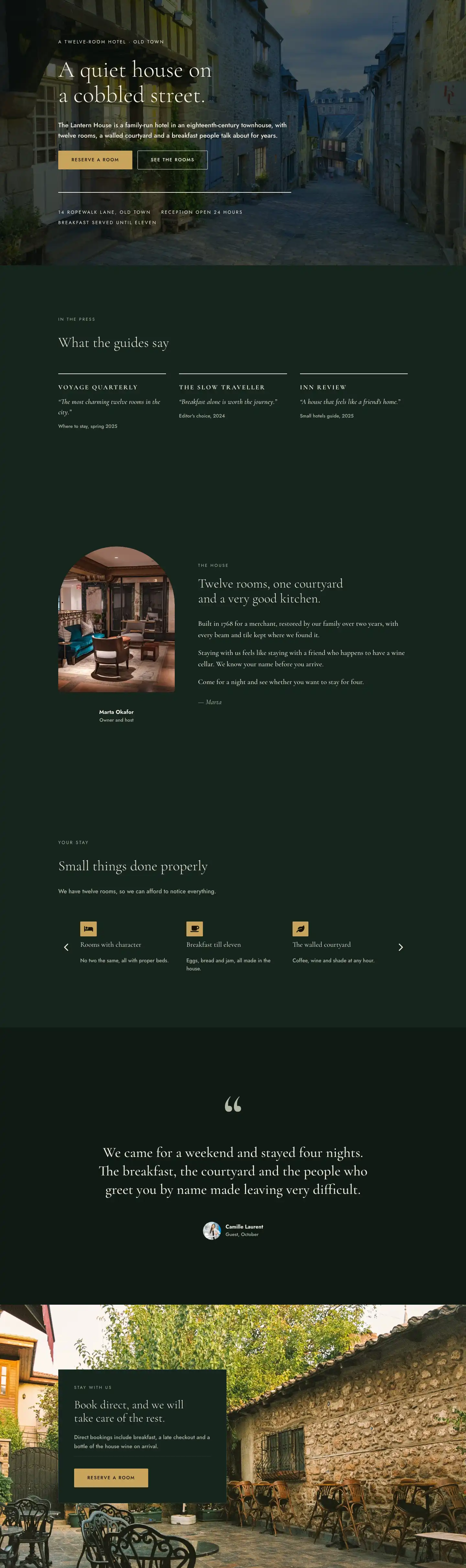
A refined Divi 5 contact page layout for boutique hotels. Deep forest greens, warm gold accents, Cormorant Garamond headings, enquiry form, FAQ accordion, and a direct-booking CTA strip.
Rate this element
Download this section, free
- Divi 5 JSON, imports in seconds
- Commercial license included
- No account needed
This page ships inside The Lantern House: Boutique Hotel Theme (6 Pages), 6 coherent pages that share one brand.
Click to view the full page
Overview
The Lantern House Contact page is built around four sections that move from orientation to action. The header opens on a deep forest green (#16241d) ground with a 1px sage border at the base, splitting a left column carrying a Cormorant Garamond H1 at 52px (weight 300) against a right column of supporting body copy in Jost 18px — a breadcrumb trail sits above in 13px uppercase with 3px letter-spacing, setting a composed, editorial tone before anything else is read.
The main section drops to the darkest background in the palette (#0f1a15) and holds the page's structural centrepiece: a 10/24-flex portrait image column paired with a 14/24-flex form column, separated by a 72px column gap. The image carries a distinctive shape treatment — fully pillowed top corners (999px radius) dissolving into a 32px radius at the bottom — which reads as an arch, a nod to old-town architecture without being literal about it. Below the image, two icon-labelled rows (Font Awesome map-pin and clock at 18px each) present address and hours using a two-line hierarchy: a sage uppercase label at 12px/3px tracking sits above a warm ivory value line at 17px, making the information scannable at a glance. The contact form on the right is housed inside a bordered card (#16241d fill, 1px #2b3d33 border, 40px padding) with a warm gold submit button (#c9a45c) — the only strong accent colour in the section, drawing the eye directly to the action.
A full-width FAQ section follows, centred at max 800px, with a Cormorant Garamond H2 at 44px introducing a six-item accordion. Each accordion title uses Cormorant at 19px weight 600 — the only place in the layout where the serif shifts from its usual weight-300 role — creating a clear visual break from the 16px Jost body answers. The accordion borders match the rest of the page's divider colour (#2b3d33), so the whole section feels continuous rather than boxed. A plain text phone number below the accordion gives guests an immediate fallback.
The layout closes with a warm gold (#c9a45c) CTA section using a horizontal space-between flex layout on desktop: a 48px Cormorant Garamond heading in near-black brown (#14110a) on the left, a deep green button group with a late-checkout nudge on the right. On mobile the row collapses to a column with alignItems: flex-start, keeping the button accessible without centring everything. Responsive padding is defined at all three breakpoints across every section — 160px/112px/72px for the content sections, scaled header padding, and reduced font sizes at tablet and phone — so no manual adjustments are needed after import.
What’s inside
- Four-section page structure: editorial header, image+form main section, FAQ accordion, and gold CTA band
- Portrait image module (4:5 ratio) with pill-arch top corners (999px radius) and 32px soft radius at the bottom, set at max 420px width
- Two icon-labelled contact detail rows using native divi/icon (Font Awesome map-pin and clock) with uppercase sage label + ivory value hierarchy
- Native divi/contact-form with three full-width fields (Name, Email, Message) inside a bordered card container, styled with dark field backgrounds and a warm gold `#c9a45c` submit button
- Six-item divi/accordion FAQ section centred at max 800px, with Cormorant Garamond H3 titles (weight 600) and Jost 16px body answers
- Full-width gold CTA section using a space-between flex row (heading + button group) that stacks gracefully to a left-aligned column on mobile
- Three-level typographic system: Cormorant Garamond for display headings (weight 300 throughout except accordion titles at 600), Jost for all body text and labels, and 3px-tracked uppercase Jost for section eyebrows
- Explicit responsive padding and font sizes defined at desktop, tablet, and phone breakpoints across all four sections — no post-import adjustments needed
Who it’s for
This layout suits independent boutique hotels, bed-and-breakfasts, historic inns, and small luxury guesthouses that want a contact page that feels as considered as the property itself. It also works well for high-end vacation rental portfolios, private hire venues, and event spaces — anywhere the guest experience starts before arrival and where the contact moment is a hospitality act rather than a form submission. Designers building sites for wedding venue clients or intimate retreat centres will find the FAQ accordion and warm-gold CTA particularly transferable.
Customization tips
The entire palette is controlled by four hex values: swap #0f1a15 and #16241d for your own dark base tones, replace #c9a45c with your brand accent (this changes both the CTA section background and the form submit button simultaneously), and update #f2ede1 for the headline ivory. Cormorant Garamond and Jost are both Google Fonts — if your brand uses a different serif/sans pairing, replace them at the heading and text module level respectively.
The portrait image slot expects a 4:5 crop; vertical architectural photography or a lifestyle interior shot works best. Avoid wide landscapes — they will crop poorly inside the arch shape. The contact form fields are full-width (24/24 flex), so adding a fourth field (e.g. Arrival date) is straightforward without breaking the column rhythm. Keep the form intro text to two short sentences — anything longer pushes the form below the fold on laptop screens. The accordion comfortably holds four to eight items; beyond eight, consider splitting into two grouped sections.
How to install this layout
- Download the layout JSON file from this page.
- Open the target page in the Divi 5 builder.
- Open the portability panel (up/down arrows icon) and choose the Import tab.
- Upload the JSON. Tick “replace existing content” only for full-page imports.
- Check the page at desktop and mobile widths, then swap in your copy and images.
Full walkthrough with troubleshooting: How to Import a Divi 5 Layout.
Questions about The Lantern House — Elegant Boutique_hotel Contact Page for Divi 5
Which Divi 5 modules does this layout use?
The layout uses divi/section, divi/row, divi/column, divi/heading, divi/text, divi/image, divi/icon, divi/group, divi/contact-form with divi/contact-field, divi/accordion with divi/accordion-item, and divi/button. No third-party modules are required.
How does the layout stack on mobile?
Every row uses explicit `flexWrap: wrap` and `flexDirection: column` phone values defined in the JSON, so all two-column sections collapse to a single column automatically. Font sizes, padding, and the CTA row alignment all have dedicated phone values — nothing relies on Divi's defaults.
What aspect ratio should I use for the left-column image?
The image module enforces a 4:5 ratio with `objectFit: cover`, so your source image should be portrait-oriented. The arch shape (999px top radius, 32px bottom radius) works best with architectural exteriors, cobbled streets, or moody interior shots — square or landscape crops will feel cramped inside it.
The contact form fields are labelled Name, Email, Message — can I add or rename them?
Yes. Each divi/contact-field has its own `id` and `innerContent` values you can edit directly in the Divi 5 editor. Adding a new field (e.g. Arrival date, Number of guests) is a matter of duplicating an existing field block and updating those two values.
The FAQ accordion has six items — is that fixed?
No. You can add or remove divi/accordion-item blocks inside the single divi/accordion. The accordion's border and toggle colours are set at the parent level, so new items inherit the styling automatically.
What is the role of the warm gold colour and where does it appear?
The gold (`#c9a45c`) appears in exactly two places: as the background of the full-page-width CTA section at the bottom, and as the background and border colour of the 'Send enquiry' button inside the contact form. Changing the hex in both spots is all you need to re-accent the layout for a different brand colour.
Which Divi version does this layout need?
Divi 5. The layout is generated natively for Divi 5 and validated against its real module structure before publication, so it imports clean into the current builder.
Can I use this layout on client websites?
Yes. Every download includes a commercial license covering unlimited sites you own or build for clients. Only reselling or redistributing the layout file itself is prohibited.
Included in these packs
More full landing pages
Browse all full landing pages
Kiln & Clay — Minimal Pottery_studio Visit Page for Divi 5
full_landing · pottery_studio · minimal

Kiln & Clay — Minimal Pottery_studio Our Story Page for Divi 5
full_landing · pottery_studio · minimal

Kiln & Clay — Minimal Pottery_studio Studio Membership Page for Divi 5
full_landing · pottery_studio · minimal

Kiln & Clay — Minimal Pottery_studio The Shop Page for Divi 5
full_landing · pottery_studio · minimal

Kiln & Clay — Minimal Pottery_studio Classes Page for Divi 5
full_landing · pottery_studio · minimal

Kiln & Clay — Minimal Pottery_studio Home Page for Divi 5
full_landing · pottery_studio · minimal