
The Lantern House — Elegant Boutique_hotel Breakfast and Dining Page for Divi 5
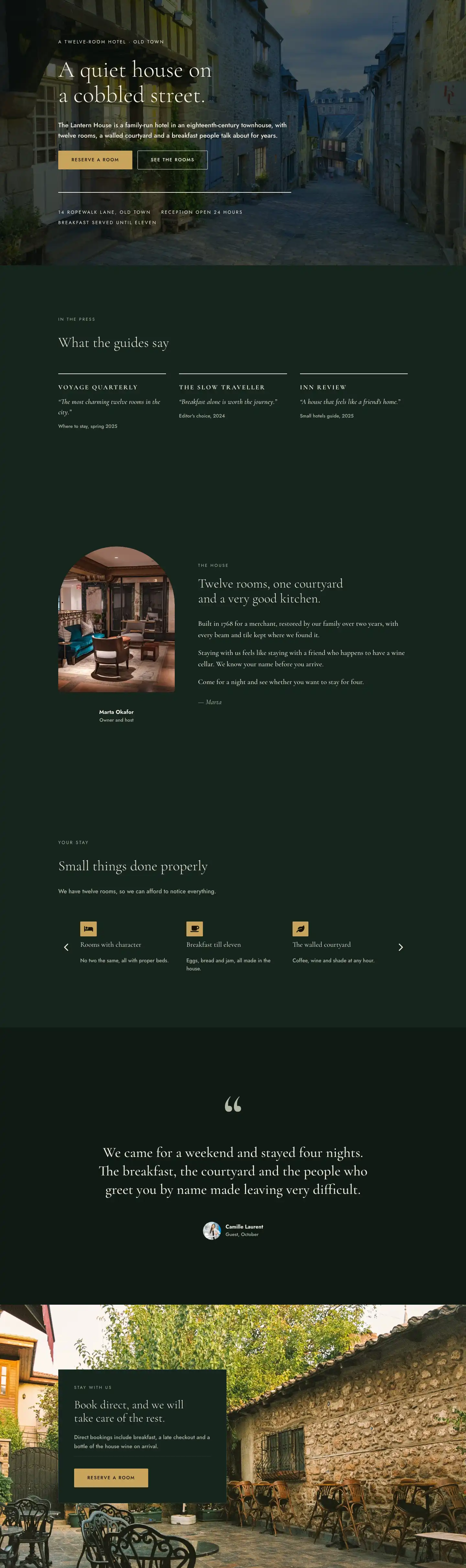
A full-page Divi 5 layout for boutique hotel dining. Features breakfast menus, a communal supper table, daily rhythm timeline, FAQ toggles, and a room booking CTA — in an elegant dark-and-gold palette.
Rate this element
Download this section, free
- Divi 5 JSON, imports in seconds
- Commercial license included
- No account needed
This page ships inside The Lantern House: Boutique Hotel Theme (6 Pages), 6 coherent pages that share one brand.
Click to view the full page
Overview
The page opens on a warm linen field (#f2ede1) with a single centered column: a 13px all-caps Jost eyebrow, a Cormorant Garamond H1 at 60px with weight 300 and text-wrap: balance, a hairline rule capped at 72px, and a paragraph of body copy at 19px. Nothing competes for attention. The bottom edge curves away in a 100px SVG divider into the deep forest green below, a tonal drop that signals the shift from arrival to experience. On tablet the H1 steps to 46px, on phone to 34px; the section padding compresses from 112px/168px to 64px/88px so the intro never crowds a small screen.
The three dining options occupy alternating half-and-half rows on a #0f1a15 ground. Each row pairs a 4:3 cover-fit image with a numbered text block: a small h4 counter in sage mist (#b4b9a8), an H3 title in Cormorant Garamond at 32px, 18px body copy, and a plain underlined "See the menu" link in linen white. The text column carries 48px of horizontal padding against its image neighbour to create breathing room without a gutter module. On phone every row collapses to a single column, and the second row uses Divi's order property to place its image above the text, so a visitor scrolling on a phone sees all three food photos before reading a word of copy.
The daily rhythm section splits the layout asymmetrically: a narrow 8/24 column holds the section title and a single framing sentence, while the wider 16/24 column carries a flex-built vertical timeline. Four time entries (7:00, 11:00, 17:00, 20:00) each begin with a 14x14px burnished gold square (#c9a45c) connected to the next by a 2px line that grows to fill the gap via flex-grow on the sizing panel. No icon fonts, no pseudo-elements: the connectors are plain Group modules. Each entry has a time eyebrow, a Cormorant Garamond H3 at 24px, and one sentence of body copy.
The FAQ section uses five native Divi 5 Toggle modules separated by hairline borders in #2b3d33, with the first toggle open by default to show that answers are there. The page closes on a full-bleed gold CTA strip (#c9a45c): a flex row with space-between alignment pairing a 48px booking headline on the left against a dark forest-green button and a single late-checkout incentive line on the right. On phone the strip stacks to a column with left-aligned text.
What’s inside
- Linen-toned intro section with Cormorant Garamond H1 at 60px (weight 300, text-wrap balance), 13px all-caps Jost eyebrow, 72px centered hairline rule, and a curve-style SVG section divider transitioning into the dark body
- Three alternating 1/2+1/2 rows pairing 4:3 cover-fit images with numbered text blocks (h4 counter, H3 title at 32px, 18px body, inline menu link) — second row uses Divi's order property to lead with the image on phone
- Flex-built vertical timeline with four time entries (7:00 to 20:00), 14x14px gold square dots connected by flex-grow Group modules acting as connectors — no icon font required
- Five native Divi 5 Toggle modules styled to the dark palette with hairline bottom borders in `#2b3d33`, matching open/closed icon colors in linen white, and the first toggle open by default
- Full-bleed gold CTA strip (`#c9a45c`) using a flex row with justify-content space-between to pair a large Cormorant Garamond headline against a dark button and micro-copy, collapsing to a stacked left-aligned column on phone
- Three-tier responsive padding applied consistently across all major sections: 160px desktop, 112px tablet, 72px phone
- Two-typeface system: Cormorant Garamond for display headings (weight 300 for large titles, 400 for section H3s, 600 for toggle titles) and Jost for eyebrows, body, and UI labels
Who it’s for
Built for boutique hotels, heritage B&Bs, vineyard accommodations, farm stays, and intimate inns where the food experience is central to the guest proposition. It works equally well for chef's table restaurants, private dining clubs, or any small hospitality business that wants to frame its service through atmosphere and provenance rather than a standard menu page. The numbered dining options and daily rhythm timeline are practical for any property running a structured but unhurried schedule, from a two-room guesthouse to a countryside retreat.
Customization tips
The palette is controlled at section level. Swapping #f2ede1 (linen) for a cooler off-white, #0f1a15 (forest green) for charcoal or navy, and #c9a45c (gold) for terracotta or slate shifts the mood without touching typography. The timeline dots and CTA section background both reference the gold value, so one change updates both. Keep the H1 intro copy under 10 words to preserve the text-wrap: balance effect across breakpoints. Each dining option body text is one to two sentences; longer copy unbalances the image-to-text ratio in the half-half rows. Supply images at 4:3 (for example 1600x1200px) for correct cover-fit behaviour. Toggle answers read best at one to two sentences. The late-checkout micro-copy line under the CTA button is a plain Text module and can be removed or replaced without affecting the button.
How to install this layout
- Download the layout JSON file from this page.
- Open the target page in the Divi 5 builder.
- Open the portability panel (up/down arrows icon) and choose the Import tab.
- Upload the JSON. Tick “replace existing content” only for full-page imports.
- Check the page at desktop and mobile widths, then swap in your copy and images.
Full walkthrough with troubleshooting: How to Import a Divi 5 Layout.
Questions about The Lantern House — Elegant Boutique_hotel Breakfast and Dining Page for Divi 5
What Divi 5 modules does this layout use?
Heading, Text, Image, Button, Divider, Group, Toggle, and the standard Row/Column/Section containers. No third-party modules or shortcodes are required.
How do the alternating image and text rows behave on mobile?
Each half-half row collapses to a single full-width column. The second dining option row uses Divi's order property set to -1 on the image column, so that photo moves above the text on phone even though it sits on the right at desktop. All three food images end up near the top of the scroll on small screens.
The timeline connectors are Group modules with flex-grow. Is it easy to add or remove entries?
Yes. Each timeline entry is a pair of sibling groups: the dot-and-line column on the left and the text block on the right. Duplicate or delete that pair and the connector lines reflow automatically because they use flex-grow rather than a fixed height. The last entry has no trailing line, so if you move it, just remove the line group from that final entry.
Can I add more Toggle items to the FAQ section?
Yes, duplicate any existing Toggle inside the bordered container Group. The top border lives on the container and the bottom border on each individual Toggle, so the visual separation stays consistent regardless of how many items you add or remove.
Do Cormorant Garamond and Jost load automatically?
Both are Google Fonts and load through Divi 5's built-in font picker once selected in the module settings. If you substitute different typefaces, check the letter-spacing and line-height values in the heading modules, as they are tuned to these two typefaces particularly at the larger display sizes.
Which Divi version does this layout need?
Divi 5. The layout is generated natively for Divi 5 and validated against its real module structure before publication, so it imports clean into the current builder.
Can I use this layout on client websites?
Yes. Every download includes a commercial license covering unlimited sites you own or build for clients. Only reselling or redistributing the layout file itself is prohibited.
Included in these packs
More full landing pages
Browse all full landing pages
Kiln & Clay — Minimal Pottery_studio Visit Page for Divi 5
full_landing · pottery_studio · minimal

Kiln & Clay — Minimal Pottery_studio Our Story Page for Divi 5
full_landing · pottery_studio · minimal

Kiln & Clay — Minimal Pottery_studio Studio Membership Page for Divi 5
full_landing · pottery_studio · minimal

Kiln & Clay — Minimal Pottery_studio The Shop Page for Divi 5
full_landing · pottery_studio · minimal

Kiln & Clay — Minimal Pottery_studio Classes Page for Divi 5
full_landing · pottery_studio · minimal

Kiln & Clay — Minimal Pottery_studio Home Page for Divi 5
full_landing · pottery_studio · minimal